Sharp MX-C401 Uživatelský manuál Strana 681
- Strana / 849
- Tabulka s obsahem
- ŘEŠENÍ PROBLÉMŮ
- KNIHY

- OPERATION GUIDE 1
- Please read first 2
- Notice for Users in U.S.A 3
- Cautions 6
- Warnings 7
- Fusing unit 7
- For North America 8
- Laser information 9
- INSTALLATION REQUIREMENTS 10
- SUPPLIES 12
- REPLACING SUPPLIES AND 13
- MAINTENANCE 13
- Open the front cover 14
- Protective 15
- Close the front cover 17
- Open the main charger cover 22
- Turn on the power 28
- Replacing the drum cartridge 29
- Open the cover 31
- Replace the staple case 33
- Close the cover 33
- Regular maintenance 34
- Scanning area 35
- Remove the charger cleaner 36
- Clean the main charger 37
- Main charger 38
- Cleaning the laser unit 46
- Remove the dirty cleaner 49
- Clean the laser unit 50
- Replace the cleaning tool 51
- Clean the PT charger 54
- SPECIFICATIONS 56
- (Continued) 57
- Continuous copying speeds* 60
- Ambient environment 60
- ISO7779) 61
- RAL-UZ122: Edition Jun. 2006) 62
- Finisher specifications 65
- Maximum 66
- Printer specifications 67
- specifications 68
- Facsimile specifications 70
- TO THE ADMINISTRATOR OF 73
- THE MACHINE 73
- Important safety instructions 74
- FCC Notice to users: 75
- NOTICE for users in the USA 76
- NOTICE FOR USERS IN 77
- AVIS POUR NOS 77
- UTILISATEURS AU CANADA 77
- Trademark acknowledgments 78
- DIGITAL 81
- MX-C311/MXC-401 82
- Software Setup Guide 82
- SOFTWARE LICENSE 83
- TABLE OF CONTENTS 84
- CD-ROMS AND SOFTWARE 85
- BEFORE INSTALLING THE 85
- SOFTWARE 85
- OTHER CD-ROMS 87
- VERIFYING SYSTEM REQUIREMENTS 88
- SOFTWARE REQUIREMENTS 89
- CONNECTING THE MACHINE 90
- SCREEN (FOR ALL SOFTWARE) 91
- DRIVER / PC-FAX DRIVER 93
- X Standard installation 94
- [Address] and [Port number] 103
- WHEN THE MACHINE WILL BE 105
- CONNECTED WITH A USB CABLE 105
- ☞ CHANGING THE PORT (page 45) 112
- (Windows 98/Me) 117
- (2) Click the [OK] button 119
- [Printer] 121
- (2) Select [Properties] 121
- (3) Click the [OK] button 122
- INSTALLING THE PRINTER 123
- STATUS MONITOR 123
- INSTALLING THE SCANNER 125
- INSTALLING THE SCANNER DRIVER 126
- Select the IP address of the 127
- Click the [OK] button 127
- CHANGING THE PORT 128
- TCP/IP Port" 130
- MAC OS X 131
- SETUP IN A MACINTOSH 131
- ENVIRONMENT 131
- Installation begins 133
- Click [Add] 134
- Configure the printer driver 135
- (4) Click the [Add] button 135
- (1) Select [AppleTalk] 136
- MAC OS 9.0 - 9.2.2 141
- WHEN INSTALLATION WAS NOT 145
- SUCCESSFUL 145
- TROUBLESHOOTING 145
- ☞ CONNECTING TO A NETWORK 146
- (Windows 2000/XP/Server 2003) 149
- REMOVING THE SOFTWARE 150
- X Mac OS X 151
- X Mac OS 9.0 - 9.2.2 151
- SofSoftware Setup GuideSof 153
- MAKE A COPY 154
- Conserve 155
- Reduce copy mistakes 156
- Envelopes and other 158
- Transparency film 158
- Add the date or page numbers 159
- Create a pamphlet 160
- Staple output 160
- Create a blank margin for 160
- Other convenient functions 161
- PRINT A DOCUMENT 162
- Print without a computer 164
- Print attractive output 165
- Print on this type of paper 167
- Add text or an image 168
- SEND A FAX 170
- Send this type of document 172
- Send a clear document 174
- Save trouble 175
- Security is important 176
- Send a clear image 179
- Check the result of 181
- Check the log of previous 181
- Send a smaller file 182
- SAVE A JOB AND REUSE IT LATER 185
- Search for a file 186
- Organize my files 187
- ABOUT OPERATION GUIDE 188
- HOW TO USE THIS MANUAL 189
- Manual name Contents 190
- ABOUT OPERATION MANUAL 191
- CHAPTER 1 192
- BEFORE USING THE MACHINE 192
- PART NAMES AND FUNCTIONS 193
- Contents 194
- \Drum cartridges 195
- SIDE AND BACK 197
- OPERATION PANEL 198
- TOUCH PANEL 200
- STATUS DISPLAY 202
- SYSTEM BAR 203
- TURNING THE POWER ON AND OFF 205
- ENERGY SAVE FUNCTIONS 206
- [POWER SAVE] KEY 206
- USER AUTHENTICATION 207
- HOME SCREEN 212
- ITEMS RECORDED IN THE JOB LOG 214
- IMPORTANT POINTS ABOUT PAPER 217
- LOADING PAPER 217
- Paper that cannot be used 219
- Non-recommended paper 219
- TRAY SETTINGS FOR TRAY 1 TO 4 220
- Inserting paper 223
- Inserting transparency film 223
- Loading envelopes 224
- PLACING THE ORIGINAL 225
- ORIGINALS 225
- 5-1/2" x 8-1/2" 227
- 8-1/2" x 11" (A4) 227
- Placing a thick book 228
- PERIPHERAL DEVICES 229
- FINISHER 230
- BUSINESS CARD FEEDER 231
- SHARP OSA 232
- FUNCTIONS OF THE MAIN KEYS 235
- ENTERING TEXT 235
- CHAPTER 2 237
- CONVENIENT COPY FUNCTIONS 238
- BASE SCREEN OF COPY MODE 239
- Tray during paper feeding 240
- Customizing displayed keys 241
- COPYING SEQUENCE 242
- Special Modes 243
- 2-Sided Copy 243
- PAPER TRAYS 245
- BASIC PROCEDURE FOR MAKING 246
- AUTOMATIC 2-SIDED COPYING 251
- COLOR COPY MODES 257
- Selecting 2 color copying 258
- IMAGE TYPE 259
- REDUCTION/ENLARGEMENT/ZOOM 261
- SEPARATELY (XY Zoom) 264
- ORIGINAL SIZES 265
- (1~8 1/2) 266
- OUTPUT MODES 271
- Staple sort function 272
- (5 1/2~14) 275
- (5 1/2~8 1/2) 275
- SPECIAL MODES 276
- [OK] key and [Cancel] key 278
- ADDING MARGINS (Margin Shift) 279
- (Pamphlet Copy) 283
- COPYING A LARGE NUMBER OF 285
- ORIGINALS AT ONCE (Job Build) 285
- TRANSPARENCY FILM 287
- (Transparency Inserts) 287
- ONE SHEET (2in1) 289
- SHEET OF PAPER (Card Shot) 291
- COPIES (Stamp) 294
- STAMPING COPIES (Stamp) 299
- (Page Numbering) 301
- [Image Edit] KEY 310
- [Color Adjustments] KEY 318
- Background) 321
- (Proof Copy) 327
- (Mixed Size Original) 330
- (Business Card Scan) 334
- JOB STATUS SCREEN 338
- Job key display 340
- IN THE QUEUE 343
- CHAPTER 3 347
- PRINTING WITHOUT THE PRINTER 348
- CHECKING THE PRINT STATUS 348
- APPENDIX 348
- BASIC PRINTING PROCEDURE 350
- PRINTING FROM WINDOWS 350
- SELECTING THE PAPER 352
- PRINTING ON ENVELOPES 353
- PRINTING WHEN THE USER 354
- VIEWING PRINTER DRIVER HELP 356
- SAVING FREQUENTLY USED PRINT 357
- SETTINGS 357
- USING SAVED SETTINGS 359
- CHANGING THE PRINTER DRIVER 360
- DEFAULT SETTINGS 360
- PRINTING FROM A MACINTOSH 362
- PRINTING 363
- SELECTING THE COLOR MODE 369
- FREQUENTLY USED FUNCTIONS 369
- BLACK AND WHITE PRINTING 370
- Macintosh 370
- TWO-SIDED PRINTING 372
- STAPLING OUTPUT 377
- PAMPHLETS AND POSTERS 379
- CONVENIENT PRINTING FUNCTIONS 379
- ORIENTATION OF THE IMAGE 383
- (Zoom/XY-Zoom) 384
- (Line Width Settings) 385
- THE IMAGE (Color Adjustment) 387
- ABCD ABCD 388
- TYPE (Advanced Color) 389
- (Watermark) 391
- (Image Stamp) 392
- PRINT FUNCTIONS FOR SPECIAL 394
- PURPOSES 394
- CONVENIENT PRINTER FUNCTIONS 399
- IMAGE SEND 402
- DOCUMENT 402
- SUBMIT PRINT JOB 408
- FTP PRINT 408
- E-MAIL PRINT 409
- JOB SCREEN 411
- GIVING A PRINT JOB 414
- CANCELING A PRINT JOB 415
- PRINTING WHEN PAPER RUNS OUT 416
- CHAPTER 4 419
- FACSIMILE 419
- FAX RECEPTION 420
- USING AN EXTENSION PHONE 421
- PREPARATIONS FOR FAX 422
- "ON" POSITION 423
- CHECKING THE DATE AND TIME 424
- STORING THE SENDER FAX NUMBER 424
- BASE SCREEN OF FAX MODE 425
- ADDRESS BOOK SCREEN 428
- THE ADDRESS BOOK SCREEN 429
- Index display 430
- FAX TRANSMISSION SEQUENCE 431
- NUMERIC KEYS 434
- ENTERING DESTINATIONS 434
- ADDRESS BOOK 435
- A DESTINATION 438
- GLOBAL ADDRESS BOOK 439
- USING THE RESEND FUNCTION 441
- CHAIN DIALING 442
- TRANSMISSION METHODS 443
- BASIC TRANSMISSION METHODS 443
- WHEN THE LINE IS BUSY 445
- Functions that cannot be used 446
- USING THE AUTOMATIC DOCUMENT 447
- FEEDER FOR TRANSMISSION 447
- COMPUTER (PC-Fax) 460
- IMAGE SETTINGS 461
- ORIGINAL (2-Sided Original) 462
- (1 8 1/2) 467
- CHANGING THE EXPOSURE 470
- CHANGING THE RESOLUTION 471
- RECEIVING FAXES 472
- RECEIVING A FAX 473
- RECEIVING A FAX MANUALLY 474
- IMAGE CHECK SCREEN 477
- FORWARDING RECEIVED FAXES 478
- (Fax Data Forward) 478
- IMAGE (Erase) 486
- SINGLE PAGE (Card Shot) 490
- (Job Build) 493
- SENDING BUSINESS CARDS 497
- TRANSACTION REPORT 498
- (Transaction Report) 498
- FAXES (Own number sending) 500
- INFORMATION (Own Name Select) 501
- RECEPTION (Polling) 502
- SENDING A FAX WHEN ANOTHER 505
- MACHINE POLLS YOUR MACHINE 505
- (Polling Memory) 505
- F-CODE COMMUNICATION 510
- PERFORMING F-CODE 510
- COMMUNICATION 510
- XXXXXXXX 511
- CONFIDENTIAL RECEPTION 514
- F-CODE POLLING TRANSMISSION 518
- POLLING BOX 521
- POLLING TRANSMISSION 522
- RELAY BROADCAST TRANSMISSION 525
- USING F-CODES 525
- CHECKING THE STATUS OF FAX 528
- COMPLETED 532
- PROGRESS 533
- CHECKING COMPLETED JOBS 534
- RESERVED FAX 535
- CHECKING THE ACTIVITY LOG 537
- CHAPTER 5 539
- SCANNER/INTERNET FAX 539
- NETWORK SCANNER FUNCTION 541
- NETWORK SCANNER 541
- USB memory mode 542
- Internet fax mode 542
- PC scan mode 542
- Data entry mode 542
- STORING SENDER INFORMATION 543
- SCAN MODE IN THE ADDRESS BOOK 544
- ADDING DESTINATIONS 545
- If the destination is busy 546
- BASE SCREEN 547
- SCAN SEND SEQUENCE 553
- RETRIEVING A DESTINATION 556
- DESTINATIONS 557
- ENTERING AN ADDRESS MANUALLY 559
- SENDING AN IMAGE IN SCAN MODE 563
- TRANSMITTING AN IMAGE 563
- AND BODY TEXT 567
- ENTERING A FILE NAME 574
- INTERNET FAX DESTINATIONS 584
- COMPUTER (PC-I-Fax) 586
- CHANGING THE FILE FORMAT 598
- CHANGING THE COLOR MODE 602
- (Timer Transmission) 609
- A SINGLE PAGE (Card Shot) 611
- SCANNING THIN ORIGINALS 616
- (Slow Scan Mode) 616
- SCANNING BUSINESS CARDS 618
- (Suppress Background) 619
- CHECKING THE STATUS OF 623
- TRANSMISSION/RECEPTION JOBS 623
- STOPPING A SCAN JOB BEING 629
- TRANSMITTED OR WAITING TO BE 629
- TRANSMITTED 629
- GIVING PRIORITY TO A SCAN 630
- TRANSMISSION JOB 630
- IMAGE SENDING ACTIVITY REPORT 631
- RECEIVING AN INTERNET FAX 632
- FORWARDING RECEIVED INTERNET 637
- FAXES TO A NETWORK ADDRESS 637
- (Inbound Routing Settings) 637
- BASIC SCANNING PROCEDURE 640
- SCANNING FROM A COMPUTER 640
- (PC Scan Mode) 640
- [At your computer] 641
- [At the machine] 644
- METADATA DELIVERY 645
- PREPARATIONS FOR METADATA 646
- TRANSMISSION 646
- TRANSMITTING METADATA 647
- METADATA FIELDS 649
- CHAPTER 6 650
- DOCUMENT FILING 650
- Hard drive 651
- USES OF DOCUMENT FILING 652
- BEFORE USING DOCUMENT FILING 653
- Automatic deletion of files 655
- Copy mode 657
- Image Send mode 657
- SAVING FILES WITH DOCUMENT 660
- FILE INFORMATION 664
- Assigning a file name 665
- Specifying the folder 665
- [Original] key 668
- [Exposure] key 668
- [Color Mode] key 669
- USING STORED FILES 673
- FOLDER SELECTION SCREEN 675
- FILE SELECTION SCREEN 676
- SELECTING A FILE 678
- JOB SETTINGS SCREEN 679
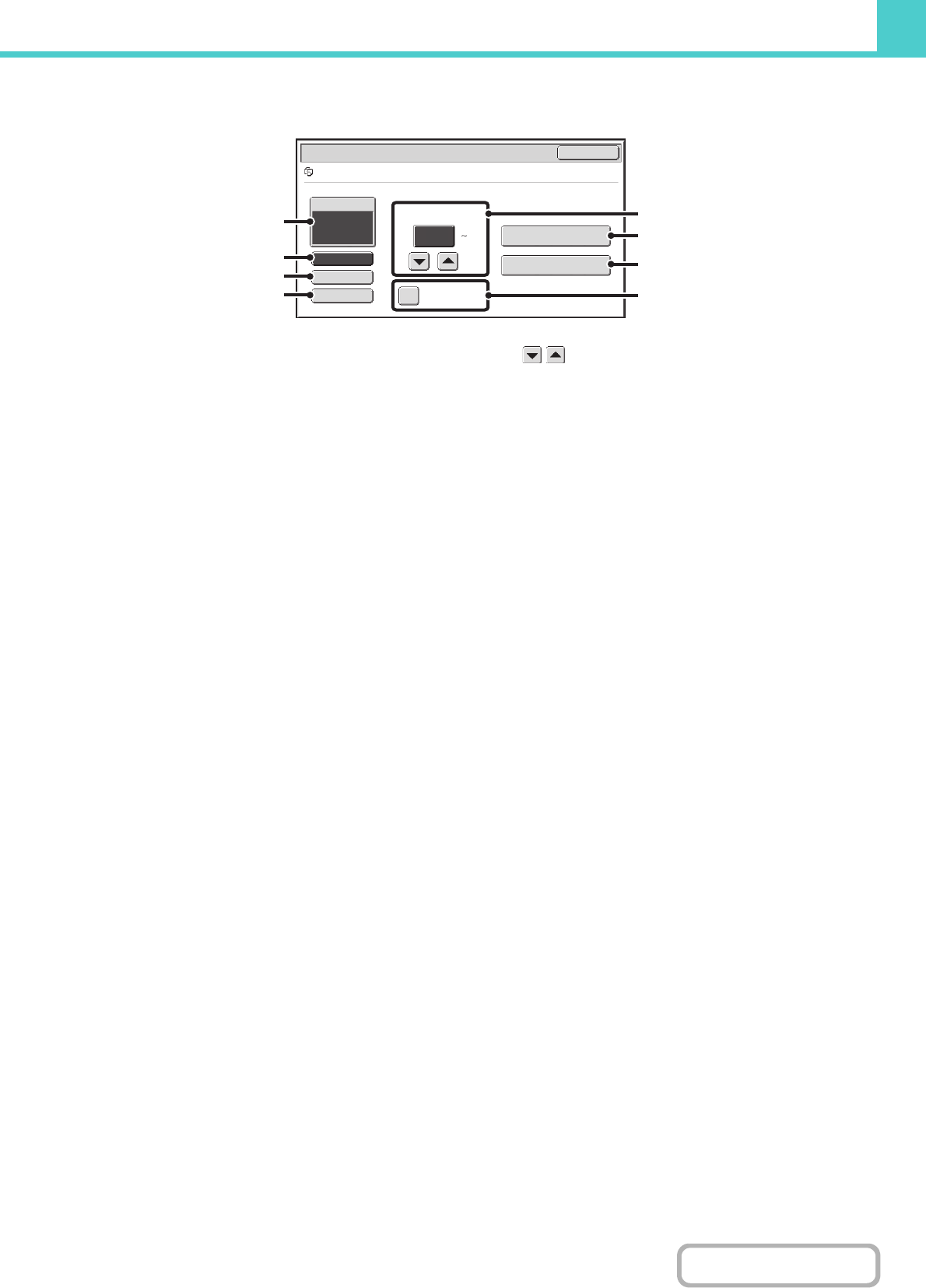
- PRINTING A STORED FILE 680
- (1 999) 680
- MULTI-FILE PRINTING 682
- Batch printing 684
- SENDING A STORED FILE 686
- SEND SETTINGS SCREEN 687
- PROPERTIES OF STORED FILES 688
- MOVING A STORED FILE 690
- DELETING A STORED FILE 692
- SEARCHING FOR A STORED FILE 696
- CHAPTER 7 702
- SYSTEM SETTINGS 702
- SYSTEM SETTINGS FOR FAX 703
- System Settings 704
- Common Operation Methods 705
- SYSTEM SETTINGS (GENERAL) 706
- Total Count 711
- Default Settings 712
- List Print (User) 713
- Paper Tray Settings 714
- Tray Settings 715
- Paper Type Registration 716
- Auto Tray Switching 716
- Address Control 717
- Settings 718
- Custom Index 719
- Storing a program 720
- Editing and deleting programs 720
- Fax Data Receive/Forward 721
- Printer Condition Settings 722
- PCL Settings 723
- PostScript Setting 724
- Document Filing Control 725
- USB-Device Check 726
- User Control 726
- (ADMINISTRATOR) 727
- Login by user number 729
- Other Settings 747
- User List 748
- Page Limit Group List 750
- Authority Group List 751
- Favorite Operation Group List 754
- Home Screen List 755
- User Count 756
- Resetting user counts 757
- Energy Save 758
- Operation Settings 759
- MFP Display Pattern Setting 760
- Customize Key Setting 760
- Home Screen Settings 760
- Preview Setting 761
- Remote Operation Settings 761
- Device Control 762
- Optimization of a Hard Disk 763
- Clear All Job Log Data 763
- Disabling of Devices 764
- Fusing Control Settings 764
- Copy Function Settings 765
- Color Adjustments 768
- Network Settings 769
- Printer Settings 770
- Interface Settings 771
- Auto Color Calibration 772
- Image Send Settings 773
- Sender Data Registration 776
- Own Name and Destination Set 776
- Scan Settings 777
- I-Fax Settings 779
- Document Filing Settings 783
- Document Output Options 785
- List Print (Administrator) 786
- Security Settings 787
- Enable/Disable Settings 788
- Change Administrator Password 791
- Product Key 791
- Data Backup 792
- Restore Factory Defaults 793
- Store Current Configuration 793
- Restore Configuration 793
- Sharp OSA Settings 794
- F-Code Memory Box 798
- Fax Output Settings 807
- Allow/Reject Number Setting 807
- Fax Polling Security 807
- CHAPTER 8 810
- REMOVING MISFEEDS 811
- HOW TO REMOVE MISFEEDS 812
- REMOVING STAPLE JAMS 815
- PROBLEMS RELATED TO RECEPTION 829
- PROBLEMS RELATED TO TELEPHONE 830
- KEYS / GROUP KEYS 831
- SCANNING / INTERNET FAX 832
- GENERAL PROBLEMS 840
- OTHER PROBLEMS 847
- SHARP ELECTRONICS CORPORATION 849
Související produkty a manuály pro Tiskárny Sharp MX-C401
 (32 stránky)
(84 stránky)
(52 stránky)
(140 stránky)
(58 stránky)
(2 stránky)
(6 stránky)
(116 stránky)
(144 stránky)
(67 stránky)
(76 stránky)
(220 stránky)
(248 stránky)
(8 stránky)
(2 stránky)
(152 stránky)
(36 stránky)
(54 stránky)
(130 stránky)
(56 stránky)
(32 stránky)
(84 stránky)
(52 stránky)
(140 stránky)
(58 stránky)
(2 stránky)
(6 stránky)
(116 stránky)
(144 stránky)
(67 stránky)
(76 stránky)
(220 stránky)
(248 stránky)
(8 stránky)
(2 stránky)
(152 stránky)
(36 stránky)
(54 stránky)
(130 stránky)
(56 stránky)
© 2020, manymanuals.cz. Všechna práva vyhrazena. | 0.069 s |
 Manymanuals.com
 Manymanuals.de
 Manymanuals.fr
 Manymanuals.it
 Manymanuals.pl
 Manymanuals.cz
 Manymanuals.es
 Manymanuals-pt.com
Komentáře k této Příručce