Sharp CP-SR421 Uživatelský manuál Strana 86
- Strana / 404
- Tabulka s obsahem
- ŘEŠENÍ PROBLÉMŮ
- KNIHY

- MR-J4-_B 1
- 6DIHW\,QVWUXFWLRQV 2
- :$51,1* 2
- &$87,21 2
- &$87,21 3
- ',6326$/2):$67( 7
- (Note 4) 17
- (2) MR-J4-700B 18
- [Pr. PC09], [Pr. PC10] 22
- MR-J4-10B 23
- Inside of the display cover 24
- Bottom face 24
- Chapter 24
- 1 - 10 25
- (2) MR-J4-350B 25
- Front cover 29
- Setting tab 29
- Next servo amplifier 30
- CN1A or cap 30
- 1 - 16 31
- 1 - 17 32
- (3) MR-J4-500B 32
- Servo system controller or 33
- 40 mm or more 35
- 2. INSTALLATION 36
- శࠦ࠼ㇱ ࠤࡉ࡞ㇱ 37
- 3. SIGNALS AND WIRING 44
- 3 s to 4 53
- If polarity of diode is 70
- Servo motor speed 76
- 6,*1$/6$1':,5,1* 79
- 4. STARTUP 81
- Servo amplifie 82
- Servo moto 82
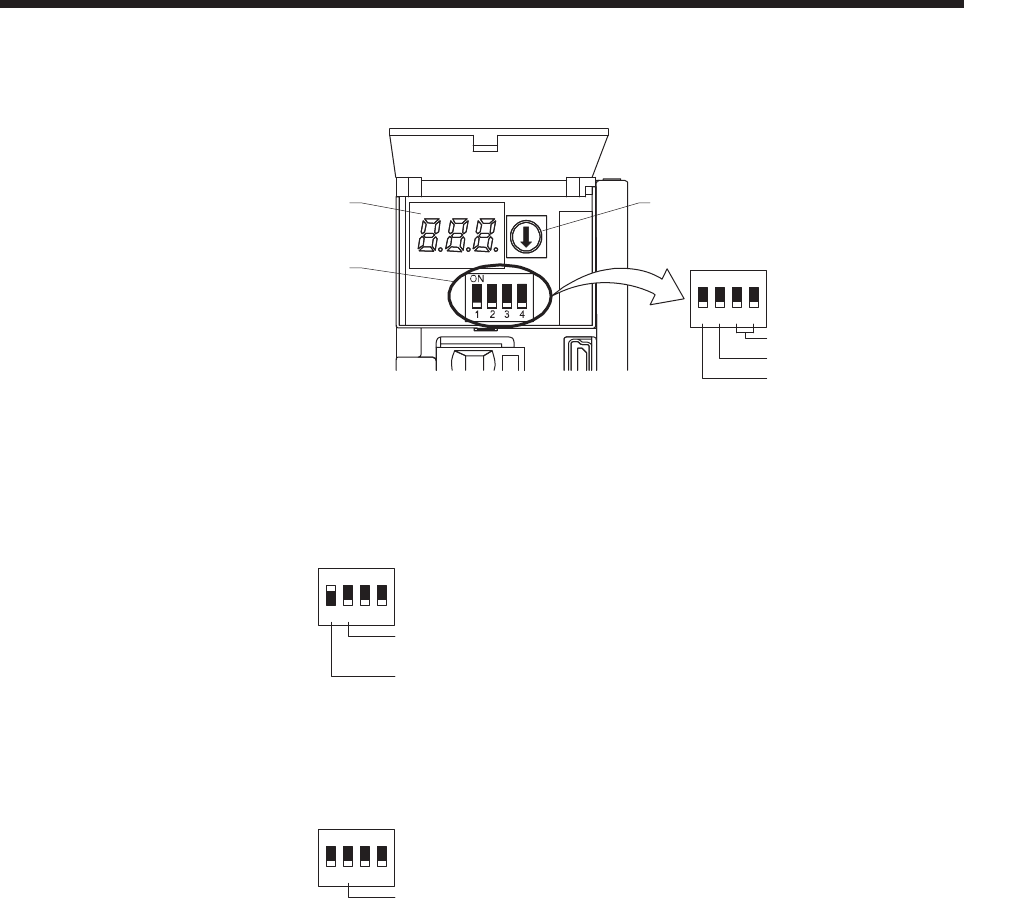
- ᓮゲήലࠬࠗ࠶࠴ 86
- Alarm No 89
- (2 digits) 89
- Flickering 90
- 67$5783 91
- SW2-1ࠍ"ࠝࡈ(ਅ)"ߦ⸳ቯ 97
- 5. PARAMETERS 100
- 3$5$0(7(56 124
- [Pr. PC24] 134
- 0 r/min 134
- (0 mm/s) 134
- 6. NORMAL GAIN ADJUSTMENT 146
- Speed loop gain setting 159
- Speed [r/min] 163
- Model loop gain setting 163
- Notch depth 165
- Notch frequency 167
- Has vibration or unusual 168
- [Pr.PB23] 169
- ゲᝄᛥࡈࠖ࡞࠲ㆬᛯ 169
- 1: ࡑ࠾ࡘࠕ࡞⸳ቯ 169
- Manual setting 170
- Disabled 170
- Low-pass filter selection 170
- Setting value 171
- Has vibration of workpiece 172
- Motor-side vibration 174
- (droop pulses) 174
- Position 175
- Load side 175
- Setting 176
- Frequency 176
- 7 - 21 184
- (b) Switching timing chart 184
- CAUTION 187
- (Warning) 189
- Instantaneous power 190
- 8. TROUBLESHOOTING 192
- 287/,1('5$:,1*6 200
- 205
- $SSUR[ $SSUR[ 205
- $SSUR[ 205
- / /7( 206
- 208
- 10. CHARACTERISTICS 210
- Operating 211
- Air flow 213
- Time constant IJ [ms] 215
- WARNING 218
- Cautions 218
- Servo amplifier 221
- MR-D05UDL3M-B 221
- 2.2 ± 0.07 222
- Protective tube 223
- Unbalance torque 225
- Positive 227
- Negative 227
- [Unit: mm] 231
- N/- P/+ PR 237
- 237
- (Note 1) 244
- Power supply 246
- Environment 246
- 2CR17335A WK17 250
- 6V 1650mAh 250
- (Note 2) 254
- CR-10201 259
- Approx. 22.5 261
- Approx. 65 261
- Leakage current [mA] 264
- 28.5 ± 1 28 ± 1 269
- 4.5 ± 0.5 269
- &RYHU 274
- /RFNLQJSDUW 274
- 05%$79 274
- :$51,1* 276
- 86,1*672)81&7,21 277
- 67272)% 279
- 672&20 279
- 72)&20 279
- WARNING 288
- Linear servo motor 290
- Installation and wirin 292
- Absolute position linear 292
- Incremental linear encoder 292
- 14 - 7 294
- [Pr. PL03] 295
- [Pr. PL02] 295
- Has [AL. 27 Initial magnetic 296
- occurred? 296
- 14 - 10 297
- Servo-off status 298
- During the magnetic 298
- (servo-on status) 298
- [Pr.PL01] 301
- Position detection method 302
- [Pr. PL08] 302
- Stop interval [pulse] 303
- 1048576 (initial value) 303
- 1048576 pulses × n 306
- SW2-1ࠍ"ࠝࡦ()"ߦ⸳ቯ 308
- Differ 310
- ࠨࡏࡠ࠶ࠢᤨ 313
- Servo system controller 319
- 15 - 5 322
- 15.3.1 Startup procedure 322
- 15 - 8 325
- [Pr.PL08] 329
- 0: Position detection method 329
- [Pr.PL04] 332
- EM1 (Forced stop 1) 336
- 16 - 2 339
- Semi closed loop control 340
- Fully closed loop control 340
- SSCNET III/H controller 341
- Load-side encoder 342
- Do as necessary 345
- Operation mode 346
- Linear encoder 347
- Linear encoder head 347
- Geared servo motor 347
- Pulley diameter 348
- Servo motor-side cumulative 349
- Droop pulses 350
- Linear encoder home position 351
- Proximity dog signal 352
- JOG operation 352
- Servo motor s 355
- [Pr. PE03] 357
- 'ZRNCPCVKQP 359
- 16 - 23 360
- APPENDIX 362
- 24 V DC 365
- EMG stop 370
- 2.3mm 0.05mm 384
- 40 mm or longer 388
- 2) 3) 4) 1) 392
- ࠕ࠽ࡠࠣࡕ࠾࠲ch1ജㆬᛯ 394
- (MO1-LG㑆ߦജߔࠆାภ) 394
- REVISIONS 399
- MITSUBISHI ELECTRIC 404
Související produkty a manuály pro ne Sharp CP-SR421
 (13 stránky)
 (76 stránky)
(24 stránky)
(20 stránky)
(4 stránky)
(76 stránky)
(24 stránky)
(20 stránky)
(4 stránky)
 (37 stránky)
 (104 stránky)
(41 stránky)
(10 stránky)
(104 stránky)
(41 stránky)
(10 stránky)
 (40 stránky)


 (12 stránky)
(28 stránky)
(12 stránky)
(28 stránky)

 (45 stránky)
(112 stránky)
(12 stránky)
(15 stránky)
(49 stránky)
(12 stránky)
(43 stránky)
(45 stránky)
(112 stránky)
(12 stránky)
(15 stránky)
(49 stránky)
(12 stránky)
(43 stránky)
© 2020, manymanuals.cz. Všechna práva vyhrazena. | 0.042 s |
 Manymanuals.com
 Manymanuals.de
 Manymanuals.fr
 Manymanuals.it
 Manymanuals.pl
 Manymanuals.cz
 Manymanuals.es
 Manymanuals-pt.com
Komentáře k této Příručce