Sharp PC-9300 Uživatelská příručka Strana 22
- Strana / 64
- Tabulka s obsahem
- ŘEŠENÍ PROBLÉMŮ
- KNIHY

- User Guide 1
- Carestream Health, Inc 2
- 150 Verona Street 2
- Rochester NY 14 608 2
- Contents 3
- About This Guide 5
- Conventions in this Guide 6
- 1–2 About This Guide 6
- CS 9300 GENERAL OVERVIEW 7
- Mobile Components 8
- General Functional Components 9
- Digital Sensor Location 10
- Laser Locations 11
- Control Panel 12
- X-Ray Remote Control Overview 13
- Panoramic chin rest 14
- TMJ x2 14
- 3D Positioning Accessories 15
- For panoramic positioning 16
- IMAGING SOFTWARE OVERVIEW 17
- Acquisition Interface 18
- Program Pane 20
- Patient Pane 21
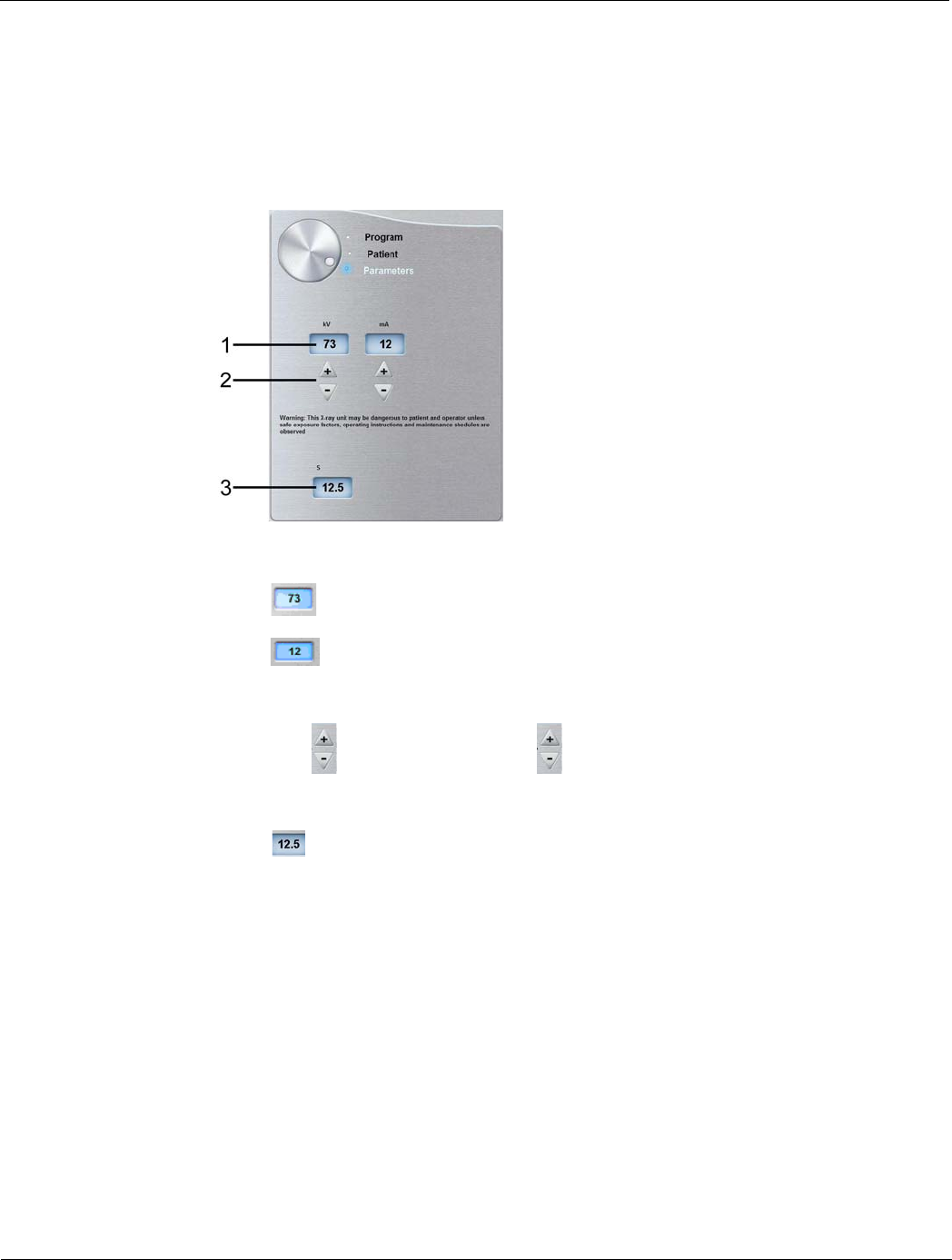
- Parameter Pane 22
- 3D Program Pane 25
- GETTING STARTED 37
- Starting the Imaging Software 38
- Creating a Patient Card 40
- 4–6 GETTING STARTED 42
- ACQUIRING PANORAMIC IMAGES 43
- For a sinus positioning 44
- Launching the X-ray 48
- Acquiring a TMJ x4 Image 49
- ACQUIRING 3D IMAGES 51
- Acquiring 3D Images 52
- 6–2 ACQUIRING 3D IMAGES 52
- 3D Bite Block method 54
- 3D Head Rest method 55
- Launching the x-ray 56
- 6–8 ACQUIRING 3D IMAGES 58
- MAINTENANCE 59
- Annually 60
- Controlling the Image Quality 60
- 7–4 MAINTENANCE 62
- TROUBLESHOOTING 63
- Quick Troubleshooting 64
- 8–2 TROUBLESHOOTING 64
Související produkty a manuály pro Notebooky Sharp PC-9300
 (139 stránky)
(7 stránky)
(32 stránky)
(107 stránky)
(86 stránky)
(139 stránky)
(7 stránky)
(32 stránky)
(107 stránky)
(86 stránky)
 (116 stránky)
(160 stránky)
(188 stránky)
(37 stránky)
(80 stránky)
(116 stránky)
(160 stránky)
(188 stránky)
(37 stránky)
(80 stránky)
 (100 stránky)
(103 stránky)
(60 stránky)
(271 stránky)
(32 stránky)
(83 stránky)
(2 stránky)
(68 stránky)
(68 stránky)
(114 stránky)
(100 stránky)
(103 stránky)
(60 stránky)
(271 stránky)
(32 stránky)
(83 stránky)
(2 stránky)
(68 stránky)
(68 stránky)
(114 stránky)
© 2020, manymanuals.cz. Všechna práva vyhrazena. | 0.030 s |
 Manymanuals.com
 Manymanuals.de
 Manymanuals.fr
 Manymanuals.it
 Manymanuals.pl
 Manymanuals.cz
 Manymanuals.es
 Manymanuals-pt.com
Komentáře k této Příručce