Sharp MX-M260 Specifikace Strana 37: INTERRUPTING A COPY RUN
 1
 2
 3
 4
 5
 6
 7
 8
 9
 10
 11
 12
 13
 14
 15
 16
 17
 18
 19
 20
 21
 22
 23
 24
 25
 26
 27
 28
 29
 30
 31
 32
 33
 34
 35
 36
 37
 38
 39
 40
 41
 42
 43
 44
 45
 46
 47
 48
 49
 50
 51
 52
 53
 54
 55
 56
 57
 58
 59
 60
 61
 62
 63
 64
 65
 66
 67
 68
 69
 70
 71
 72
 73
 74
 75
 76
 77
 78
 79
 80
 81
 82
 83
 84
 85
 86
 87
 88
 89
 90
 91
 92
 93
 94
 95
 96
 97
 98
 99
 100
 101
 102
 103
 104
 105
 106
 107
 108
 109
 110
 111
 112
 113
 114
 115
 116
 117
 118
 119
 120
 121
 122
 123
 124
 125
 126
 127
 128
 129
 130
 131
 132
 133
 134
 135
 136
 137
 138
 139
 140
 141
 142
 143
 144
 145
 146
 147
 148
 149
 150
 151
 152
 153
 154
 155
 156
 157
 158
 159
 160
35
2
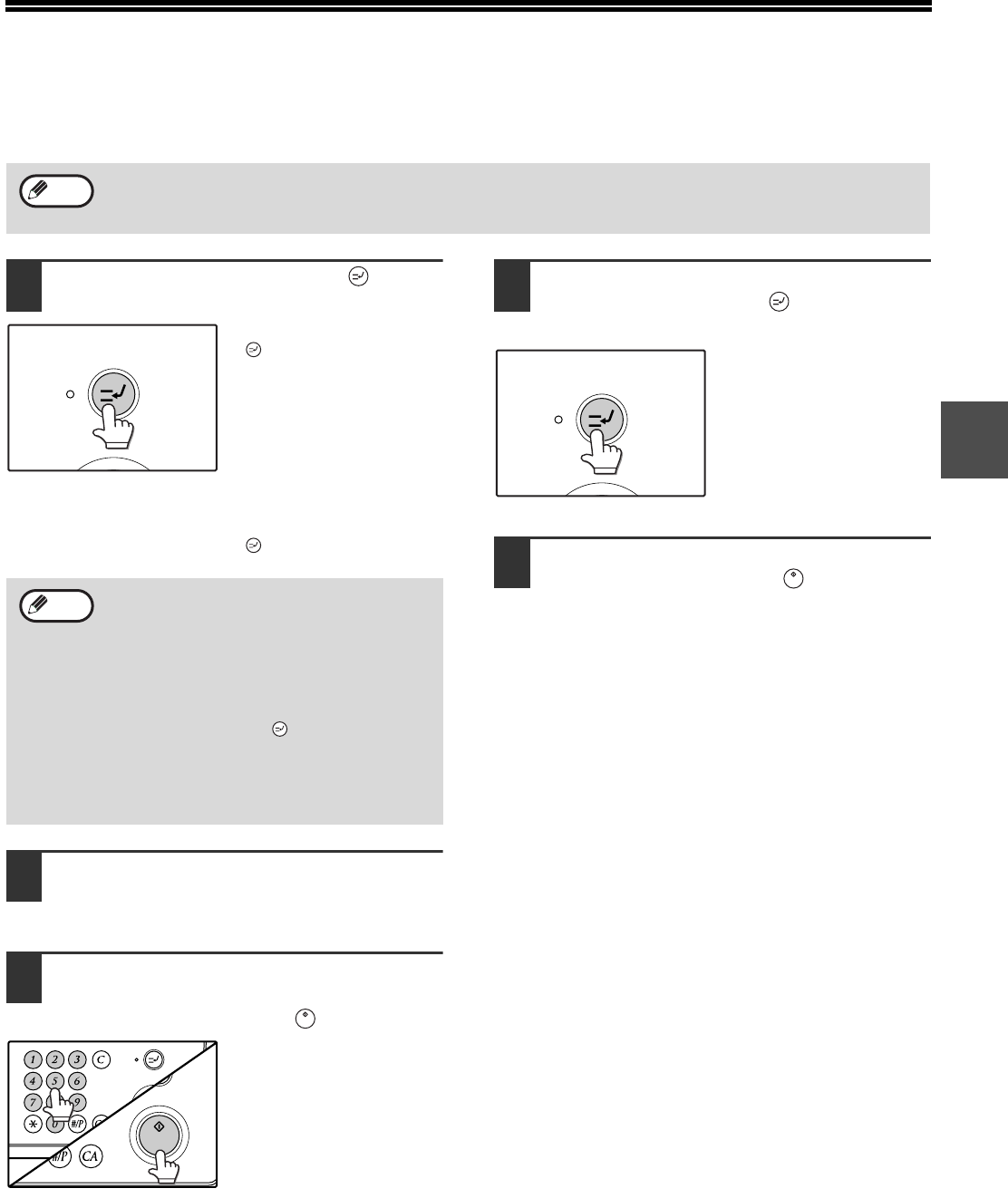
INTERRUPTING A COPY RUN
A copy run can be temporarily interrupted to allow another copy job to be performed. When the other job is finished,
the copy run will resume using the original copy settings.
1
Press the [INTERRUPT] key (
) to
interrupt the copy run.
The [INTERRUPT] key
(
) blinks until the
machine is ready for the
interrupt job, after which
it lights steadily.
If you decide to cancel
the interrupt job while
selecting settings, press
the [INTERRUPT] key
(
).
2
Remove the previous original(s) and
place the original(s) of the interrupt
copy job. (p.23, p.24)
3
Select the number of copies and any
other desired copy settings, and then
press the [START] key (
).
The interrupt copies will
be offset from the
previous copies. (Offset
function, p.36)
4
When the copy job is finished, press
the [INTERRUPT] key (
) and remove
the original(s).
5
Replace the previous original(s) and
press the [START] key (
) to resume
copying.
Replace only the originals that have not yet been
scanned.
Automatic two-sided copying, sort/group copying, staple sort, pamphlet copy, mix feeding job build, cover copy,
job programs, card shot, or multi shot copying cannot be used for interrupt copying.
Note
• If audit mode is enabled, a message will
appear prompting you to enter your
account number. Enter your account
number with the numeric keys. The copies
that you make will be added to your
account’s count.
• If an original is being scanned when the
[INTERRUPT] key (
) is pressed, the
interrupt job will begin after the original is
scanned. If a copy is being printed, the
interrupt job will begin after the copy is
printed.
Note
UT
LOGOUT
Soubor PDF · ·
Otázky k Sharp MX-M260
K tomuto návodu zatím nejsou žádné otázky. Položte první.
Související produkty a manuály pro Multifunkční zařízení Sharp MX-M260
- Multifunkční zařízení Sharp MX-M362N Specifikace
 (56 stránek)
- Multifunkční zařízení Sharp MX-LCX3 Specifikace
(76 stránek)
- Multifunkční zařízení Sharp AR-FR11 Uživatelský manuál
(6 stránek)
- Multifunkční zařízení Sharp MX-M363U Průvodce nastavením
(112 stránek)
- Multifunkční zařízení Sharp DX-C401FX Uživatelský manuál
(12 stránek)
- Multifunkční zařízení Sharp MX-5000N Uživatelský manuál
(2 stránky)
- Multifunkční zařízení Sharp AL-2040CS Uživatelský manuál
 (82 stránek)
- Multifunkční zařízení Sharp AR-C250 Specifikace
(161 stránek)
- Multifunkční zařízení Sharp MX-2301N Specifikace
(116 stránek)
- Multifunkční zařízení Sharp MX-4101N Specifikace
(76 stránek)
- Multifunkční zařízení Sharp JW-20FLT Uživatelský manuál
(197 stránek)
- Multifunkční zařízení Sharp MX-C381 Specifikace
(148 stránek)
- Multifunkční zařízení Sharp MX-M260 Uživatelský manuál
(160 stránek)
- Multifunkční zařízení Sharp MX-4101N Specifikace
(12 stránek)
- Multifunkční zařízení Sharp MX-M564N Uživatelský manuál
(8 stránek)
- Multifunkční zařízení Sharp MX-M564N Uživatelský manuál
(8 stránek)
- Multifunkční zařízení Sharp CPD-3830 Uživatelský manuál
(1 stránka)
- Multifunkční zařízení Sharp MX-2010U Uživatelský manuál
(12 stránek)
- Multifunkční zařízení Sharp MX-B381 Uživatelský manuál
(12 stránek)
- Multifunkční zařízení Sharp MX-7500N Uživatelský manuál
(30 stránek)