Sharp MX-2301N Specifikace Strana 13: Main power indicator
 1
 2
 3
 4
 5
 6
 7
 8
 9
 10
 11
 12
 13
 14
 15
 16
 17
 18
 19
 20
 21
 22
 23
 24
 25
 26
 27
 28
 29
 30
 31
 32
 33
 34
 35
 36
 37
 38
 39
 40
 41
 42
 43
 44
 45
 46
 47
 48
 49
 50
 51
 52
 53
 54
 55
 56
 57
 58
 59
 60
 61
 62
 63
 64
 65
 66
 67
 68
 69
 70
 71
 72
 73
 74
 75
 76
 77
 78
 79
 80
 81
 82
 83
 84
 85
 86
 87
 88
 89
 90
 91
 92
 93
 94
 95
 96
 97
 98
 99
 100
 101
 102
 103
 104
 105
 106
 107
 108
 109
 110
 111
 112
 113
 114
 115
 116
11
LOGOUT
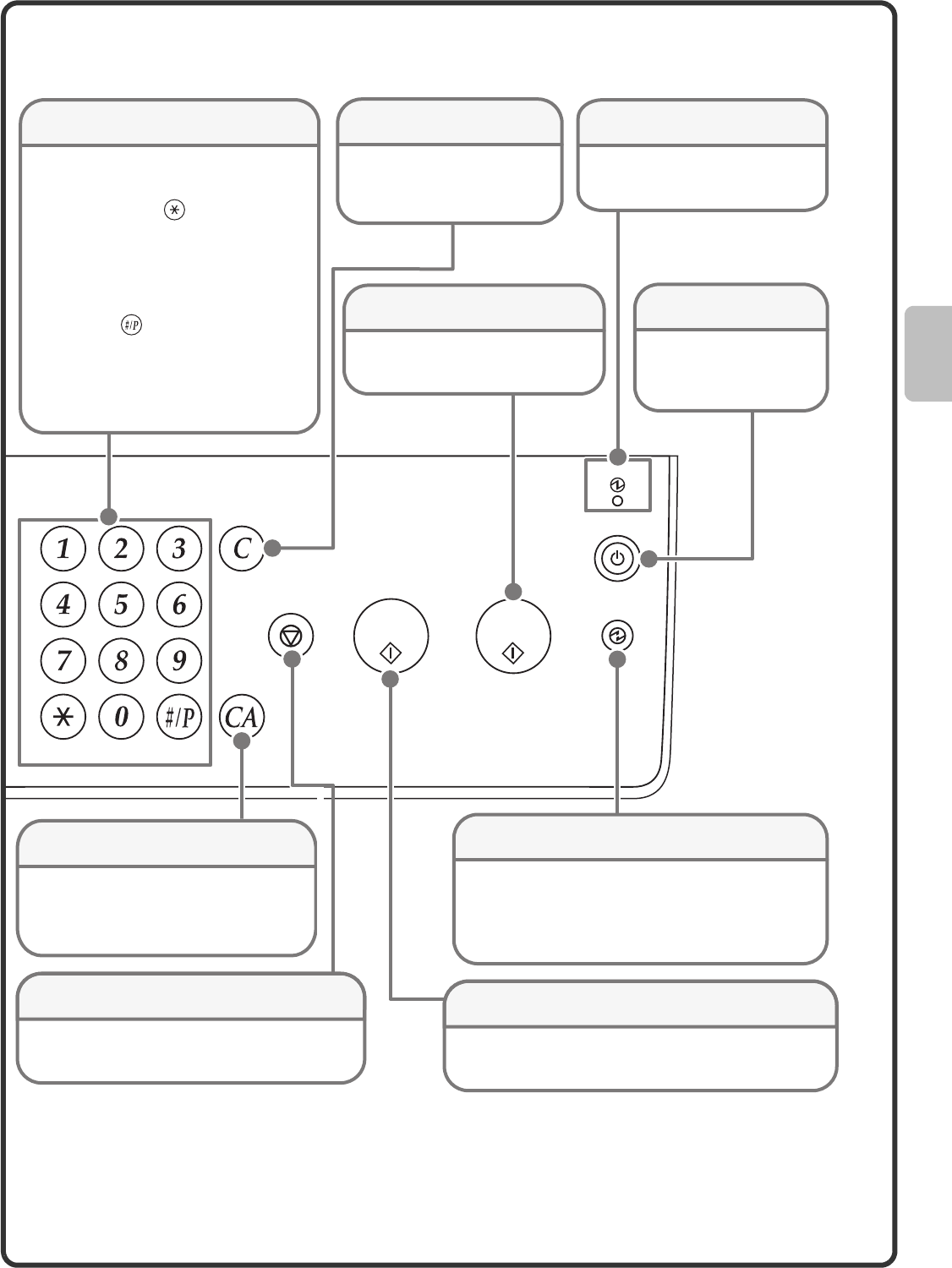
Main power indicator
[CLEAR ALL] key
Press this key to redo an operation from
the beginning.
All settings will be cleared and
operation will return to the initial state.
Numeric keys
These are used to enter the number of
copies, fax numbers, and other numbers.
[LOGOUT] key (
)
When user authentication is enabled,
press this key to log out after using the
machine. When using the fax function,
this key can be pressed to send tone
signals on a pulse dial line.
[#/P] key (
)
Press this key to use a job program
when using the copier function. When
using the fax function, press this key to
dial using a program.
[BLACK & WHITE START] key
Use this key to copy or scan an original in black and
white. This key is also used to send a fax in fax mode.
Use this key to activate power save mode. The
[POWER SAVE] key blinks when the machine is in
power save mode. This key is also used to
deactivate power save mode.
[COLOUR START] key
Use this key to copy or scan an
original in colour.
This indicator lights when the
main power is switched on.
[POWER] key
Use this key to turn the
machine power on and
off.
[POWER SAVE] key
[STOP] key
Press this key to stop a copy job or scanning of
an original.
[CLEAR] key
Press this key to return
settings such as the number
of copies to "0".
Soubor PDF · ·
Otázky k Sharp MX-2301N
K tomuto návodu zatím nejsou žádné otázky. Položte první.
Související produkty a manuály pro Multifunkční zařízení Sharp MX-2301N
- Multifunkční zařízení Sharp MX-4101N Specifikace
 (76 stránek)
- Multifunkční zařízení Sharp JW-20FLT Uživatelský manuál
(197 stránek)
- Multifunkční zařízení Sharp MX-C381 Specifikace
(148 stránek)
- Multifunkční zařízení Sharp MX-M260 Uživatelský manuál
 (160 stránek)
- Multifunkční zařízení Sharp MX-4101N Specifikace
(12 stránek)
- Multifunkční zařízení Sharp MX-M564N Uživatelský manuál
(8 stránek)
- Multifunkční zařízení Sharp MX-M564N Uživatelský manuál
(8 stránek)
- Multifunkční zařízení Sharp CPD-3830 Uživatelský manuál
(1 stránka)
- Multifunkční zařízení Sharp MX-2010U Uživatelský manuál
(12 stránek)
- Multifunkční zařízení Sharp MX-B381 Uživatelský manuál
(12 stránek)
- Multifunkční zařízení Sharp MX-7500N Uživatelský manuál
(30 stránek)
- Multifunkční zařízení Sharp AL-2021 Specifikace
(91 stránek)
- Multifunkční zařízení Sharp MX-B402 Uživatelský manuál
(50 stránek)
- Multifunkční zařízení Sharp FO-155 Specifikace

 (165 stránek)
- Multifunkční zařízení Sharp MX-4140N Instalační manuál
(19 stránek)
- Multifunkční zařízení Sharp JW-50FL Uživatelský manuál
(201 stránek)
- Multifunkční zařízení Sharp MX-4140N Uživatelský manuál
(12 stránek)
- Multifunkční zařízení Sharp CPD-3830 Uživatelský manuál
(12 stránek)
- Multifunkční zařízení Sharp CD600 - B/W - Fax Uživatelský manuál
(23 stránek)
- Multifunkční zařízení Sharp AR-810 Manuál s instrukcemi
(178 stránek)