Sharp R-530BW Uživatelský manuál
Procházejte online nebo si stáhněte Uživatelský manuál pro Mikrovlnné trouby Sharp R-530BW. Sharp R-530BW User manual Uživatelská příručka
- Strana / 133
- Tabulka s obsahem
- KNIHY


- IBX-530B-N270 1
- Revision 2
- Copyright 3
- Table of Contents 4
- List of Figures 8
- List of Tables 10
- List of BIOS Menus 11
- 1 Introduction 13
- 1.3 Technical Specifications 15
- 2 Mechanical Description 17
- 2.3 External Overview 19
- Figure 2-5: Bottom Surface 22
- 2.4 Internal Overview 23
- 3 System Components 24
- 3.2 CPU Support 25
- Page 14 26
- 3.4 Intel 28
- ICH7-M Southbridge Chipset 28
- Page 17 29
- 3.4.3.1 PCIe GbE Ethernet 29
- NOTE: 31
- Setting Description 32
- Open Use AT power 32
- Open Slave Default 33
- Closed Master 33
- Clear CMOS Description 34
- Table 3-7: RS-422 Pinouts 36
- Table 3-8: RS-485 Pinouts 36
- Short 3-4 RS-232 Default 37
- Short 1-2, 5-6 RS-422 37
- Short 1-2, 7-8 RS-485 37
- Short 3 – 5 RS-485 D 38
- Short 4 – 6 RS-485 D+ 38
- Page 27 39
- 4 Installation 41
- 4.1 Anti-static Precautions 42
- 4.2 Installation Procedure 42
- Figure 4-7) 49
- 4.3 Power-On Procedure 52
- 5 AMI BIOS Setup 54
- 5.1 Introduction 55
- Page 45 57
- 5.3 Advanced 58
- BIOS Menu 2: Advanced 59
- Configuration 60
- 55.3.2.1 appear 61
- DEFAULT 68
- Page 57 69
- Page 59 71
- Page 60 72
- Page 65 77
- 5.3.6 Remote Configuration 77
- Page 67 79
- 5.4 PCI/PnP 82
- 5.5 Boot 84
- 5.6 Security 87
- 5.7 Chipset 88
- 5.8 Exit 92
- Page 81 93
- 6 Driver Installation 94
- Page 84 96
- Page 85 97
- Page 86 98
- Page 87 99
- 6.3 VGA Driver Installation 100
- IBX-530B-270 Embedded System 101
- Page 89 101
- Page 90 102
- Page 91 103
- Page 92 104
- Page 93 105
- Page 94 106
- 6.5 LAN Driver Installation 107
- Page 96 108
- Page 97 109
- Page 98 110
- Page 99 111
- Page 100 112
- Page 101 113
- A Safety Precautions 114
- A.1 Safety Precautions 115
- B Interface Connectors 119
- C BIOS Menu Options 123
- Page 114 126
- D Watchdog Timer 127
- E Hazardous Materials 130
- Disclosure 130
- Mercury 131
Shrnutí obsahu
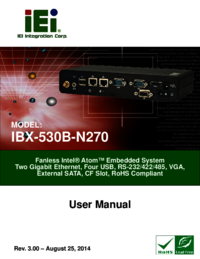
IBX-530B-N270 Embedded System Page iIBX-530B-N270 Embedded System MODEL: IBX-530B-N270Fanless Intel® Atom™ Embedded SystemTwo Gigabit Ethernet, Fou
IBX-530B-270 Embedded SystemPage X List of Tables Table 1-1: Model Variations...
IBX-530B-270 Embedded SystemPage 88 Figure 6-6: Chipset Driver Installation Finish Screen 6.3 VGA Driver Installation To install the VGA driver, pl
IBX-530B-270 Embedded System Page 89 Figure 6-7: VGA Driver Read Me File Step 5: The installation files are extracted. See Figure 6-8. Figure 6-8
IBX-530B-270 Embedded SystemPage 90 Figure 6-9: VGA Driver Welcome Screen Step 7: Click Next to continue. Step 8: The license agreement in Figure
IBX-530B-270 Embedded System Page 91 Figure 6-10: VGA Driver License Agreement Step 11: The Read Me file in Figure 6-11 appears. Step 12: Click Nex
IBX-530B-270 Embedded SystemPage 92 Figure 6-12: VGA Driver Setup Operations Step 14: Once the Setup Operations are complete, click the Next icon t
IBX-530B-270 Embedded System Page 93 6.4 Audio Driver Installation To install the audio driver, please do the following. Step 1: Access the driver
IBX-530B-270 Embedded SystemPage 94 Figure 6-15: AC’97 Driver Installation Welcome Screen Step 7: The Verification window in Figure 6-16 may appea
IBX-530B-270 Embedded System Page 95 Figure 6-17: AC’97 Driver Installation Step 10: When the driver is installed, the driver installation finish
IBX-530B-270 Embedded SystemPage 96 Step 2: Click “LAN” and locate the setup.exe. Double click the setup.exe file to start installing the LAN drive
IBX-530B-270 Embedded System Page 97 Figure 6-20: LAN Driver Welcome Screen Step 7: The program begins to install. Step 8: The installation progr
IBX-530B-270 Embedded System Page XI List of BIOS Menus Menu 1: Main...
IBX-530B-270 Embedded SystemPage 98 Step 9: When the driver installation is complete, the screen in Figure 6-22 appears. Figure 6-22: LAN Driver I
IBX-530B-270 Embedded System Page 99 . Figure 6-23: Wireless Driver OS Folders Step 3: The license agreement in Figure 6-24 appears. Figure 6-24:
IBX-530B-270 Embedded SystemPage 100 Figure 6-25: Wireless Driver Configuration Tool Options Step 6: Select configuration tool in Figure 6-25 and
IBX-530B-270 Embedded System Page 101 Step 9: Click INSTALL in Figure 6-27 to start to install the driver. Figure 6-27: Wireless Driver Installati
IBX-530B-270 Embedded SystemPage 102 A Safety Precautions Appendix A
IBX-530B-270 Embedded System Page 103 WARNING: The precautions outlined in this chapter should be strictly followed. Failure to follow these preca
IBX-530B-270 Embedded SystemPage 104 A.1.2 Anti-static Precautions WARNING: Failure to take ESD precautions during the installation of the IBX-530B
IBX-530B-270 Embedded System Page 105 A.1.4 Product Disposal CAUTION: Risk of explosion if battery is replaced by and incorrect type. Only certifie
IBX-530B-270 Embedded SystemPage 106 Except for the LCD panel, never spray or squirt liquids directly onto any other components. To clean the LCD
IBX-530B-270 Embedded System Page 107 B Interface Connectors Appendix B
IBX-530B-270 Embedded SystemPage 108 B.1 Peripheral Interface Connectors NOTE: The jumpers and connectors shown in the section below are those
IBX-530B-270 Embedded System Page 109 17 A3 42 WAIT 18 A2 43 INPACK 19 A1 44 REG 20 A0 45 BVD2 21 D0 46 BVD1 22 D1 47 D8 23 D2 48 D9 24 IOCS1
IBX-530B-270 Embedded SystemPage 110 7 H_SYNC 8 V_GND 9 V_SYNC 10 V_GND TableeB-6: CRT Connector Pinouts (CN4) Pin No. Description 1 AUD_OUTL 2
IBX-530B-270 Embedded System Page 111 C BIOS Menu Options Appendix C
IBX-530B-270 Embedded SystemPage 112 C.1 BIOS Configuration Options Below is a list of BIOS configuration options described in Chapter 5. System
IBX-530B-270 Embedded System Page 113 Resume On RTC Alarm [Disabled]...
IBX-530B-270 Embedded SystemPage 114 Load Failsafe Defaults...
IBX-530B-270 Embedded System Page 115 D Watchdog Timer Appendix D
IBX-530B-270 Embedded SystemPage 116 NOTE: The following discussion applies to DOS environment. IEI support is contacted or the IEI website visit
IBX-530B-270 Embedded System Page 117 NOTE: When exiting a program it is necessary to disable the Watchdog Timer, otherwise the system resets. Ex
IBX-530B-270 Embedded System Page 1 1 Introduction Chapter 1
IBX-530B-270 Embedded SystemPage 118 E Hazardous Materials Disclosure Appendix E
IBX-530B-270 Embedded System Page 119 E.1 Hazardous Material Disclosure Table for IPB Products Certified as RoHS Compliant Under 2002/95/EC Without
IBX-530B-270 Embedded SystemPage 120 Toxic or Hazardous Substances and Elements Part Name Lead (Pb) Mercury (Hg) Cadmium (Cd) Hexavalent Chromium (
IBX-530B-270 Embedded System Page 121 此附件旨在确保本产品符合中国 RoHS 标准。以下表格标示此产品中某有毒物质的含量符合中国 RoHS 标准规定的限量要求。 本产品上会附有”环境友好使用期限”的标签,此期限是估算这些物质”不会有泄漏或突变”的年限。本产品
IBX-530B-270 Embedded SystemPage 2 1.1 IBX-530B-N270 Embedded System Overview Figure 1-1: IBX-530B-N270 Embedded System The IBX-530B-N270 is a 1.6
IBX-530B-270 Embedded System Page 3 Optional 802.11b/g/n wireless LAN module Wall mount supported 1.2 IBX-530B-N270 Model Variations There two
IBX-530B-270 Embedded SystemPage 4 Chassis Construction Aluminum Alloy Power Supply External power adapter, input voltage: 100V AC ~ 240V AC @ 50H
IBX-530B-270 Embedded System Page 5 2 Mechanical Description Chapter 2
IBX-530B-270 Embedded SystemPage 6 2.1 IBX-530B-N270 Mechanical Overview The IBX-530B-N270 RoHS compliant, Intel® Atom™ fanless embedded system feat
IBX-530B-270 Embedded System Page 7 Figure 2-1: IBX-530B-N270 Dimensions (mm) 2.3 External Overview 2.3.1.1 Front Panel Overview The IBX-530B-N270 c
IBX-530B-N270 Embedded SystemPage ii Revision Date Version Changes 6 May, 2011 2.10 Updated for R21 version 17 March, 2009 1.01 Changed model na
IBX-530B-270 Embedded SystemPage 8 Figure 2-2: IBX-530B-N270 Front Panel 2.3.1.2 Front Panel Connectors and Indicators The connectors, indicators a
IBX-530B-270 Embedded System Page 9 The front panel also contains the following button and switch: 1 x Reset button 1 x Power switch Status in
IBX-530B-270 Embedded SystemPage 10 Figure 2-4: IBX-530B-N270 Side Panel 2.3.4 Bottom Surface The bottom surface of the IBX-530B-N270 contains the
IBX-530B-270 Embedded System Page 11 2.4 Internal Overview The IBX-530B-N270 internal components are listed below: 1 x IEI AFLMB-945GSE motherboa
IBX-530B-270 Embedded SystemPage 12 3 System Components Chapter 3
IBX-530B-270 Embedded System Page 13 3.1 IBX-530B-N270 Embedded System Motherboard The IBX-530B-N270 embedded system has an AFLMB-945GSE motherboa
IBX-530B-270 Embedded SystemPage 14 Supports C0/C1(e)/C2(e)/C4(e) L2 Dynamic Cache Sizing Advanced power management features including Enhan
IBX-530B-270 Embedded System Page 15 Figure 3-1: DDR2 SO-DIMM 3.3.2 Intel® 945GSE Graphics The internal graphics engine has the following features
IBX-530B-270 Embedded SystemPage 16 Support for CRT Hot Plug 3.4 Intel® ICH7-M Southbridge Chipset 3.4.1 Intel® ICH7-M Overview The Intel® ICH7
IBX-530B-270 Embedded System Page 17 3.4.3.1 PCIe GbE Ethernet Two PCIe lanes are connected to two Realtek RTL8111C PCIe GbE controllers. The Realte
IBX-530B-270 Embedded System Page III Copyright COPYRIGHT NOTICE The information in this document is subject to change without prior notice in order
IBX-530B-270 Embedded SystemPage 18 3.4.3.2 PCIe Mini Expansion Slots One PCIe x1 lane on the ICH7-M is interfaced directly to the PCIe mini expansi
IBX-530B-270 Embedded System Page 19 3.5 Jumper Settings NOTE: A jumper is a metal bridge used to close an electrical circuit. It consists of two
IBX-530B-270 Embedded SystemPage 20 3.5.1 Access the Jumpers To access the jumpers, remove the back panel. To remove the back panel, please refer to
IBX-530B-270 Embedded System Page 21 3.5.3 CF Card Setup Jumper Label: JCF1 Jumper Type: 2-pin header Jumper Settings: See Table 3-3 Jumper Locatio
IBX-530B-270 Embedded SystemPage 22 If the IBX-530B-N270 fails to boot due to improper BIOS settings, the clear CMOS jumper clears the CMOS data and
IBX-530B-270 Embedded System Page 23 3.5.5 COM Port Pin 9 Select Jumper Label: JP8 and JP10 Jumper Settings: See Table 3-5 Jumper Location: See Figu
IBX-530B-270 Embedded SystemPage 24 Figure 3-5: COM1 and COM3 Pin 9 Setting Jumper Locations 3.5.5.1 COM3 RS-422 and RS-485 Pinouts The pinouts for
IBX-530B-270 Embedded System Page 25 3.5.6 COM3 RX Function Select Jumper Jumper Label: JP9 Jumper Type: 8-pin header Jumper Settings: See Table 3-
IBX-530B-270 Embedded SystemPage 26 3.5.7 COM3 TX Function Select Jumper Jumper Label: JP11 Jumper Type: 6-pin header Jumper Settings: See Table 3-
IBX-530B-270 Embedded System Page 27 3.5.8 COM3 RS-232/422/485 Serial Port Select Jumper Jumper Label: JP6 Jumper Type: 12-pin header (four 3-pin h
IBX-530B-270 Embedded SystemPage IV Table of Contents 1 INTRODUCTION...
IBX-530B-270 Embedded SystemPage 28 Figure 3-8: COM3 RS-232/422/485 Serial Port Select Jumper Location
IBX-530B-270 Embedded System Page 29 4 Installation Chapter 4
IBX-530B-270 Embedded SystemPage 30 4.1 Anti-static Precautions WARNING: If the following anti-static precautions are not followed, a user may be i
IBX-530B-270 Embedded System Page 31 4.2.2 Unpacking After the IBX-530B-N270 is received make sure the following components are included in the pack
IBX-530B-270 Embedded SystemPage 32 1 128MB CompactFlash® card with Windows CE 6.0 pre-installed (P/N: IBXCF-530-945GSE-CE060) (optional) 1 1GB Co
IBX-530B-270 Embedded System Page 33 Figure 4-2: Bottom Cover Retention Screws (Rear Panel) Step 3: Gently remove the bottom cover from the IBX-5
IBX-530B-270 Embedded SystemPage 34 Figure 4-3: CF Card Installation Step 4: Replace the CF card slot cover. Step 0: 4.2.6 Foot Pad Installation
IBX-530B-270 Embedded System Page 35 Figure 4-4: Foot Pads Installation 4.2.7 Mounting the System with Wall Mount Kit To mount the embedded system
IBX-530B-270 Embedded SystemPage 36 Figure 4-5: Wall-mounting Bracket Step 6: Insert the four monitor mounting screws provided in the wall mountin
IBX-530B-270 Embedded System Page 37 Figure 4-6: Mount the Embedded System Step 9: Secure the embedded system by fastening the retention screw of
IBX-530B-270 Embedded System Page V 3.4.3.1 PCIe GbE Ethernet... 17
IBX-530B-270 Embedded SystemPage 38 4.2.8 DIN Mounting (Optional) To mount the IBX-530B-N270 embedded system onto a DIN rail, please follow the step
IBX-530B-270 Embedded System Page 39 Step 3: Place the DIN rail flush against the back of the mounting bracket making sure the edges of the rail ar
IBX-530B-270 Embedded SystemPage 40 VGA cable connector Serial port connectors RJ-45 connectors USB devices can be connected to the syste
IBX-530B-270 Embedded System Page 41 Figure 4-12: Power Switch and Power LED
IBX-530B-270 Embedded SystemPage 42 5 AMI BIOS Setup Chapter 5
IBX-530B-270 Embedded System Page 43 5.1 Introduction A licensed copy of AMI BIOS is preprogrammed into the ROM BIOS. The BIOS setup program allows
IBX-530B-270 Embedded SystemPage 44 F1 key General help, only for Status Page Setup Menu and Option Page Setup Menu F2 /F3 key Change color from t
IBX-530B-270 Embedded System Page 45 5.2 Main The Main BIOS menu (5BIOS Menu 1) appears when the BIOS Setup program is entered. The Main menu gives
IBX-530B-270 Embedded SystemPage 46 The System Overview field also has two user configurable fields: System Time [xx:xx:xx] Use the System Time o
IBX-530B-270 Embedded System Page 47 BIOS Menu 2: Advanced 5.3.1 CPU Configuration Use the CPU Configuration menu (5BIOS Menu 3) to view detailed C
IBX-530B-270 Embedded SystemPage VI 5.1.3 Getting Help...
IBX-530B-270 Embedded SystemPage 48 The CPU Configuration menu (BIOS Menu 3) lists the following CPU details: Manufacturer: Lists the name of the
IBX-530B-270 Embedded System Page 49 compatible mode. In this mode, a SATA channel will replace one of the IDE channels. This mode supports up to 4
IBX-530B-270 Embedded SystemPage 50 5.3.2.1 IDE Master, IDE Slave Use the IDE Master and IDE Slave configuration menu to view both primary and secon
IBX-530B-270 Embedded System Page 51 Block Mode: Block mode boosts IDE drive performance by increasing the amount of data transferred. Only 512 b
IBX-530B-270 Embedded SystemPage 52 LBA/Large Mode [Auto] Use the LBA/Large Mode option to disable or enable BIOS to auto detects LBA (Logical Bl
IBX-530B-270 Embedded System Page 53 3 PIO mode 3 selected with a maximum transfer rate of 11.1MBps 4 PIO mode 4 selected with a maximum tran
IBX-530B-270 Embedded SystemPage 54 rate of 44MBps (To use this mode, it is required that an 80-conductor ATA cable is used.) UDMA4 Ultra DMA mo
IBX-530B-270 Embedded System Page 55 BIOS Menu 6: Super IO Configuration Serial Port1 Address [3F8/IRQ4] Use the Serial Port1 Address option to
IBX-530B-270 Embedded SystemPage 56 Normal DEFAULTSerial Port 1 mode is normal IrDA Serial Port 1 mode is IrDA ASK IR Serial Port 1 mode
IBX-530B-270 Embedded System Page 57 5.3.4 Hardware Health Configuration The Hardware Health Configuration menu (5BIOS Menu 7) shows the operating
IBX-530B-270 Embedded System Page VII A.1.2 Anti-static Precautions ...
IBX-530B-270 Embedded SystemPage 58 CPU Temp. Limit of Start CPU Fan Start PWM Slope PWM When the CPU FAN Mode Setting option is in the PWM
IBX-530B-270 Embedded System Page 59 The CPU Temp. Limit of Start option can only be set if the CPU FAN Mode Setting option is set to Automatic Mod
IBX-530B-270 Embedded SystemPage 60 15 PWM The following system parameters and values are shown. The system parameters that are monitored are:
IBX-530B-270 Embedded System Page 61 5.3.5 Power Configuration The Power Configuration menu (5BIOS Menu 8) configures the Advanced Configuration and
IBX-530B-270 Embedded SystemPage 62 BIOS Menu 9: ACPI Configuration Suspend Mode [S1(POS)] Use the Suspend Mode BIOS option to specify the sleep
IBX-530B-270 Embedded System Page 63 5.3.5.2 APM Configuration The APM Configuration menu (BIOS Menu 10) allows the advanced power management optio
IBX-530B-270 Embedded SystemPage 64 On/Off DEFAULT When the power button is pressed the system is either turned on or off Suspend When the pow
IBX-530B-270 Embedded System Page 65 signal activity Enabled DEFAULT Wake event generated by PCI-Express WAKE# signal activity Resume On RTC Al
IBX-530B-270 Embedded SystemPage 66 BIOS Menu 11: Remote Access Configuration [Advanced] Remote Access [Disabled] Use the Remote Access option t
IBX-530B-270 Embedded System Page 67 Serial Port Number [COM1] Use the Serial Port Number option allows to select the serial port used for remote
IBX-530B-270 Embedded SystemPage VIII List of Figures Figure 1-1: IBX-530B-N270 Embedded System ...
IBX-530B-270 Embedded SystemPage 68 Boot Loader Redirection is active during POST and during Boot Loader Always DEFAULT Redirection is always
IBX-530B-270 Embedded System Page 69 USB Functions [Enabled] Use the USB Function option to enable or disable the USB controllers. Disabled US
IBX-530B-270 Embedded SystemPage 70 HiSpeed DEFAULT The controller is capable of operating at high speed 480 Mb/s 5.4 PCI/PnP Use the PCI/PnP menu
IBX-530B-270 Embedded System Page 71 Reserved The specified IRQ is reserved for use by Legacy ISA devices Available IRQ addresses are: IRQ3
IBX-530B-270 Embedded SystemPage 72 Reserved Memory Size [Disabled] Use the Reserved Memory Size BIOS option to specify the amount of memory that
IBX-530B-270 Embedded System Page 73 BIOS Menu 15: Boot Settings Configuration Quick Boot [Enabled] Use the Quick Boot BIOS option to make the c
IBX-530B-270 Embedded SystemPage 74 AddOn ROM Display Mode [Force BIOS] The AddOn ROM Display Mode option allows add-on ROM (read-only memory) m
IBX-530B-270 Embedded System Page 75 5.6 Security Use the Security menu (5BIOS Menu 16) to set system and user passwords. BIOS Menu 16: Security
IBX-530B-270 Embedded SystemPage 76 5.7 Chipset Use the Chipset menu (5BIOS Menu 17) to access the NorthBridge and SouthBridge configuration menus
IBX-530B-270 Embedded System Page 77 5.7.1 North Bridge Chipset Configuration Use the North Bridge Chipset Configuration menu (BIOS Menu 18) to conf
IBX-530B-270 Embedded System Page IX Figure 6-5: Chipset Driver Setup Operations ...
IBX-530B-270 Embedded SystemPage 78 Disable Enable, 1MB 1MB of memory used by internal graphics device Enable, 8MB DEFAULT 8MB of memory
IBX-530B-270 Embedded System Page 79 5.7.2 SouthBridge Configuration The SouthBridge Configuration menu (5BIOS Menu 19) the southbridge chipset to b
IBX-530B-270 Embedded SystemPage 80 5.8 Exit Use the Exit menu (5BIOS Menu 20) to load default BIOS values, optimal failsafe values and to save conf
IBX-530B-270 Embedded System Page 81 Load Optimal Defaults Use the Load Optimal Defaults option to load the optimal default values for each of th
IBX-530B-270 Embedded SystemPage 82 6 Driver Installation Chapter 6
IBX-530B-270 Embedded System Page 83 NOTE: The drivers of the IBX-530B-N270 components are already embedded in the optional 128 MB or 1 GB CF card
IBX-530B-270 Embedded SystemPage 84 Figure 6-1: Chipset Driver Screen Step 4: When the setup files are completely extracted the Welcome Screen in
IBX-530B-270 Embedded System Page 85 Step 6: The license agreement in Figure 6-3 appears. Step 7: Read the License Agreement. Step 8: Click the
IBX-530B-270 Embedded SystemPage 86 Figure 6-4: Chipset Driver Read Me File Step 11: Setup Operations are performed as shown in Figure 6-5.
IBX-530B-270 Embedded System Page 87 Figure 6-5: Chipset Driver Setup Operations Step 12: Once the Setup Operations are complete, click the Next ic
Další dokumenty pro Mikrovlnné trouby Sharp R-530BW

Související produkty a manuály pro Mikrovlnné trouby Sharp R-530BW
 (71 stránky)
(50 stránky)
(71 stránky)
(50 stránky)

 (92 stránky)
(53 stránky)
(59 stránky)
(28 stránky)
(24 stránky)
(13 stránky)
(42 stránky)
(44 stránky)
(63 stránky)
(21 stránky)
(12 stránky)
(30 stránky)
(182 stránky)
(143 stránky)
(24 stránky)
(40 stránky)
(92 stránky)
(53 stránky)
(59 stránky)
(28 stránky)
(24 stránky)
(13 stránky)
(42 stránky)
(44 stránky)
(63 stránky)
(21 stránky)
(12 stránky)
(30 stránky)
(182 stránky)
(143 stránky)
(24 stránky)
(40 stránky)
© 2020, manymanuals.cz. Všechna práva vyhrazena. | 0.037 s |
 Manymanuals.com
 Manymanuals.de
 Manymanuals.fr
 Manymanuals.it
 Manymanuals.pl
 Manymanuals.cz
 Manymanuals.es
 Manymanuals-pt.com
Komentáře k této Příručce