Sharp XV-Z200E Specifikace Strana 40
- Strana / 73
- Tabulka s obsahem
- ŘEŠENÍ PROBLÉMŮ
- KNIHY

- SHARP CORPORATION 1
- Introduction 3
- WARNING: 4
- Contents 5
- IMPORTANT SAFEGUARDS 6
- Quick Guide 9
- Part Names 10
- Projector (Rear View) 11
- Remote Control (Front View) 12
- Remote Control (Top View) 12
- Operating the Remote Control 13
- 3 Insert the lower tab of the 13
- Accessories 14
- Connections and Setup 15
- Before Connecting 16
- Connecting the Power 16
- 1 Connect an S-video cable to 17
- 1 Connect a composite video 18
- 2 Connect the composite video 18
- Connecting to 19
- Component Video 19
- Equipment Using a 19
- Component Cable 19
- (INPUT 1) 19
- Connecting to RGB 21
- Video Equipment Using 21
- Adaptor and the RGB 21
- Cable (INPUT 2) 21
- 1 Slide the “DIGITAL INPUT 22
- Connecting to a Computer 23
- 1 Connect an RS-232C cable to 25
- 1 Lift the projector (2) with 26
- 3 Press the projector down 27
- I/P, 1080I 28
- Image Projection 30
- Basic Operation 31
- 3 Press , , , or 33
- 1 Press on the remote con 34
- 1 Press on the projector or 35
- 2 Press / to select “H Key 35
- Placement of the Pro 36
- Keystone Correction 36
- : Screen area 36
- 1 Press 37
- Adjustments and Settings 39
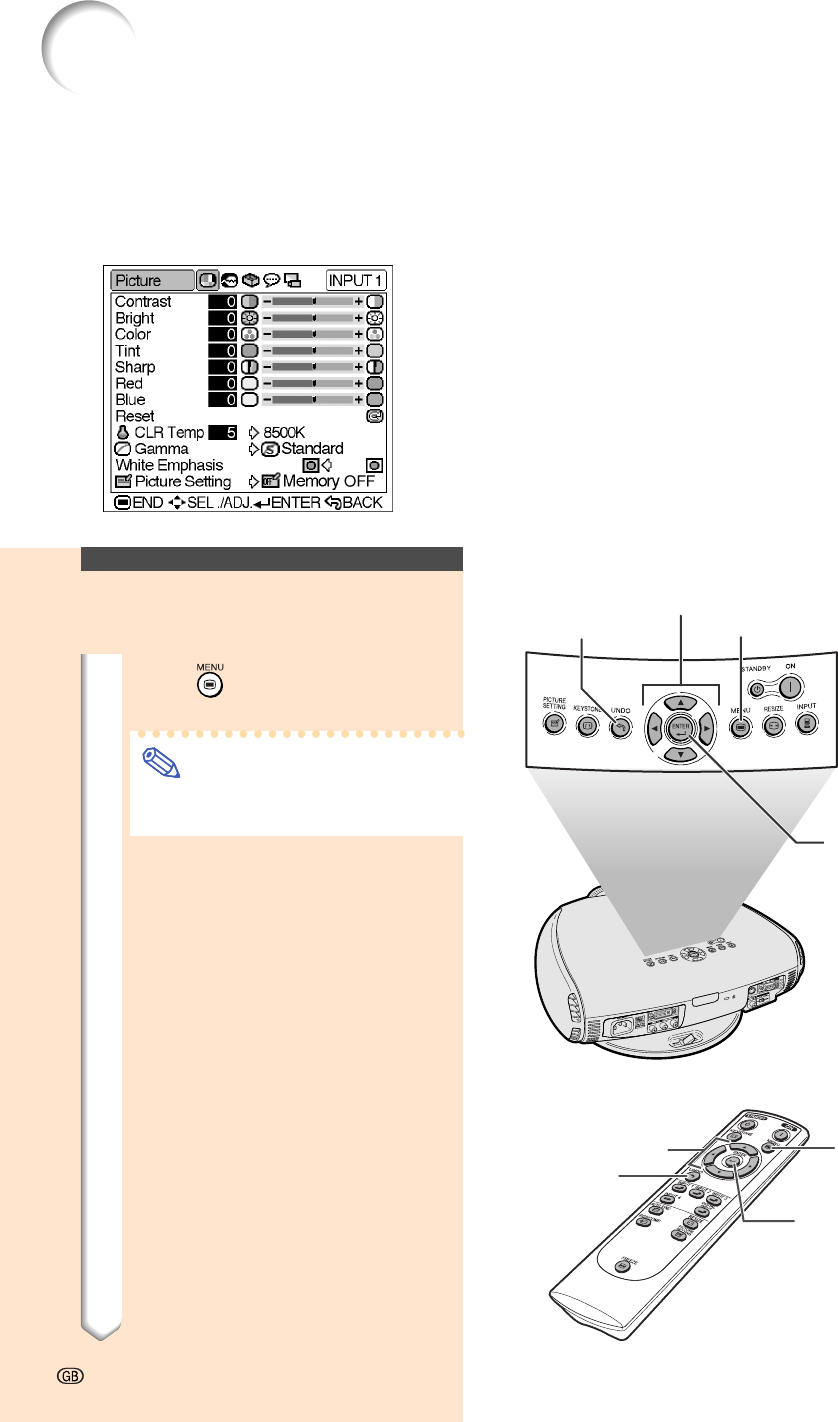
- Using the Menu Screen 40
- 2 Press 41
- 3 Press 41
- 4 Press 41
- 5 Press 41
- 5 Press 43
- 6 Press 43
- 7 Press 43
- Menu Bar Items 44
- ■ INPUT 3 / 4 Mode 45
- Adjusting the Picture 46
- Gamma Correction 48
- Function 48
- Emphasizing the 48
- Contrast 48
- Picture Setting 49
- PICTURE SETTING 49
- When Auto Sync is OFF 50
- Special Modes Adjust 51
- Auto Sync Adjustment 52
- Checking the Input Signal 52
- Using the “Options” Menu 53
- Selecting the Signal 54
- Setting the Video Signal 54
- (VIDEO menu only) 54
- Selecting a 55
- Background Image 55
- Setting the Eco Mode 55
- Automatic Power Shut 56
- Selecting the Menu 56
- Screen Position 56
- Setting the Projection 58
- Appendix 59
- Maintenance Indicators 60
- Regarding the Lamp 61
- 1 Put the projector into the 62
- 2 Unplug the power cord 62
- 4 Remove the lamp unit cover 62
- 5 Remove the lamp unit 62
- 6 Insert the new lamp unit 63
- 7 Attach the lamp unit cover 63
- 1 Plug the power cord 63
- 2 Reset the lamp timer 63
- Using the Kensington Lock 65
- Troubleshooting 65
- Connecting Pin Assignments 66
- PC control 67
- Communication conditions 67
- Basic format 67
- Commands 67
- Computer Compatibility Chart 68
- B: 0.7 Vp-p, 75 Ω terminated 69
- R: 0.7 Vp-p, 75 Ω terminated 69
- Dimensions 70
- Glossary 71
Související produkty a manuály pro Projektory Sharp XV-Z200E
 (2 stránky)
(104 stránky)
(5 stránky)
(1 stránky)
(2 stránky)
(104 stránky)
(5 stránky)
(1 stránky)
 (12 stránky)
(32 stránky)
(7 stránky)
(12 stránky)
(32 stránky)
(7 stránky)
 (54 stránky)
(62 stránky)
(5 stránky)
(12 stránky)
(4 stránky)
(2 stránky)
(53 stránky)
(54 stránky)
(62 stránky)
(5 stránky)
(12 stránky)
(4 stránky)
(2 stránky)
(53 stránky)
© 2020, manymanuals.cz. Všechna práva vyhrazena. | 0.029 s |
 Manymanuals.com
 Manymanuals.de
 Manymanuals.fr
 Manymanuals.it
 Manymanuals.pl
 Manymanuals.cz
 Manymanuals.es
 Manymanuals-pt.com
Komentáře k této Příručce