Sharp Imaging and Information Company of America
# 12113
3 OF 7
Sharp Electronics Corporation
One Sharp Plaza • Mahwah, New Jersey 07495-1163 • e-
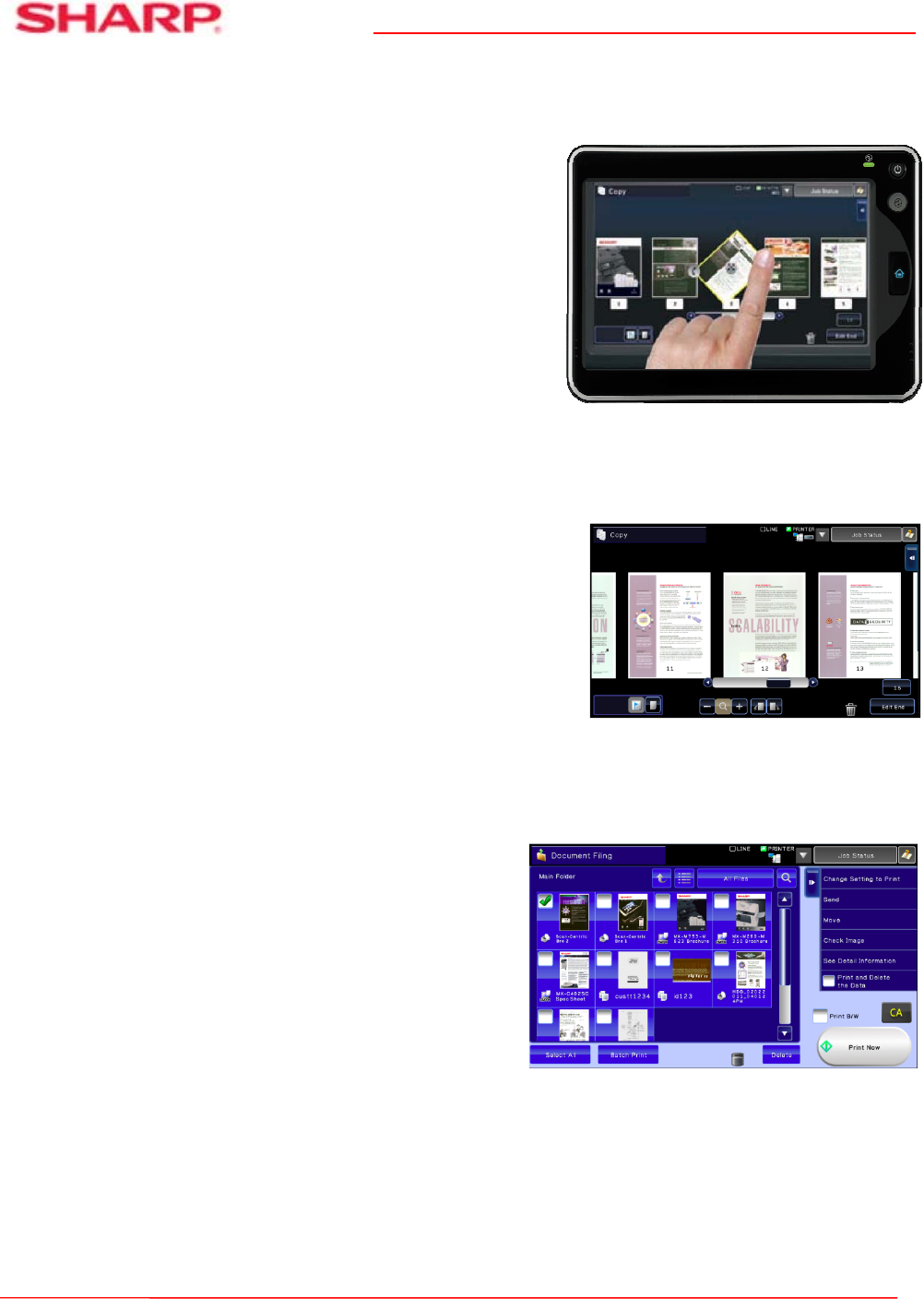
mail: [email protected] • www.sharp-pc.com Quickly retrieve stored jobs with thumbnail preview mode
Sharp’s Smart Touch-Screen Helps Your Customers Get Work Done Fast
A large 10.1 (diagonally measured) high-resolution tilting
touch-screen display offers real-time image preview
with intuitive drag and drop editing to help make sure
documents are produced accurately and without waste.
Other advanced features include a fully customizable
home-screen, action menus that provide dynamic
guidance and a full-size retractable keyboard for easy data
entry.
The high-resolution LCD goes beyond basic touch-screen
menu navigation. With advanced features that include
touch, tap and swipe, your customers can quickly access
the powerful capabilities of the MX-6240N/7040N models.
In addition, a five level tilting display panel provides
enhanced accessibility.
Easily Check and Edit Your Original Documents
Save time and help reduce waste by correctly executing your
copy or scan job the first time. With Sharp’s real-time scan
preview and edit functions, you can quickly rotate or delete
pages, insert blank sheets, remove artifacts, change the color
mode, even check the staple position, before executing your
job. Dynamic action menus provide feature-specific guidance,
so it is easy to determine your choices for each operation. For
comprehensive, step-by-step instructions on any operation,
simply open the on-line user manual and navigate to the
feature you need.
Innovative Document Filing System Offers Easy
Store-and-Retrieve Access
Sharp’s Document Filing System utilizes a 1 TB hard
drive to store frequently used files. With the thumbnail
preview mode, stored jobs can be located and retrieved
quickly. Easily reprint retained jobs, combine jobs,
repaginate jobs, edit pages and more. For critical
environments, a redundant back-up hard drive is
available.
Easily edit documents in scan
review
Rotating documents in preview mode is

 (12 stránky)
 Manymanuals.com
 Manymanuals.de
 Manymanuals.fr
 Manymanuals.it
 Manymanuals.pl
 Manymanuals.cz
 Manymanuals.es
 Manymanuals-pt.com
Komentáře k této Příručce