Sharp CE-LK1P Specifikace Strana 1
Procházejte online nebo si stáhněte Specifikace pro Projektory Sharp CE-LK1P. Sharp CE-LK1P Specifications Uživatelská příručka
- Strana / 28
- Tabulka s obsahem
- KNIHY

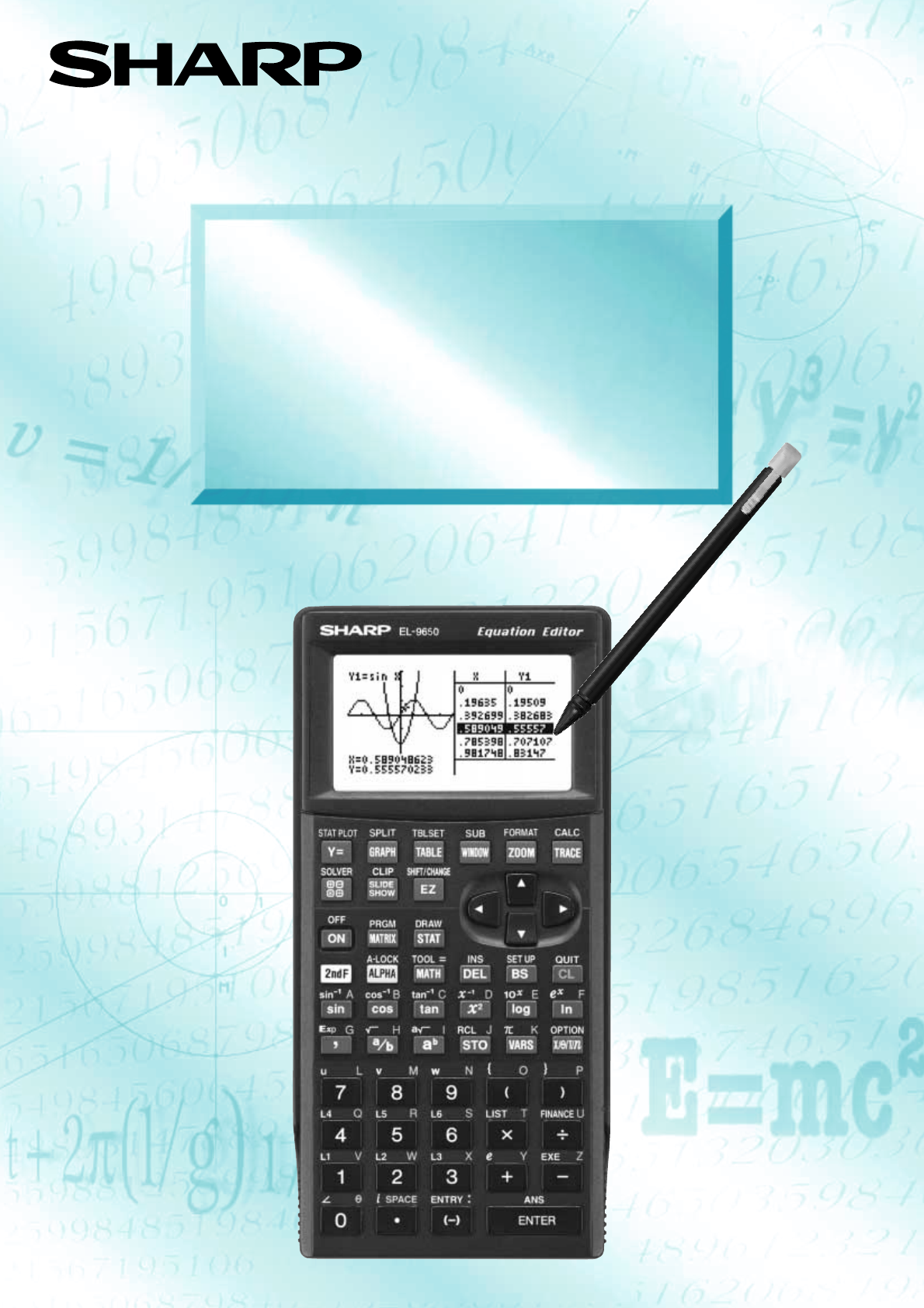
- EL-9650/9600c 1
- Introduction 2
- Sales points 3
- Basic operation 4
- Pen-touch operation 6
- Equation editor 7
- Features 8
- Slide show 10
- 2) Y=AX+B 4) Y=1 11
- 3) Y= X 11
- 5) Y=sinX 12
- 6) Y=tanX 7) Y=cos 12
- X 8) Y=lnX 12
- Graphing Procedures 13
- Rapid graph 14
- Rapid window 15
- Rapid zoom 16
- CE-LK1P (PC-link system) 17
- CE-450L 18
- OHP System 19
- Menu tree 1 20
- Menu tree 2 21
- Menu tree 3 22
- Menu tree 4 23
- Menu tree 5 24
- Menu tree 6 25
- Specifications 26
- SHARP CORPORATION 28
- OSAKA, JAPAN 28
- Distributed by: 28
Shrnutí obsahu
Graphing CalculatorEL-9650/9600cOPERATION GUIDE
NotesKey OperationDisplayExample8Slide showSlide show assists with teacher preparation. By selecting from the built-in options or cre-ating your own s
91) Y=X22) Y=AX+B 4) Y=1/XFeaturesBuilt-in slide show selections3) Y= X
105) Y=sinX6) Y=tanX 7) Y=cos-1X 8) Y=lnXFeaturesBuilt-in slide show selections
11Graphing ProceduresFollowing outlines graphing procedures and indicates the steps where Sharp's unique functions canbe used to simplify operati
NotesKey OperationDisplayExample12Rapid graphGraphing has never been easier. With its full range of preset equations, rapid graphsimplifies equation i
NotesKey Operation DisplayExample13Rapid windowRapid window simplifies setting window size with a range of preset values. Use in con-junction with the
NotesKey OperationDisplayExample14Rapid zoomRapid zoom offers one-touch adjustment of window size while viewing the graph. No moreguessing or wasting
15PC-LINKSystem options123ProcedureMake sure that the RS-232C (serial port) is connectedto the PC. Use of the connector is determined by theshape of
16* mark desired data to besent.]]Set to set communicationSystem options789SenderCommunication ProcedureCE-450LCommunication cableEL-9650/9600c EL-965
17OHP System12345ProcedurePlug the cable connector of the OHP Projection Panel straight into the connection terminal of theOHP Panel Controller.(The o
Built-in slide showsOriginal slide showsEducational tools(OHP/PC-link/Data collection)Shift/Change functionEquation editorSplit displayLarge displayPe
18Menu tree 1SET UP( ) Rad 1 DegFloatPt 2 Rad1 FloatPt2 Fix1 1 1 Rect2 Param3 Polar4 Seq2 23 34 45 56 67 78 89 90 09 3 Grad3 Sci Rect 4
19Menu tree 2( ) CALCCALCWhen coordinate system is RectMATH menu on the NBASE calculationWhen coordinate system is Polar, Param or Seq1 Value2 In
20Menu tree 3ZOOMA ZOOM B FACTOR C POWER D EXP E TRIG( ) 1 Auto2 Box3 In4 Out5 Default6 Square7 Dec8 Int9 StatF HYP1 sinh x2 cosh x3 tanh x4 sin
21Menu tree 4EQ VARA XY( ) 1 Y12 Y23 Y34 Y45 Y56 Y67 Y78 Y8 9 Y9 0 Y0 B REGEQN1 RegEqn2 a3 b4 c5 d6 e7 r8 r2 9 R20 resid C POINTS1 x12 x23
22Menu tree 5STAT PLOTStat plot1 Stat plot2 Stat plot3 1 SET 1 PlotON2 PlotOFF2 LimON3 LimOFFPress PressPress2nd F STATPLOTB PLOT2A PLOT1 C PLOT3 D LI
23Menu tree 6SOLVERB EQTN C SAVE C RENAME( on SOLVER screen )1234567890A METHOD1 Equation2 Newton3 Graphic1234567890PressENTERENTERENT
24Dimensions W x D x H (mm)183 x 86 x 19.5Power R03 (AAA) x 4Backup Battery CR2032 x 1Size (dot) 132 x 64Line x Characters 8 x 22Character Size (dot)
EL-9650/9600c Graphing Calculator
SHARP CORPORATION OSAKA, JAPANDistributed by:
Sales points1Graph Shift/Change shows how "changing" the graph affects the equationLarge 132 x 64-dot displaySlide Shows reduce class prepar
2Basic operationFunction keysNames of partsCommunication port for peripheral devicesPower offPower onErase equations andremove error displaysPower ON/
3Reset function1) When trouble occursPress OPTION to enter the reset mode.• Use this function ( or ) to return allsettings to the default value
4Pen-touch operationPen-touch screen offers convenient operations. Use it to select from the menu displays orshift a graph, fast and easy. All operati
NotesKey Operation DisplayExample5Equation editor125436Input the equation and see how it can be easilyviewed with the equation editor.7Clear the displ
NotesKey OperationDisplayExample6ShiftGraph shift function helps students grasp the relationship between an equation and its graph.Shift the graph’s l
NotesKey Operation DisplayExample7When the graph of y = x2 is changed,how does it affect the equation?ChangeGraph change function helps students grasp
Další dokumenty pro Projektory Sharp CE-LK1P
Související produkty a manuály pro Projektory Sharp CE-LK1P
 (131 stránky)
(108 stránky)
(131 stránky)
(108 stránky)
 (54 stránky)
(92 stránky)
(65 stránky)
(2 stránky)
(54 stránky)
(92 stránky)
(65 stránky)
(2 stránky)
 (26 stránky)
(97 stránky)
(26 stránky)
(97 stránky)
 (33 stránky)
(19 stránky)
(44 stránky)
(140 stránky)
(124 stránky)
(137 stránky)
(2 stránky)
(27 stránky)
(2 stránky)
(33 stránky)
(19 stránky)
(44 stránky)
(140 stránky)
(124 stránky)
(137 stránky)
(2 stránky)
(27 stránky)
(2 stránky)
 (71 stránky)
© 2020, manymanuals.cz. Všechna práva vyhrazena. | 0.045 s |
 Manymanuals.com
 Manymanuals.de
 Manymanuals.fr
 Manymanuals.it
 Manymanuals.pl
 Manymanuals.cz
 Manymanuals.es
 Manymanuals-pt.com
Komentáře k této Příručce