Sharp UX-460 Uživatelský manuál Strana 102
- Strana / 152
- Tabulka s obsahem
- ŘEŠENÍ PROBLÉMŮ
- KNIHY

- UX-460 FACSIMILE 1
- ENERGY STAR 2
- Introduction 3
- Automatic feeding: 4
- Manual feeding: 4
- Important safety information 5
- Table of Contents 7
- Installation 9
- A Look at the Operation Panel 10
- 1. Installation 11
- Connections 13
- Power cord 15
- Telephone line cord 16
- Extension phone (optional) 18
- Loading the Imaging Film 19
- Loading Printing Paper 24
- Press these keys: 27
- The display will show: 27
- Setting the Date and Time 30
- Daylight Saving Time 32
- Selecting the Reception Mode 33
- Volume Adjustment 34
- Using the 36
- Answering Machine 36
- Recording an Outgoing Message 38
- 2. Answering 39
- Machine 39
- PLAY/SKIP 40
- Erasing received messages 41
- Using the REC/MEMO key 41
- Setting ICM time 43
- Fax reception on TAD failure 44
- OGM only mode 46
- Transfer Function 47
- 5 5 215 43 48
- T.A.D. SETTINGS 49
- TRANSFER FUNC 49
- Override Ringing 50
- Remote Operations 52
- Toll Saver 53
- Retrieving your messages 54
- Other remote operations 57
- Recording a "Memo" 59
- Documents 61
- Other restrictions 62
- Loading the Document 63
- Resolution and Contrast 65
- 3. Sending 67
- Using the REDIAL key 68
- Rapid keys 69
- SPEED DIAL key 69
- Step 3 or 71
- Rapid Key Dialing 73
- Speed Dialing 74
- Direct Keypad Dialing 75
- Using the HOLD/SEARCH key 76
- Automatic redialing 77
- Receiving 78
- Using TEL Mode 79
- Receiving Documents 83
- COPY/HELP 84
- 5. Making 85
- 6. Making 87
- Phone Calls 87
- Chain Dialing 88
- Making Telephone Calls 89
- How Caller ID operates 91
- Display messages 92
- Viewing the Caller ID list 92
- Priority Call 93
- Blocking voice calls 94
- RECEPTION 96
- MODE 96
- Broadcasting 97
- FUNCTION 100
- (Example) 101
- Cover Sheet 101
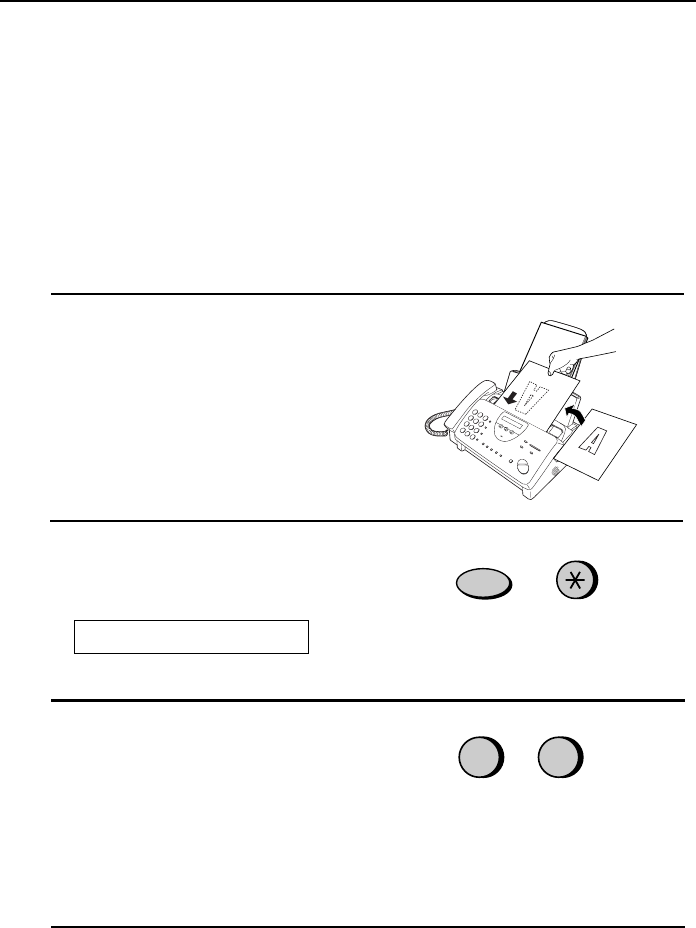
- Batch Page Numbering 102
- 7. Special 103
- Functions 103
- START/MEMORY 105
- Sending Documents From Memory 106
- RESOLUTION 106
- 01 02 03 107
- Requesting transmission 108
- Timer Operations 111
- Settings 113
- 01 to 15 114
- 00 to 10 114
- • Initial setting: 5 117
- • Initial setting: 1 117
- • Initial setting: 2 117
- 8. Option 117
- Printing 120
- Reports and Lists 120
- RECEIVER 121
- 9. Printing Lists 121
- Timer List 122
- Telephone Number List 122
- Passcode List 123
- Option Setting List 123
- Anti Junk Number List 124
- Caller ID List 124
- TAD Program List 125
- Message List 125
- Print Setup List 126
- Transaction Report 126
- Maintenance 127
- Scanning glass and rollers 130
- The housing 130
- Troubleshooting 131
- Distinctive Ring 133
- Fax print head 133
- Problems and Solutions 134
- General problems 135
- Messages and Signals 136
- Display Messages 137
- Audible signals 138
- Clearing Paper Jams 139
- Ordering parts 142
- FCC Regulatory Information 143
- Section 3. Ingredients 144
- REMOTE OPERATION CARD 149
- 1-800-BE SHARP 151
- SHARP ELECTRONICS CORPORATION 151
Související produkty a manuály pro Tiskárny Sharp UX-460
 (112 stránky)
(116 stránky)
(100 stránky)
(248 stránky)
(178 stránky)
(2 stránky)
(12 stránky)
(104 stránky)
(146 stránky)
(8 stránky)
(55 stránky)
(148 stránky)
(2 stránky)
(84 stránky)
(56 stránky)
(80 stránky)
(112 stránky)
(52 stránky)
(11 stránky)
(112 stránky)
(116 stránky)
(100 stránky)
(248 stránky)
(178 stránky)
(2 stránky)
(12 stránky)
(104 stránky)
(146 stránky)
(8 stránky)
(55 stránky)
(148 stránky)
(2 stránky)
(84 stránky)
(56 stránky)
(80 stránky)
(112 stránky)
(52 stránky)
(11 stránky)
© 2020, manymanuals.cz. Všechna práva vyhrazena. | 0.047 s |
 Manymanuals.com
 Manymanuals.de
 Manymanuals.fr
 Manymanuals.it
 Manymanuals.pl
 Manymanuals.cz
 Manymanuals.es
 Manymanuals-pt.com
Komentáře k této Příručce