--
...
_
-·-
--
O$JO$lt310
._
-
sw.ftll~
W
l!)V
,.,._
~
""""
(10«1"
Printer
--
~(
.,..
,,
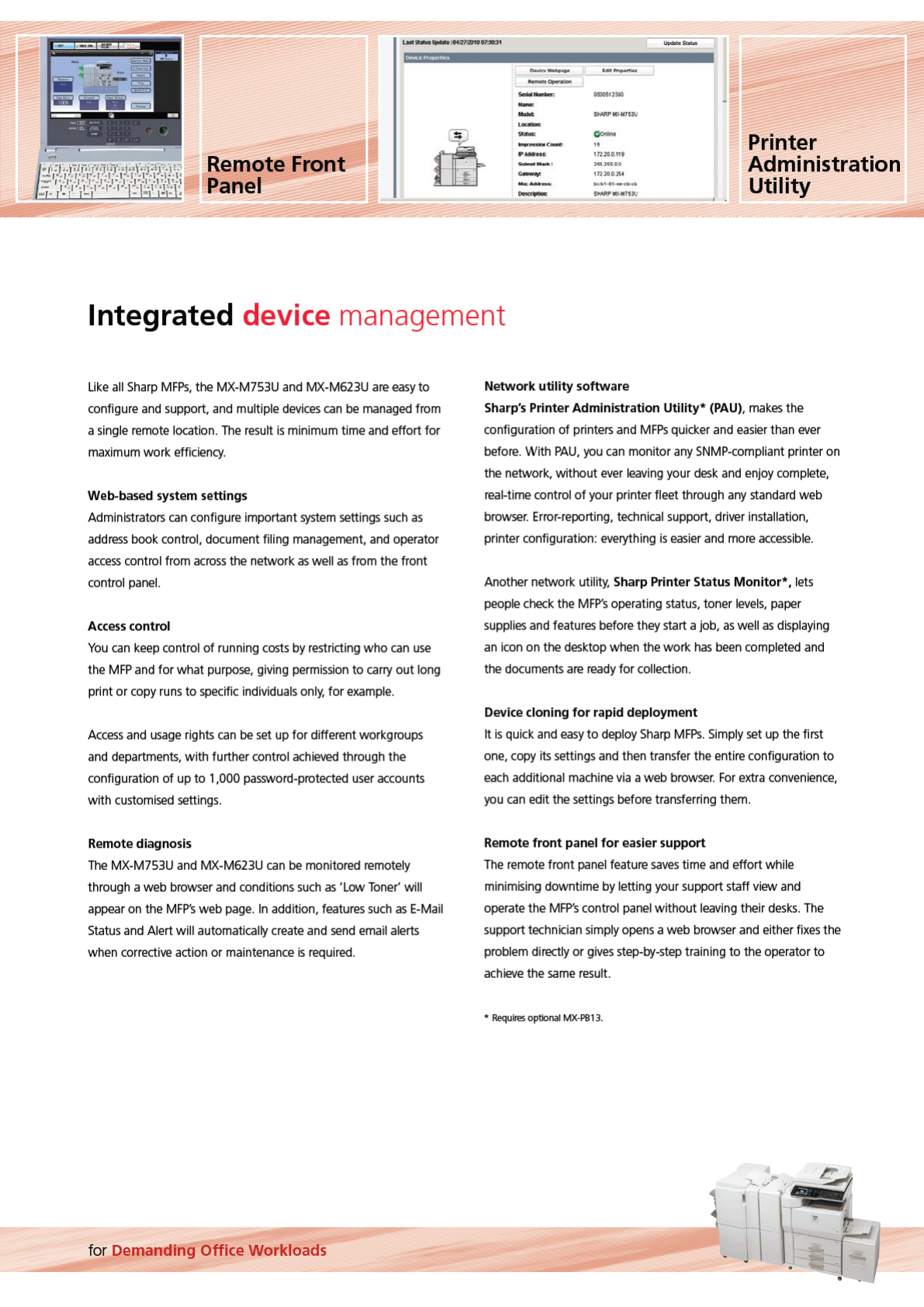
Remote Front
~
..
....
...
171
.
20.0.11'1
Administration
l&HSSO~
.....
...
11)20,0)5
4
Panel Utility
--
tMAfi'Ml<
W
tUU
Integrated device management
Uke
all
Sharp
MFPs,
the MX-M753U
and
MX-M623U
are
easy
to
configure
and
support,
and
multiple
devices
can
be
managed
from
a
single
remote
location.
The
result
is
minimum time
and
effort for
ma
x
imum
work efficiency.
Web-b
ase
d system
se
tting
s
Administrators
can
con
figure important
system
settings
such
as
address
book control, document filing
management.
and
operator
access
control from
across
the network
as
well
as
from the front
control
panel.
Acc
ess
control
You
can
keep
control of running
costs
by
restricting who
can
use
the
MFP
and
for what
purpose,
giving
permission
to
carry
out long
print or
copy
runs
to
specific
individuals
only,
for ex
ample
.
Access
and
usage
rights
can
be
set
up
for different workgroups
and
departments.
with further control
achieved
through the
configuration of up to 1,000
password-protected
user
accounts
with
customised
settings.
Re
mot
e
di
agnosis
The
MX-M753U
and
MX-M623U
can
be
monitored
remotely
through a web
browser
and
conditions
such
as
'
low
Toner'
will
appear
on
the
MFP's
web
page
.
In
addition,
features
such
as
E-Mail
Status
and
Alert will automatically
create
and
send
email
alerts
when
corrective
action or
maintenance
is
required.
for Demanding Office Workloads
Ne
twork
utility
s
oftwar
e
Sharp
's
Printer Adminis
tration
Utility
*
(PAU
).
makes
the
configuration of printers
and
MFPs
quicker
and
easier
than
ever
before. With
PAU.
you
can
monitor
any
SNMP-compliant
printer
on
the network, without
ever
leaving
your
desk
and
enjoy
complete,
real-time control of your printer fleet through
any
standard
web
browser
.
Error-reporting,
technical
support,
driver
installation,
printer configuration:
everything
is
easier
and
more
accessible
.
Another network utility, Sharp Printer Status
Monitor*
,lets
people
check
the
MFP's
operating
status,
toner
levels.
paper
supplies
and
features
before they start a job,
as
well
as
displaying
an
icon
on the
desktop
when the work
has
been
completed
and
the documents
are
ready
for collection.
Device cloning
for
rapid deployme
nt
1t
is
quick
and
easy
to
deploy
Sharp
MFPs
.
Simply
set
up
the first
one,
copy
its settings
and
then
transfer
the entire configuration to
each
additional
machine
via
a web
browser
.
For
extra
convenience,
you
can
edit the settings before transferring
them
.
Re
mot
e
front
panel
for
easier s
upport
The
remote
front
panel
feature
saves
time
and
effort while
minimising downtime
by
letting your support staff view
and
operate the
MFP's
control
panel
without
leaving
their
desks
.
The
support
technician
simply
opens
a web
browser
and
either
fixes
the
problem directly or
gives
step-by-step
training to the operator to
achieve
the
same
result.
•
Re
qui
res
optional MX-PB
13
.

 (12 stránky)
 (20 stránky)
 (160 stránky)
 Manymanuals.com
 Manymanuals.de
 Manymanuals.fr
 Manymanuals.it
 Manymanuals.pl
 Manymanuals.cz
 Manymanuals.es
 Manymanuals-pt.com
Komentáře k této Příručce