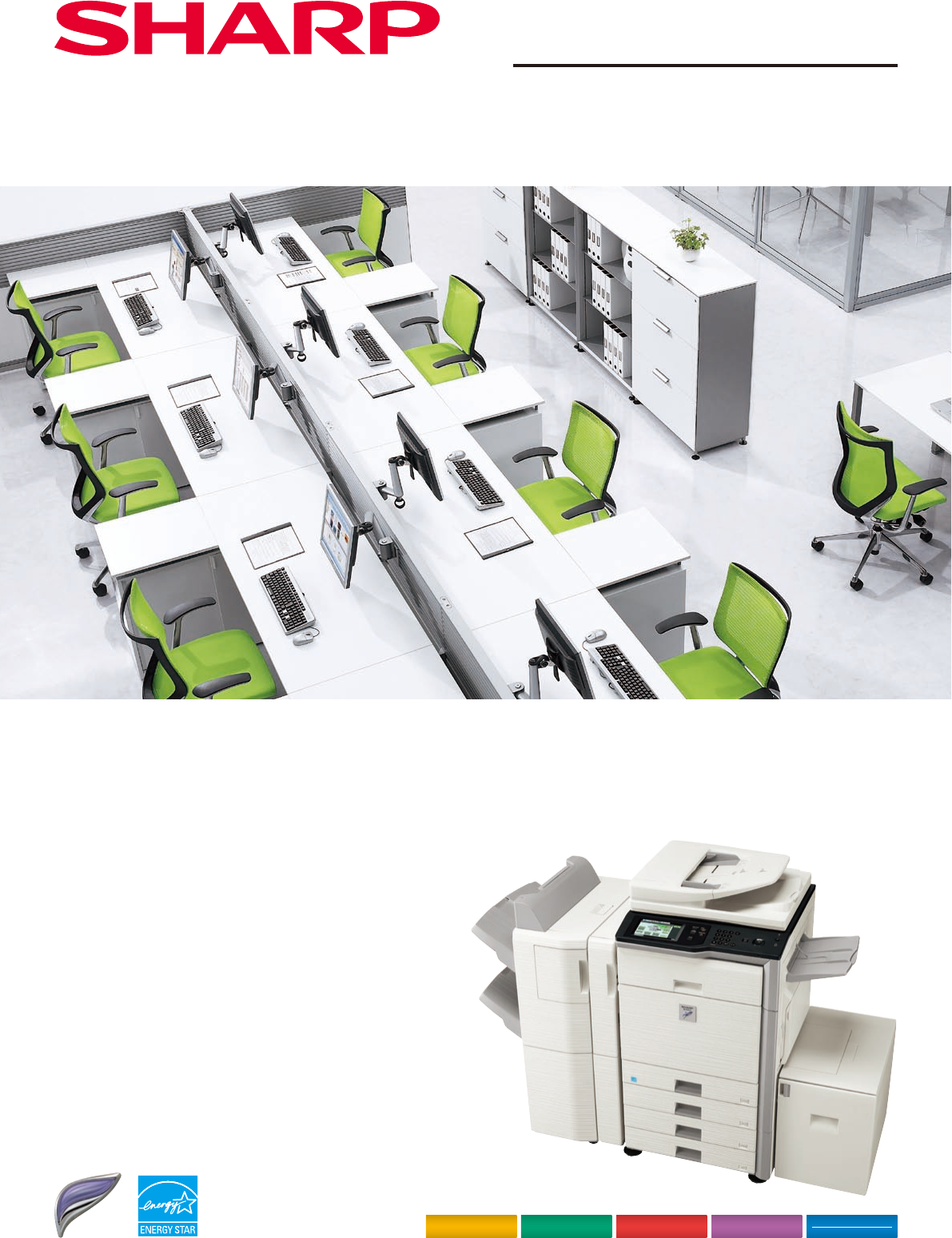
Shown with options.
* 645 mm with tray extended.
695 mm
1,213 mm
1,627 mm
515 mm*
370 mm
615 mm
127 mm
Distributed by:
(tentative)
SPECIFICATIONS
Digital Multifunctional System
MX-M502N/M452N/M362N/M282N
Copy
Fax
OPTION
Network Print
Network
Colour Scan
Sharpdesk
Bring the Benefits of Sharp Document Solutions
to Your Office with This Colour Scan-Ready B/W MFP
Printed with VOC (volatile
organic compound)-free ink
Desktop
Max. 50/45/36/28 cpm/ppm (A4, 8
1
/
2
" x 11", long-edge feeding)
Max. A3W (12" x 18"), min. A5R (5
1
/
2
" x 8
1
/
2
"R)
Standard: 1,100 sheets
(two 500-sheet trays and 100-sheet multi-bypass tray)
Maximum: 5,600 sheets
Tray: 60 g/m
2
to 209 g/m
2
(16 lbs bond to 110 lbs index)
Large-capacity tray: 60 g/m
2
to 105 g/m
2
(16 to 28 lbs bond)
Multi-bypass tray: 56 g/m
2
to 209 g/m
2
(15 lbs bond to 110 lbs index)
Less than 20 sec.
Copier memory: 576MB
Printer memory: Standard 1GB, max. 2GB
80GB HDD*
2
Rated local AC voltage ±10%, 50/60 Hz
1.84 kW (220 to 240V), 1.44 kW (100 to 127V)
645 x 695 x 833 mm (25
25
/
64
" x 27
3
/
8
" x 32
51
/
64
")*
3
88 kg (194 lbs)*
3
Job build, document filing, user authentication (1,000 accounts),
toner save mode, pre-heat/auto power shut-off modes, preview,
thumbnail view*
4
Original paper size
First copy time*
5
Continuous copy
Resolution
Gradation
Zoom range
Preset copy ratios
Features
Max. A3 (11" x 17")
3.9/3.9/4.6/4.6 sec.
Max. 999 copies
Scan: 600 x 600 dpi, 600 x 400 dpi, 600 x 300 dpi
Print: 600 x 600 dpi
Scan: 256 levels Print: 2 levels
25 to 400% (25 to 200% using RSPF) in 1% increments
Metric: 10 ratios (5R/5E), inch: 8 ratios (4R/4E)
Auto paper selection (mixed/random size feeding), auto magnification
selection, paper type selection, auto tray switching, rotation copy,
electronic sorting, network tandem copy, book copy, margin shift, dual
page copy, multi-shot (4-in-1, 2-in-1), cover/transparency/tab page
insertion, 2-sided copy orientation change, XY zoom, B/W reverse,
mirror image, duplex copy, job reservation, job programme, photo
repeat, irregular original/paper size input, stamps (date, page number,
text, stamp), multi-page enlargement, tab copy, centering, proof copy,
watermarks, sharpness, card shot, edge/centre erase, pamphlet copy,
original count
Facsimile (optional MX-FXX2 required)
Compression method
Communication protocol
Transmission time
Modem speed
Transmission resolution
Recording width
Memory
Grey scale levels
Features
MH/MR/MMR/JBIG
Super G3/G3
Less than 3 seconds*
15
33,600 bps to 2,400 bps with automatic fallback
From Standard (203.2 x 97.8 dpi) to Ultra Fine (406.4 x 391 dpi)
A3 to A5 (11" x 17" to 5
1
/
2
" x 8
1
/
2
")
8MB flash memory
Equivalent to 256 levels
Duplex transmission/reception, quick on-line transmission,
error correction mode, 1,000 one-touch dials, 500 group dials,
LDAP support, 48 job programmes, broadcasting number registration,
F-Code compatibility (confidential, relay broadcast), polling,
memory transmission/reception, auto reduction (transmission/reception),
rotation transmission/reception, print actual size, 2-in-1 transmission,
long original transmission (max. 1,000 mm), PC-Fax transmission,
timer transmission, activity report, anti-junk fax, dual page scan,
mixed size original scanning, inbound routing to e-mail/FTP server/
network folder (SMB)/PC desktop/group, card shot, edge/centre erase
Type
Engine speed
Paper size
Paper capacity
(80 g/m
2
)
Paper weight
Warm-up time*
1
Memory
Power requirements
Power consumption (max.)
Dimensions (W x D x H)
Weight (approx.)
Features
General
Copier
Network Printer
Network Colour Scanner
Scan method
Resolution
File formats
Scanner utility
Scan destinations
Features
Push scan (via control panel), pull scan (TWAIN-compliant application)
Push scan: 100, 200, 300, 400, 600 dpi
Pull scan: 75, 100, 150, 200, 300, 400, 600 dpi
50 to 9,600 dpi via user setting
TIFF, PDF, encrypted PDF, JPEG (colour only), XPS*
6
, compact PDF*
7
Sharpdesk
Scan to e-mail/desktop/FTP server/network folder (SMB)/USB memory
Internet fax*
8
(supports direct SMTP), PC-Internet fax transmission*
8
,
mixed size original scanning, LDAP support, 1,000 one-touch dials,
500 group dials, direct entry (address, subject, message), 48 job
programmes, broadcasting, long original scanning (max. 1,000 mm)*
9
,
card shot, edge/centre erase
Resolution
Interface
Supported OS*
12
Network protocols*
12
Printing protocols
PDL (emulation)
Available fonts
Features*
11
*
14
600 x 600 dpi
USB 2.0
10Base-T/100Base-TX/1000Base-T
Windows Server
®
2003/2008, Windows
®
2000/XP, Windows Vista
®
,
Windows 7, Mac OS 9.0 to 9.2.2, Mac OS X 10.2.8,
10.3.9, 10.4.11,
10.5 to 10.5.8, 10.6 to 10.6.2
TCP/IP (IPv4, IPv6), IPX/SPX (NetWare), NetBEUI, EtherTalk (AppleTalk)
LPR, Raw TCP (port 9100), POP3 (e-mail printing), HTTP,
Novell Printserver application with NDS and Bindery,
FTP for downloading print files, EtherTalk printing, IPP
Standard: PCL 6 emulation
Option*
13
: PS3 emulation, XPS
80 fonts for PCL, 136 fonts for PS3 emulation
Network tandem print, RIP Once/Print Many, job retention (print hold,
proof print, confidential print), direct PDF/TIFF/JPEG/XPS printing,
carbon copy print, duplex print, font/form download, offset output,
printer status monitor, pamphlet style, IP/MAC address filtering,
port/protocol management, binding edge, N-up (2/4/6/8/9/16),
paper/output tray selection, cover/transparency insertion, fit to page,
form overlay, auto configuration, barcode font compatibility,
tab print, secure network communications (SSL and IPsec [LPD]),
watermarks, margin shift
*1: At rated voltage, 23
C (73.4
F). May vary depending on operating conditions and environment.
*2:HDD capacity depends on procurement and sourcing status.
*3: Including document cover. *4: Thumbnails of Document Filing data files and incoming faxes.
*5: Long-edge feeding of A4 (8
1
/
2
" x 11") sheets from 1st paper tray, using document glass, in Auto Exposure
mode, MFP in fully ready condition. May vary depending on operating conditions and environment.
*6:To view XPS files on PCs not running Windows Vista, you must have the XPS Viewer application installed.
*7: Optional MX-EBX3 required. *8: Optional MX-FWX1 required.
*9: B/W documents only, scanned at under 400-dpi resolution. Max. 800 mm for Internet faxing or when
scanning at 600 x 600-dpi resolution.
*10: Measured using Sharp’s standard chart (A4 with 6% coverage, B/W). The Quick File Folder shares the HDD
with the Job Build function; up to 12GB of data storage is available when using both functions.
The storage capacity will be less for colour pages.
*11: Some features
require option(s).
*12: Optional MX-PKX1 required for Mac OS and EtherTalk.
*13: PS requires optional MX-PKX1. XPS requires optional MX-PUX1 and MX-SMX3 (1GB).
*14: Some features are not available according to the printer driver used.
*15: Based on Sharp’s standard chart with approx. 700 characters (A4 or 8
1
/
2
" x 11" long-edge feeding) at
standard resolution in Super G3 mode, 33,600 bps, JBIG compression.
• Design and specifications are subject to change without prior notice.
•Windows, Windows Server, and Windows Vista are registered trademarks of Microsoft Corporation in the United States
and/or other countries. All other brand names and product names may be trademarks or registered trademarks of their
respective owners.
•The ENERGY STAR logo is a certification mark and may only be used to certify products that have been determined to
meet the ENERGY STAR programme requirements. ENERGY STAR is a US registered mark. The ENERGY STAR guidelines
apply to products only in the US, the EU, Japan, Canada, Australia, New Zealand, and Taiwan.
Document Filing
Document filing capacity
Stored jobs*
11
Storage folders
Confidential storage
Main and custom folders: 38GB, 20,000 pages*
10
or 3,000 files
Quick file folder: 12GB, 10,000 pages*
10
or 1,000 files
Copy, print, scan, fax transmission
Quick file folder, main folder, custom folder (max. 1,000 folders)
Password protection
MX-M502N/M452N
MX-M362N/M282N
Digital Multifunctional System


 (272 stránky)
 (80 stránky)
 Manymanuals.com
 Manymanuals.de
 Manymanuals.fr
 Manymanuals.it
 Manymanuals.pl
 Manymanuals.cz
 Manymanuals.es
 Manymanuals-pt.com
Komentáře k této Příručce