Sharp FO-4470 Specifikace Strana 60
- Strana / 148
- Tabulka s obsahem
- ŘEŠENÍ PROBLÉMŮ
- KNIHY

- FACSIMILE 1
- Introduction 3
- Important safety information 5
- Table of Contents 7
- A Look at the Operation Panel 9
- 1098 11 12 13 14 15 16 10
- 18 2519 20 21 26 12
- 27 31 3228 30 12
- 1. Installation 14
- Connections 15
- Attaching the ADF exit tray 17
- Verification Stamp option 18
- • Caution! 19
- 1. Installation 21
- Loading Printing Paper 23
- • To enter a space, press 27
- • To change case, press 27
- Setting the Date and Time 28
- Daylight Saving Time 29
- Administrator Password 32
- Volume Adjustment 33
- 2. Sending Documents 35
- Maximum scanning area 36
- Other restrictions 36
- Loading the Document 37
- Resolution 38
- HALF TONE 39
- STANDARD 39
- SUPER FINE 39
- • Press and/or to 40
- Caps Lock 42
- Programming Auto-Dial Numbers 43
- Editing auto-dial numbers 44
- Clearing auto-dial numbers 44
- DOCUMENT 46
- 1 Load the document(s) 47
- Direct Keypad Dialing 49
- Chain Dialing 51
- If the memory becomes full 51
- JOB STATUS 52
- 2. Sending 53
- Documents 53
- Memory Retransmission 54
- Automatic redialing 54
- ENTER PASSCODE 56
- OR START TO SKIP 56
- USE NAME AS FAX HDR 56
- 1=YES, 2=NO 56
- Using a personal book 57
- Closing a book 58
- Clearing a book 59
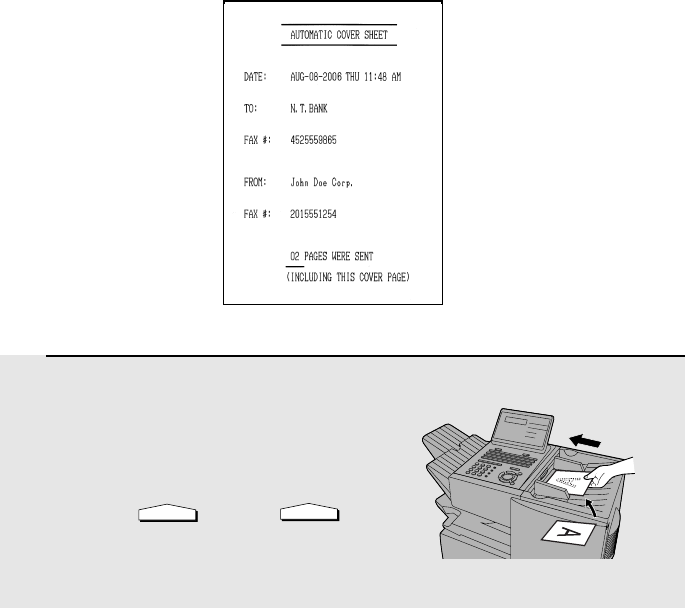
- Cover Sheet 60
- 3. Receiving Documents 63
- Using MANUAL Reception Mode 64
- 3. Receiving 65
- • Copying will begin 67
- Storing numbers in Group Keys 70
- Confidential Operations 72
- Clearing a passcode 75
- Being polled (Memory polling) 77
- Clearing a document 78
- Polling Security 79
- Timer Operations 80
- Canceling a timer operation 85
- Batch Transmission 86
- Entering and Using Programs 88
- Being Polled (Memory polling) 95
- Clearing a Program Key 95
- Using a Program Key 96
- DUPLEX SCAN 97
- Printing received faxes 99
- Print Hold 100
- Clearing the Print Hold code 101
- Department Control 102
- Accessing the machine 103
- 1:JUNK FAX # SET 104
- ENTER # (01-50) 104
- Display: 104
- 06:STORE JUNK FAX # 104
- 1=SET, 2=CLEAR 104
- Telephone Billing 105
- 1 Load the document (s) 106
- Distinctive Ring 107
- 6. Optional Settings 109
- Optional Settings 110
- ♦ Initial setting: 5 111
- ♦ Initial setting: 02 111
- ♦ Initial setting: 05 111
- ♦ Initial setting: 1 111
- ♦ Initial setting: 2 112
- ♦ Initial setting: 10 113
- ♦ Initial setting: 4 116
- 2:LISTING MODE 118
- ENTER #(01-11, , ) 118
- Activity Report (List 01) 119
- Timer List (List 02) 120
- Destination List (List 03) 120
- Passcode List (List 04) 120
- Printing Lists and Reports 121
- COPY/HELP 122
- 8. Maintenance 124
- 1 Remove the ADF exit tray 125
- 4 Replace the ADF exit tray 125
- 9. Troubleshooting 126
- Problems and Solutions 127
- General problems 129
- Messages and Signals 130
- Audible signals 132
- Clearing Paper Jams 133
- 3 Remove the drum cartridge 134
- 4 Remove the jammed paper 134
- 5 Replace the drum cartridge 135
- 8 Replace the paper cassette 135
- FCC Regulatory Information 136
- S H A R P 137
- SPEED DIAL 140
- SHARP CORPORATION 148
Související produkty a manuály pro Kopírky Sharp FO-4470
 (117 stránky)
(12 stránky)
(16 stránky)
(8 stránky)
(8 stránky)
(4 stránky)
(117 stránky)
(12 stránky)
(16 stránky)
(8 stránky)
(8 stránky)
(4 stránky)


 (20 stránky)
(57 stránky)
(72 stránky)
(69 stránky)
(12 stránky)
(91 stránky)
(12 stránky)
(12 stránky)
(12 stránky)
(81 stránky)
(84 stránky)
(118 stránky)
(48 stránky)
(16 stránky)
(20 stránky)
(57 stránky)
(72 stránky)
(69 stránky)
(12 stránky)
(91 stránky)
(12 stránky)
(12 stránky)
(12 stránky)
(81 stránky)
(84 stránky)
(118 stránky)
(48 stránky)
(16 stránky)
© 2020, manymanuals.cz. Všechna práva vyhrazena. | 0.033 s |
 Manymanuals.com
 Manymanuals.de
 Manymanuals.fr
 Manymanuals.it
 Manymanuals.pl
 Manymanuals.cz
 Manymanuals.es
 Manymanuals-pt.com
Komentáře k této Příručce