Sharp AR-NB2 Průvodce nastavením Strana 29
- Strana / 32
- Tabulka s obsahem
- KNIHY

- AR-NB2 N 1
- SAFETY STANDARDS 2
- <AR-NB2> 3
- <AR-NB2 N> 3
- INTRODUCTION 4
- CONTENTS 5
- BEFORE INSTALLATION 6
- USING THE MACHINE IN A 8
- MACINTOSH ENVIRONMENT 8
- CONNECTING TO A NETWORK 9
- INSTALLATION ENVIRONMENT 10
- AND INSTALLATION PROCEDURE 10
- CHECKING THE IP ADDRESS 13
- INSTALLING THE SOFTWARE 14
- CUSTOM INSTALLATION 16
- USING THE PPD FILE 23
- INSTALLING THE PPD FILE 25
- APPLETALK SETTINGS 25
- Macintosh 26
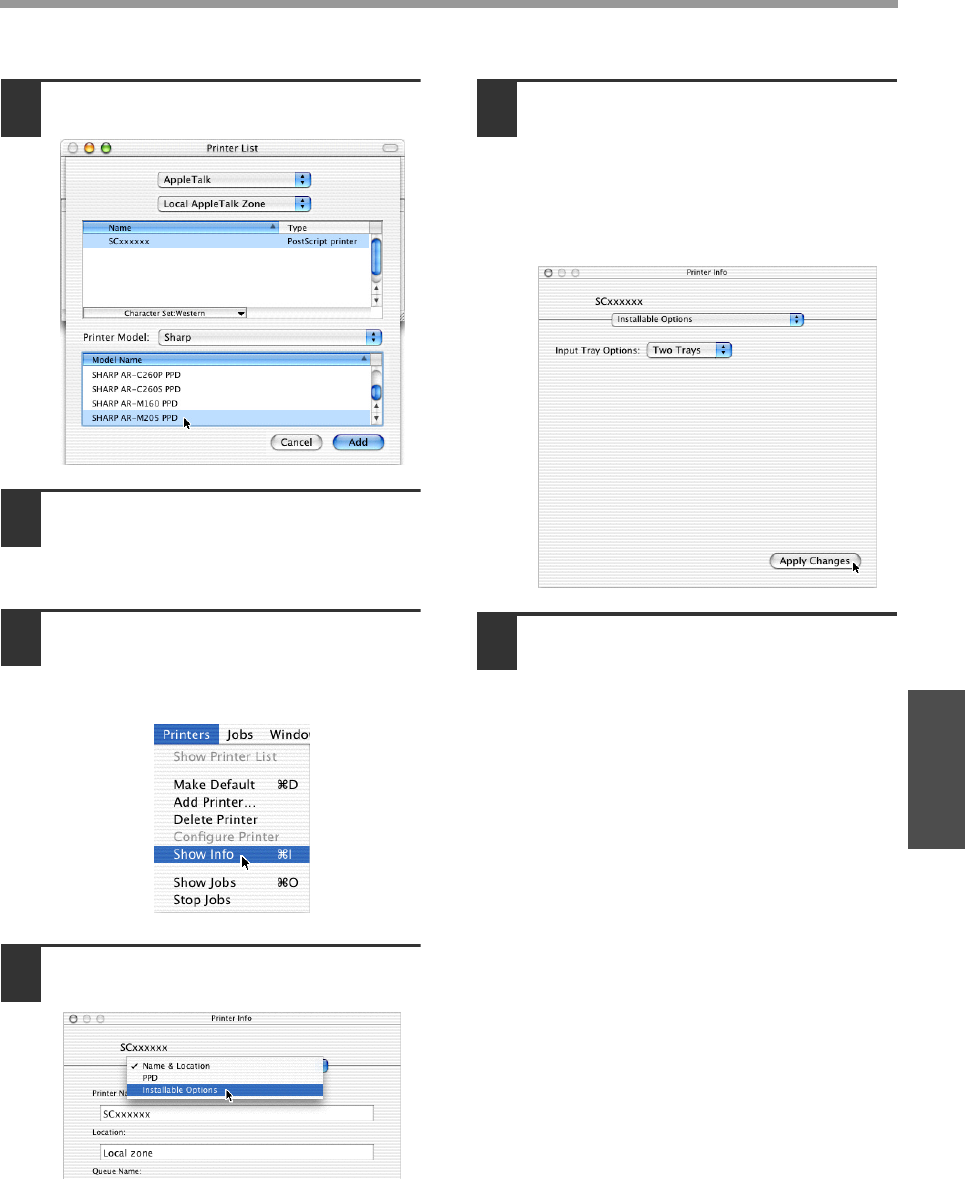
- MAC OS X v10.2.x 28
- MAC OS X v10.1.5 30
- MAC OS 8.6 - 9.x 31
- SHARP CORPORATION 32
Související produkty a manuály pro Kopírky Sharp AR-NB2
 (125 stránky)
(111 stránky)
(33 stránky)
(8 stránky)
(8 stránky)
(125 stránky)
(111 stránky)
(33 stránky)
(8 stránky)
(8 stránky)
 (80 stránky)
(148 stránky)
(117 stránky)
(12 stránky)
(16 stránky)
(8 stránky)
(8 stránky)
(4 stránky)
(80 stránky)
(148 stránky)
(117 stránky)
(12 stránky)
(16 stránky)
(8 stránky)
(8 stránky)
(4 stránky)


 (20 stránky)
(57 stránky)
(72 stránky)
(69 stránky)
(12 stránky)
(91 stránky)
(12 stránky)
(20 stránky)
(57 stránky)
(72 stránky)
(69 stránky)
(12 stránky)
(91 stránky)
(12 stránky)
© 2020, manymanuals.cz. Všechna práva vyhrazena. | 0.033 s |
 Manymanuals.com
 Manymanuals.de
 Manymanuals.fr
 Manymanuals.it
 Manymanuals.pl
 Manymanuals.cz
 Manymanuals.es
 Manymanuals-pt.com
Komentáře k této Příručce