Sharp CD-ES66 Uživatelský manuál Strana 1
Procházejte online nebo si stáhněte Uživatelský manuál pro CD přehrávače Sharp CD-ES66. Sharp CD-ES66 User's Manual Uživatelská příručka
- Strana / 36
- Tabulka s obsahem
- ŘEŠENÍ PROBLÉMŮ
- KNIHY

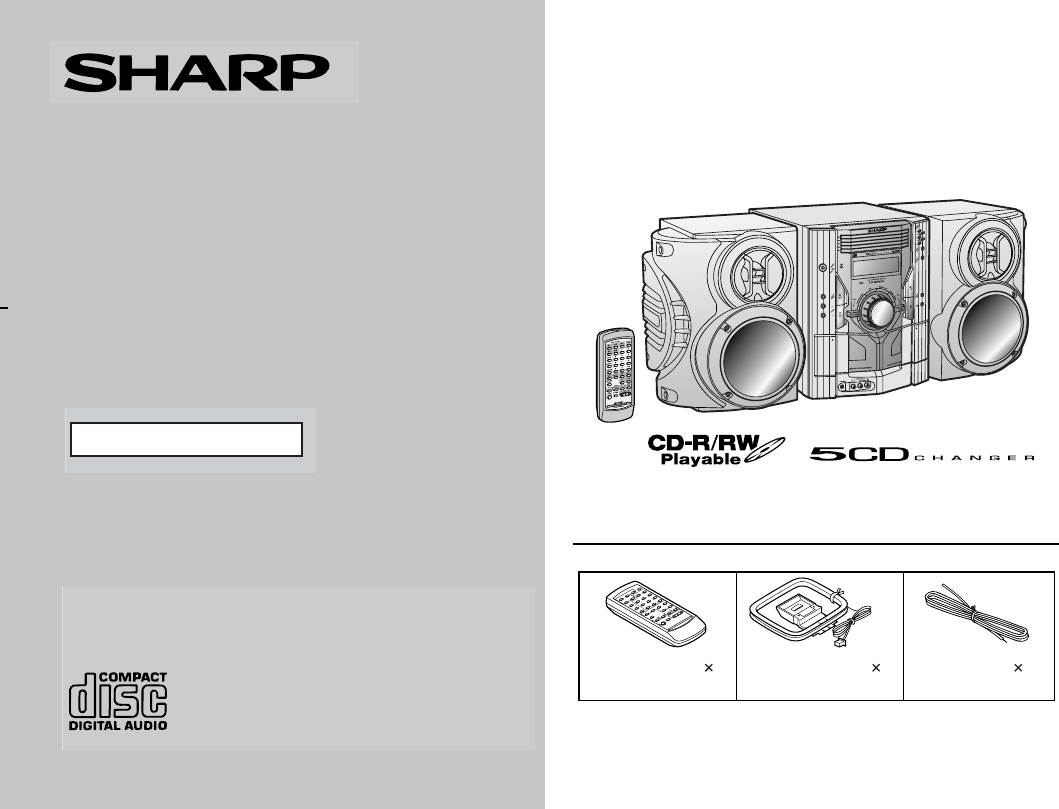
- CD-ES600 1
- SPECIAL NOTES 2
- IMPORTANT SAFETY INSTRUCTIONS 3
- Contents 5
- Precautions 6
- Controls and indicators 7
- General Information 8
- System connections 10
- Preparation for Use 11
- Remote control 13
- General control 14
- Setting the clock 15
- Listening to a CD (CDs) 16
- CD Playback 17
- Advanced CD playback 18
- Listening to the radio 21
- Tape Playback 23
- Recording on a cassette tape 24
- Tape Recording 25
- Timer and sleep operation 27
- Advanced Features 28
- Enhancing your system 31
- Troubleshooting chart 32
- References 33
- Maintenance 34
- Specifications 35
- CONSUMER LIMITED WARRANTY 36
Shrnutí obsahu
03/11/4 CD-ES600_66(U)_FRONT.fmTINSEA005AWZZThank you for purchasing this SHARP product. To obtain the best performance from this product, please read
03/11/5 CD-ES600_66(U)1.fm10CD-ES600TINSEA005AWZZCD-ES66Preparation for UseSystem connections Left speakerRight speakerAC outlet(AC 120 V, 60 Hz) Spe
1103/11/4 CD-ES600_66(U)2.fmCD-ES600TINSEA005AWZZCD-ES66Preparation for Use! Antenna connectionSupplied FM antenna:Connect the FM antenna wire to the
1203/11/4 CD-ES600_66(U)2.fmTINSEA005AWZZCD-ES600CD-ES66Preparation for UseSystem connections (continued)! AC power connectionAfter checking all the c
1303/11/4 CD-ES600_66(U)2.fmCD-ES600TINSEA005AWZZCD-ES66Preparation for UseRemote control! Battery installationPrecautions for battery use:"Repla
1403/11/4 CD-ES600_66(U)2.fmTINSEA005AWZZCD-ES600CD-ES66Basic OperationGeneral control ! To turn the power onPress the ON/STAND-BY button to turn the
1503/11/4 CD-ES600_66(U)2.fmCD-ES600TINSEA005AWZZCD-ES66Basic OperationSetting the clockIn this example, the clock is set for the 12-hour (AM 12:00) d
1603/12/11 CD-ES600_66(U)2.fmTINSEA005AWZZCD-ES600CD-ES66CD PlaybackListening to a CD (CDs)This system can also play audio CD-R and CD-RW discs, but c
1703/11/4 CD-ES600_66(U)2.fmCD-ES600TINSEA005AWZZCD-ES66CD Playback" Playback will begin from track 1 on the DISC 1. After that disc fin-ishes pl
1803/11/4 CD-ES600_66(U)2.fmTINSEA005AWZZCD-ES600CD-ES66CD PlaybackAdvanced CD playback! To specify a disc to playYou can play a disc by specifying th
1903/11/4 CD-ES600_66(U)2.fmCD-ES600TINSEA005AWZZCD-ES66CD Playback! Repeat playRepeat play can play all 5 discs, all tracks on a chosen disc, or apro
03/11/5 CD-ES600_66(U)1.fm2CD-ES600TINSEA005AWZZCD-ES66Important InstructionSPECIAL NOTESCAUTION: TO REDUCE THE RISK OF ELECTRIC SHOCK,DO NOT REMOVE C
2003/11/4 CD-ES600_66(U)2.fmTINSEA005AWZZCD-ES600CD-ES66CD PlaybackAdvanced CD Playback (continued)! Programmed playYou can choose up to 32 selections
2103/11/4 CD-ES600_66(U)3.fmCD-ES600TINSEA005AWZZCD-ES66RadioListening to the radioAuto power on function:When you press any of the following buttons,
2203/11/4 CD-ES600_66(U)3.fmCD-ES600TINSEA005AWZZCD-ES66RadioListening to the radio (continued)! Memorizing a stationYou can store 40 AM and FM statio
2303/11/4 CD-ES600_66(U)3.fmCD-ES600TINSEA005AWZZCD-ES66Tape PlaybackListening to a cassette tape (TAPE 1 or TAPE 2) ! Tape playbackAuto power on func
2403/11/4 CD-ES600_66(U)3.fmCD-ES600TINSEA005AWZZCD-ES66Tape Playback! Various tape functionsCaution:" To remove the cassette, press the button
2503/11/4 CD-ES600_66(U)3.fmCD-ES600TINSEA005AWZZCD-ES66Tape Recording! Recording from a CD (CDs) You can record the desired CD using the DIRECT PLAY
2603/11/4 CD-ES600_66(U)3.fmCD-ES600TINSEA005AWZZCD-ES66Tape RecordingRecording on a cassette tape (continued)Recording from several CDs continuously:
2703/11/4 CD-ES600_66(U)3.fmCD-ES600TINSEA005AWZZCD-ES66Advanced FeaturesTimer and sleep operationTimer playback:The unit turns on and plays the desir
2803/12/11 CD-ES600_66(U)3.fmCD-ES600TINSEA005AWZZCD-ES66Advanced FeaturesTimer and sleep operation (continued)4 Within 10 seconds, press the or b
2903/11/4 CD-ES600_66(U)3.fmCD-ES600TINSEA005AWZZCD-ES66Advanced FeaturesNote:Checking the timer setting in the timer stand-by mode:Canceling the time
03/11/5 CD-ES600_66(U)1.fm3CD-ES600TINSEA005AWZZCD-ES66Important InstructionIMPORTANT SAFETY INSTRUCTIONS1 Read Instructions - All the safety and oper
3003/11/4 CD-ES600_66(U)3.fmCD-ES600TINSEA005AWZZCD-ES66Advanced FeaturesTimer and sleep operation (continued)! Sleep operationThe radio, compact disc
3103/11/4 CD-ES600_66(U)3.fmCD-ES600TINSEA005AWZZCD-ES66Advanced FeaturesEnhancing your systemThe connection cord is not included. Purchase a commerci
3203/11/4 CD-ES600_66(U)3.fmCD-ES600TINSEA005AWZZCD-ES66Advanced Features! Headphones" Before plugging in or unplugging the headphones, reduce th
3303/11/4 CD-ES600_66(U)3.fmCD-ES600TINSEA005AWZZCD-ES66References! Cassette deck! Remote control! Tuner! If trouble occursWhen this product is subjec
3403/11/4 CD-ES600_66(U)3.fmCD-ES600TINSEA005AWZZCD-ES66References! CondensationSudden temperature changes, storage or operation in an extremelyhumid
3503/11/4 CD-ES600_66(U)3.fmCD-ES600TINSEA005AWZZCD-ES66ReferencesSpecificationsAs part of our policy of continuous improvement, SHARP reservesthe rig
03/12/11 CD-ES600_66(U)_BACK.fmTINSEA005AWZZSHARP ELECTRONICS CORPORATIONSharp Plaza, Mahwah, New Jersey 07430-2135SHARP CORPORATION9906CONSUMER LIMIT
03/11/5 CD-ES600_66(U)1.fm4CD-ES600TINSEA005AWZZCD-ES66Important InstructionIMPORTANT SAFETY INSTRUCTIONS(continued)15 Outdoor Antenna Grounding - If
03/11/5 CD-ES600_66(U)1.fm5CD-ES600TINSEA005AWZZCD-ES66Important InstructionContentsPage! General InformationPrecautions . . . . . . . . . . . . . .
03/11/5 CD-ES600_66(U)1.fm6CD-ES600TINSEA005AWZZCD-ES66General InformationPrecautions! General"Please ensure that the equipment is positioned in
03/11/5 CD-ES600_66(U)1.fm7CD-ES600TINSEA005AWZZCD-ES66General InformationControls and indicators! Front panelReference page1. Disc Trays . . . . . .
03/11/5 CD-ES600_66(U)1.fm8CD-ES600TINSEA005AWZZCD-ES66General InformationControls and indicators (continued)! DisplayReference page1. Disc Number Ind
03/11/5 CD-ES600_66(U)1.fm9CD-ES600TINSEA005AWZZCD-ES66General Information! Remote controlReference page1. Remote Control Transmitter . . . . . . . .
Související produkty a manuály pro CD přehrávače Sharp CD-ES66

 (2 stránky)
(44 stránky)
(2 stránky)
(44 stránky)
 (53 stránky)
(16 stránky)
(53 stránky)
(16 stránky)
 (66 stránky)
(42 stránky)
(54 stránky)
(66 stránky)
(42 stránky)
(54 stránky)
 (22 stránky)
(51 stránky)
(22 stránky)
(51 stránky)
 (62 stránky)
 (22 stránky) (22 stránky)
(52 stránky)
(51 stránky)
(22 stránky)
(101 stránky)
(62 stránky)
(38 stránky)
(22 stránky) (22 stránky)
(52 stránky)
(51 stránky)
(22 stránky)
(101 stránky)
(62 stránky)
(38 stránky)
© 2020, manymanuals.cz. Všechna práva vyhrazena. | 0.073 s |
 Manymanuals.com
 Manymanuals.de
 Manymanuals.fr
 Manymanuals.it
 Manymanuals.pl
 Manymanuals.cz
 Manymanuals.es
 Manymanuals-pt.com
Komentáře k této Příručce