Sharp CD-XP200W Specifikace Strana 1
Procházejte online nebo si stáhněte Specifikace pro Kazetové přehrávače Sharp CD-XP200W. Sharp CD-XP200W Specifications Uživatelská příručka
- Strana / 32
- Tabulka s obsahem
- ŘEŠENÍ PROBLÉMŮ
- KNIHY

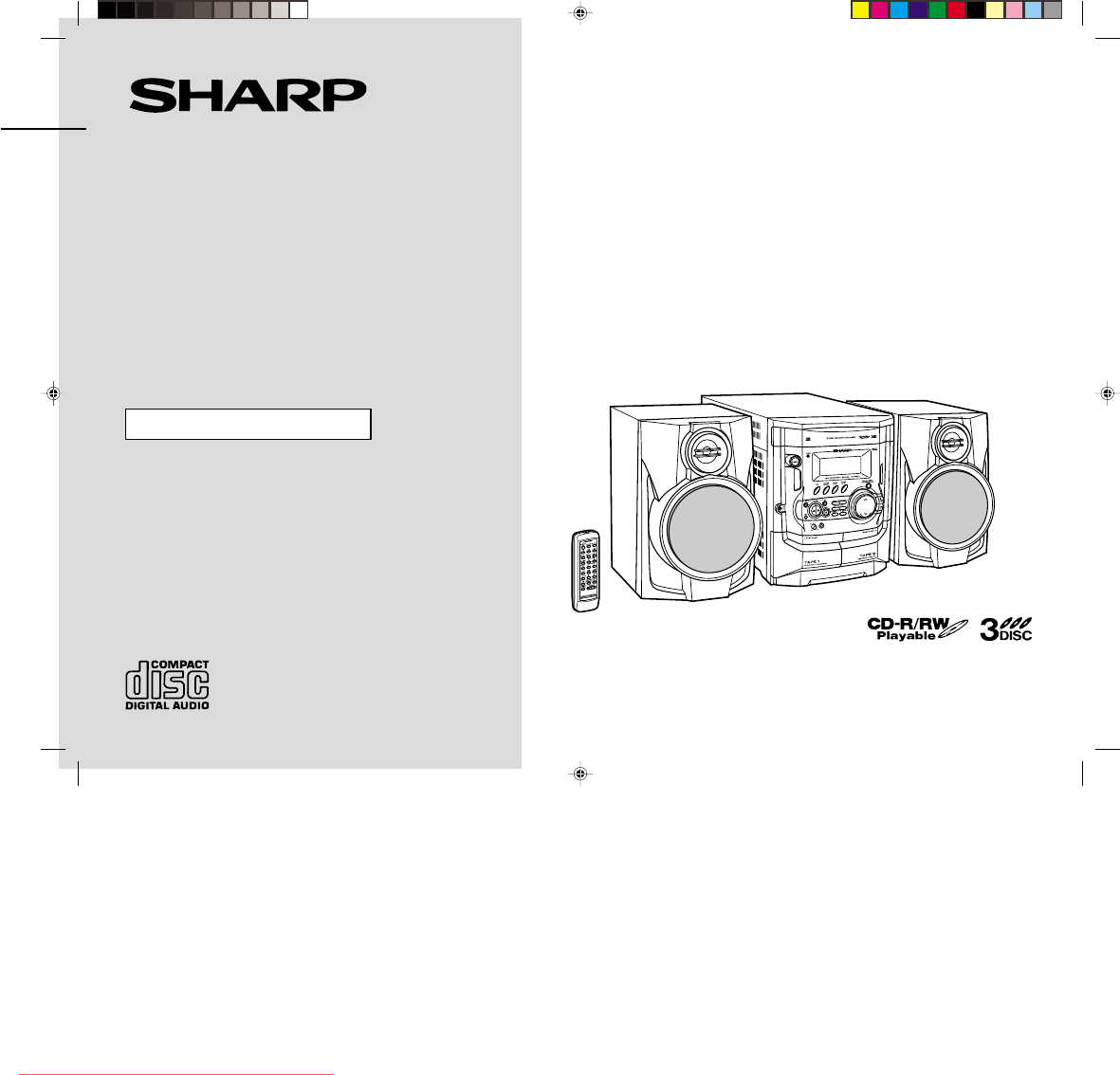
- CD-XP200W 1
- Special notes 2
- Accessories 3
- Contents 3
- Precautions 4
- Controls and indicators 5
- System connections 8
- Remote control 10
- General control 11
- Setting the clock 12
- Listening to a CD (CDs) 13
- manuals search engine 14
- Listening to the radio 16
- Playing karaoke 20
- Recording to a cassette tape 22
- Timer and sleep operation 24
- Enhancing your system 26
- Troubleshooting chart 27
- Maintenance 28
- Specifications 29
Shrnutí obsahu
Thank you for purchasing this SHARP product.To obtain the best performance from this product, please read thismanual carefully. It will guide you in o
E-9CD-XP200W(A)1.fm02/4/2CD-XP200WENGLISHPreparation for Use- System connections / Remote control -System connections (continued)!Setting the FM/AM sp
E-10CD-XP200W(A)1.fm02/4/2CD-XP200WENGLISHBasic Operation- General control -General control !Demonstration modeTo cancel the demonstration mode:When t
E-11CD-XP200W(A)2.fm02/4/2CD-XP200WENGLISHBasic Operation- Setting the clock -Setting the clockIn this example, the clock is set for the 24-hour (0:00
E-12CD-XP200W(A)2.fm02/4/2CD-XP200WENGLISHCD Playback- Listening to a CD (CDs) -Listening to a CD (CDs)This system can also play audio CD-R and CD-RW
E-13CD-XP200W(A)2.fm02/4/2CD-XP200WENGLISHCD Playback- Listening to a CD (CDs) -Listening to a CD (CDs) (continued)"To locate the beginning of a
E-14CD-XP200W(A)2.fm02/4/2CD-XP200WENGLISHCD Playback- Listening to a CD (CDs) - "Repeat playAll tracks on up to 3 discs, or a programmed sequenc
E-15CD-XP200W(A)2.fm02/4/2CD-XP200WENGLISHRadio- Listening to the radio -Listening to the radio"TuningTo receive an FM stereo transmission:Press
E-16CD-XP200W(A)2.fm02/4/2CD-XP200WENGLISHRadio- Listening to the radio - !Memorising a stationYou can store 40 AM and FM stations in memory and recal
E-17CD-XP200W(A)2.fm02/4/2CD-XP200WENGLISHTape Playback- Listening to a cassette tape (TAPE 1) -Listening to a cassette tape (TAPE 1) To stop playback
E-18CD-XP200W(A)2.fm02/4/2CD-XP200WENGLISHTape Playback- Listening to a cassette tape (TAPE 2) -Listening to a cassette tape (TAPE 2) To stop playbac
E-102/4/2 CD-XP200W(A)1.fmCD-XP200WENGLISHImportant Instruction- Special notes -Special notesWarning:!When the ON/STAND-BY button is set at STAND-BY p
E-19CD-XP200W(A)2.fm02/4/2CD-XP200WENGLISHKaraoke- Playing karaoke -Playing karaokeYou can enjoy karaoke to CDs, radio, cassettes, and other external
E-20CD-XP200W(A)2.fm02/4/2CD-XP200WENGLISHKaraoke- Playing karaoke - !To change the audio modeSound of the playback source can be switched among the
E-21CD-XP200W(A)3.fm02/4/2CD-XP200WENGLISHTape Recording- Recording to a cassette tape -Recording to a cassette tapeBefore recording:!When recording i
E-22CD-XP200W(A)3.fm02/4/2CD-XP200WENGLISHTape Recording- Recording to a cassette tape - "Recording from the radioTo interrupt recording:Press th
E-23CD-XP200W(A)3.fm02/4/2CD-XP200WENGLISHAdvanced Features- Timer and sleep operation -Timer and sleep operationTimer playback:The unit turns on and
E-24CD-XP200W(A)3.fm02/4/2CD-XP200WENGLISHAdvanced Features- Timer and sleep operation - To reset or change the timer setting:Perform "Timer play
E-25CD-XP200W(A)3.fm02/4/2CD-XP200WENGLISHAdvanced Features- Enhancing your system -Enhancing your systemThe connection lead is not included. Purchase
E-26CD-XP200W(A)3.fm02/4/2CD-XP200WENGLISHReferences- Troubleshooting chart -Troubleshooting chartMany potential problems can be resolved by the owner
E-27CD-XP200W(A)3.fm02/4/2CD-XP200WENGLISHReferences- Troubleshooting chart / Maintenance -Troubleshooting chart (continued)!If trouble occursWhen thi
E-28CD-XP200W(A)3.fm02/4/2CD-XP200WENGLISHReferences- Specifications -SpecificationsAs part of our policy of continuous improvement, SHARP reserves th
E-2CD-XP200W(A)1.fm02/4/2CD-XP200WENGLISHGeneral Information- Accessories / Contents -AccessoriesPlease confirm that the following accessories are inc
CD-XP200W(A)_MEMO.fm02/4/2MEMODownloaded from www.Manualslib.com manuals search engine Downloaded From Disc-Player.com Sharp Manuals
CD-XP200W(A)_MEMO.fm02/4/2MEMODownloaded from www.Manualslib.com manuals search engine Downloaded From Disc-Player.com Sharp Manuals
CD-XP200W(A)_BACK.fm02/4/2SHARP CORPORATION9906TINSZ0839AWZZ02D R KS Downloaded from www.Manualslib.com manuals search engine Downloaded From Disc-Pla
E-3CD-XP200W(A)1.fm02/4/2CD-XP200WENGLISHGeneral Information- Precautions -Precautions"General!Please ensure that the equipment is positioned in
E-4CD-XP200W(A)1.fm02/4/2CD-XP200WENGLISHGeneral Information- Controls and indicators -Controls and indicators"Front panelReference page1.Disc Tr
E-5CD-XP200W(A)1.fm02/4/2CD-XP200WENGLISHGeneral Information- Controls and indicators -Controls and indicators (continued)"Display1. CD Pause Ind
E-6CD-XP200W(A)1.fm02/4/2CD-XP200WENGLISHGeneral Information- Controls and indicators - !Remote controlReference page1. Remote Control Transmitter .
E-7CD-XP200W(A)1.fm02/4/2CD-XP200WENGLISHPreparation for Use- System connections -System connections !Removing the transport screwBefore turning the p
E-8CD-XP200W(A)1.fm02/4/2CD-XP200WENGLISHPreparation for Use- System connections - !Speaker connectionConnect the black wire to the minus (-) terminal
Další dokumenty pro Kazetové přehrávače Sharp CD-XP200W
Související produkty a manuály pro Kazetové přehrávače Sharp CD-XP200W
 (15 stránky)
(36 stránky)
(116 stránky)
(50 stránky)
(15 stránky)
(36 stránky)
(116 stránky)
(50 stránky)
 (53 stránky)
(48 stránky)
(39 stránky)
(28 stránky)
(35 stránky)
(79 stránky)
(53 stránky)
(24 stránky)
(32 stránky)
(37 stránky)
(53 stránky)
(48 stránky)
(39 stránky)
(28 stránky)
(35 stránky)
(79 stránky)
(53 stránky)
(24 stránky)
(32 stránky)
(37 stránky)
 (88 stránky)
(32 stránky)
(48 stránky)
(88 stránky)
(32 stránky)
(48 stránky)
© 2020, manymanuals.cz. Všechna práva vyhrazena. | 0.059 s |
 Manymanuals.com
 Manymanuals.de
 Manymanuals.fr
 Manymanuals.it
 Manymanuals.pl
 Manymanuals.cz
 Manymanuals.es
 Manymanuals-pt.com
Komentáře k této Příručce