Sharp LL-T19D1 Specifikace
Procházejte online nebo si stáhněte Specifikace pro Televizory a monitory Sharp LL-T19D1. Sharp LL-T19D1 Specifications Uživatelská příručka
- Strana / 132
- Tabulka s obsahem
- KNIHY

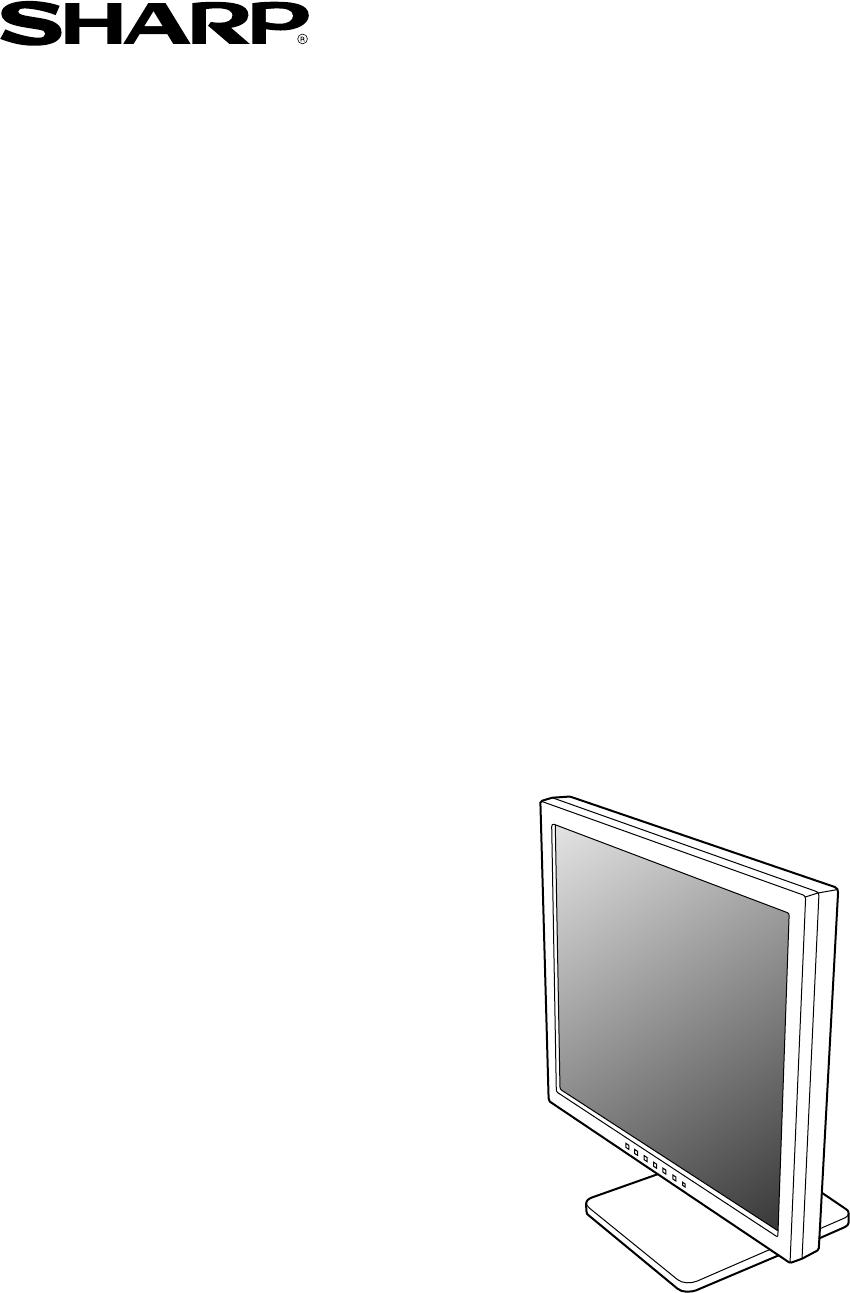
- LL-T19D1 1
- Notice for Users in Europe 3
- Notice for Users in the UK 4
- Notice for Users in Australia 4
- Notice for Users in the USA 5
- Table of Contents 7
- Tips and safety precautions 8
- Product description 9
- Height adjustment 10
- Angle adjustment 10
- Digital connection 11
- Analog connection 11
- Turning the power on 12
- Turning the power off 13
- Adjusting the screen display 14
- Automatic screen adjustment 16
- Manual screen adjustment 17
- WHITE BALANCE Menu 18
- GAIN CONTROL Menu 18
- MODE SELECT Menu 19
- How to adjust 20
- Monitor care and repair 22
- Specifications 23
- Installing the ICC profile 28
- Inhaltsverzeichnis 31
- Produktbeschreibung 33
- Höheneinstellung 34
- Winkeleinstellung 34
- Computer 35
- Stromquelle 36
- Einschalten des Monitors 36
- Umschalten zwischen 37
- Eingangsanschlüssen 37
- Ausschalten des Monitors 37
- Einstellsperrfunktion 38
- Einstellen des Displaymodus 39
- OSD für die Einstellung 41
- Einstellen 41
- Menü ADJUSTMENT 41
- Menü GAIN CONTROL 42
- Menü WHITE BALANCE 42
- Menü MODE SELECT 43
- Pflege des Monitors 46
- Lagerung 46
- Fehlersuche 46
- Technische Daten 47
- Installieren des ICC-Profils 52
- Verwendbare Arme oder Füße 54
- Table des matières 55
- Description du produit 57
- Réglage de la hauteur 58
- Réglage de l'inclinaison 58
- Raccordement du moniteur à un 59
- Réglage du rétro-éclairage 62
- Comment effectuer le réglage 63
- Comment procéder aux réglages 65
- Menu ADJUSTMENT (REGLAGE) 65
- Menu WHITE BALANCE 66
- (EQUILIBRE DU BLANC) 66
- Menu GAIN CONTROL 66
- (REGLAGE DES COULEURS) 66
- Entretien du moniteur 70
- Stockage 70
- Dépannage 70
- Caractéristiques techniques 71
- Installation du profil ICC 76
- Descrizione del prodotto 81
- Regolazione dell'altezza 82
- e spegnimento del monitor 83
- Accensione 84
- Spegnimento 85
- Predisposizione 87
- Come eseguire la regolazione 89
- Menu ADJUSTMENT (REGOLAZIONE) 89
- (BILANCIAMENTO DEL BIANCO) 90
- (CONTROLLO DEL GUADAGNO) 90
- Menu MODE SELECT 91
- Cura del monitor 94
- Immagazzinamento 94
- Ricerca ed eliminazione di 94
- Specifiche 95
- Installazione del profilo ICC 100
- Descripción del producto 105
- Ajuste de altura 106
- Ajuste de ángulo 106
- Conexión analógica 107
- Conexión digital 107
- Encendido 108
- Ajuste de la pantalla 110
- Ajuste manual de la pantalla 113
- Menú WHITE BALANCE 114
- Menú GAIN CONTROL 114
- Menú MODE SELECT 115
- Cómo realizar el ajuste 116
- Conservación del monitor 118
- Almacenamiento 118
- Solución de problemas 118
- Especificaciones 119
- Instalación del perfil ICC 124
- SHARP CORPORATION 132
Shrnutí obsahu
LCD MonitorLCD FarbmonitorMoniteur LCDMonitor LCDMonitor LCDLL-T19D1OPERATION MANUALBEDIENUNGSANLEITUNGMODE D'EMPLOIMANUALE D'USOMANUAL DE F
10Height adjustment, angle adjustment CAUTION!- Pressure from hands on the LCD panel couldcause damage.- Do not attempt to move the monitor beyond it
100 Per Windows XPInstallazione delle imformazioni di setup delmonitor in Windows XP, e impostazione del profiloICC del monitor come valore predetermi
101EnglishDeutschFrançaisItalianoEspañolEnglishInformazioni sul profilo ColorSync (Per MacOS)Il profilo ColorSyncColorSync è il sistema di gestione de
102Istruzioni per collegare un braccio compatibile VESAE' possibile collegare al monitor un braccio oppureun supporto basati sullo standard VESA
103EnglishDeutschFrançaisItalianoEspañolEnglishÍndiceSugerencias y precauciones de seguridad . . . . . . . . . . . . . . . . . . . . . . . . . . . . .
104Sugerencias y precauciones de seguridad- El panel LCD en color TFT utilizado en este monitor hasido fabricado aplicando una tecnología de altapreci
105EnglishDeutschFrançaisItalianoEspañolEnglishDescripción del producto1. Botón INPUT ... Para conmutar entre los bornes de e
106Ajuste de altura y ajuste de ángulo ¡PRECAUCIÓN!- Si presiona el panel LCD con las manos podríadañarlo.- No trate de mover el monitor más allá de l
107EnglishDeutschFrançaisItalianoEspañolEnglishConexión del monitor y encendido/apagado del mismo ¡PRECAUCIÓN!- Antes de realizar la conexión, asegúre
108Conexión del monitor a una toma decorrienteEncendido1.Conmute el interruptor primario del monitor.- Cuando conecte y desconecte la Interruptorprima
109EnglishDeutschFrançaisItalianoEspañolEnglishApagado1.Apague el ordenador.2.Pulse el botón de encendido/apagado delmonitor.El LED indicador de conex
11EnglishDeutschFrançaisItalianoEspañolEnglishConnecting the monitor and turning the monitor on and offDigital connectionConnect the separately-sold d
110Ajuste de la pantallaPara la señal analógica1.En primer lugar, lleve a cabo un ajusteautomático. (p.112)2.En caso necesario, realice un ajuste manu
111EnglishDeutschFrançaisItalianoEspañolEnglishConfiguración del modo de pantallaLa tonalidad cromática o brillo puede cambiarsecon un comando.STDLa i
112Ajuste de la pantalla (cuando se utiliza una señal analógica)Ajuste automático de la pantallaLas opciones del Menú ADJUSTMENT (RELOJ,FASE, H-POS, V
113EnglishDeutschFrançaisItalianoEspañolEnglishAjuste manual de la pantallaLos ajustes se pueden realizar a través del Menúen pantalla (OSD).Máscara e
114Menú WHITE BALANCENotas:- No todas las gradaciones pueden verse enajustes diferentes a [STD]. Ajuste a [STD] paraver todas las gradaciones.- Si [DI
115EnglishDeutschFrançaisItalianoEspañolEnglishMenú MODE SELECTNotas:- Según sea la resolución de la señal de entrada,la pantalla puede no cambiar inc
116Ajuste de la pantalla (cuando se utiliza una señal digital)Los ajustes se pueden realizar a través del menúMáscara en pantalla (OSD).Máscara en pan
117EnglishDeutschFrançaisItalianoEspañolEnglishMenú MODE SELECTNotas:- Para seleccionar una opción del menú: Botón /MODE- Una vez finalizados los aj
118Conservación y reparación del monitorConservación del monitorDesenchufe siempre la clavija de la toma decorriente alterna antes de limpiar el monit
119EnglishDeutschFrançaisItalianoEspañolEnglishEspecificacionesEspecificaciones del productoNombre del modeloLL-T19D1-H (Gris Plomizo)/LL-T19D1-B (Neg
12Turning the power on1.Turn on the main power of the monitor.- When switching the main power switch on andoff, always wait for an interval of at leas
120EspecificacionesSincronizaciones de las señalescorrespondientes (analógica)- La resolución recomendada es de 1280 x 1024.- Todos son compatibles ún
121EnglishDeutschFrançaisItalianoEspañolEnglishEspecificacionesVías del conector de entrada DVI-D(Conector DVI-D de 24 vías)Gestión de energíaEl monit
122Instalación de la información de configuración ydel perfil ICC (Para Windows)Según sea el tipo de ordenador o de sistemaoperativo, puede que sea ne
123EnglishDeutschFrançaisItalianoEspañolEnglish Para Windows 2000Instalación de la información de configuración delmonitor en Windows 2000 y configura
124 Para Windows XPInstalación de la información de configuración delmonitor en Windows XP y configuración del perfilICC del monitor como valor predet
125EnglishDeutschFrançaisItalianoEspañolEnglishAcerca del perfil ColorSyncColorSync es el sistema de gestión del color deApple Corporation y se trata
126Instrucciones para acoplar un brazo decompatibilidad VESAPuede acoplar al monitor un brazo o una base (deventa en el comercio) conforme al estándar
127T19D1_es.p65 2/14/2003, 3:08 PM127
128T19D1_es.p65 2/14/2003, 3:08 PM128
129T19D1_es.p65 2/14/2003, 3:08 PM129
13EnglishDeutschFrançaisItalianoEspañolEnglishChanging between input terminalsUse the INPUT button to switch between signalinput terminals.Analog RGB
130T19D1_es.p65 2/14/2003, 3:08 PM130
T19D1_cover4.p65 2/14/2003, 3:08 PM131
SHARP CORPORATION© 2003 SHARP CORPORATIONPrinted in Thailand 0NK5011088500 (1)T19D1_cover4.p65 2/14/2003, 3:08 PM132
14Adjusting the screen displayFor analog signal1.First perform an automatic adjustment. (p.16)2.Perform manual adjustment where necessary.(p.17)For di
15EnglishDeutschFrançaisItalianoEspañolEnglishSetting display modeColor tone or brightness can be changed with onecommand.STDDisplays image with the c
16Adjusting the screen display (When using an analog signal)Automatic screen adjustmentOptions in the ADJUSTMENT Menu can beadjusted automatically (CL
17EnglishDeutschFrançaisItalianoEspañolEnglishAdjusting the screen display (When using an analog signal)Manual screen adjustmentAdjustments can be mad
18Adjusting the screen display (When using an analog signal)WHITE BALANCE MenuNotes:- On settings other than [STD] not all gradationscan be displayed.
19EnglishDeutschFrançaisItalianoEspañolEnglishMODE SELECT MenuNotes:- Depending on the resolution of the input signal,even if menu options can be sele
Table of Contents/Inhaltsverzeichnis/Table des matières/Indice/ÍndiceNotice for Users in Europe . . . . . . . . . . . . . . . . . . . . . . . . . . .
20Adjustments can be made using On ScreenDisplay (OSD) Menu provided.On Screen Display for adjustmentIf you are using Windows, open the AdjustmentPatt
21EnglishDeutschFrançaisItalianoEspañolEnglishMODE SELECT MenuNotes:- To choose a menu option: / MODE button- To complete adjustment: MENU buttonOSD
22Monitor care and repairMonitor careAlways remove the plug from the AC outlet whencleaning the monitor.Cabinet and control panel sectionUse a soft dr
23EnglishDeutschFrançaisItalianoEspañolEnglishSpecificationsProduct specificationsModel nameLL-T19D1-H (Frosty gray)/LL-T19D1-B (Black)LCD display48 c
24SpecificationsRelevant signal timings (analog)- Recommended resolution is 1280 x 1024.- All are compliant only with non-interlaced.- Frequencies for
25EnglishDeutschFrançaisItalianoEspañolEnglishSpecificationsThe analog RGB input connector pin(Mini D-sub connector with 15 pins)Power managementThe m
26Installing set-up information and the ICC profile (For Windows)Depending on the computer or OS, it may benecessary to use the computer to operate th
27EnglishDeutschFrançaisItalianoEspañolEnglish For Windows 2000Installing monitor set-up information intoWindows 2000, and setting the monitor's
28 For Windows XPInstalling monitor set-up information into WindowsXP, and setting the monitor's ICC profile as apredetermined value.This explana
29EnglishDeutschFrançaisItalianoEspañolEnglishInformation about the ColorSync profile (For MacOS)About the ColorSync profileColorSync is the Apple Cor
3EnglishDeutschFrançaisItalianoEspañolEnglishNotice for Users in EuropeThis equipment complies with the requirements of Directives 89/336/EEC and 73/2
30Instructions for attaching a VESA compliant armAn arm or stand based on the VESA standard(commercially available) can be attached to themonitor.Proc
31EnglishDeutschFrançaisItalianoEspañolEnglishInhaltsverzeichnisTipp und Sicherheitsvorkehrungen . . . . . . . . . . . . . . . . . . . . . . . . . . .
32- Das TFT-Farb-LCD-Panel wurde unter Einsatzhochentwickelter Technologie gefertigt. Es jann jedochvorkommen, dass an einigen Stellen Bildpunkte nich
33EnglishDeutschFrançaisItalianoEspañolEnglishProduktbeschreibung1. Taste INPUT ... Für die Umschaltung zwischen den Signale
34Höheneinstellung, Winkeleinstellung ACHTUNG!- Wenn Sie mit der Hand auf den LCD-Bildschirmdrücken, kann dieser beschädigt werden.- Nicht versuchen,
35EnglishDeutschFrançaisItalianoEspañolEnglishAnschließen des Monitors und Ein-und Ausschalten des Monitors ACHTUNG!- Bevor Sie den Monitor anschließe
36Anschließen des Monitors und Ein- und Ausschalten des MonitorsAnschließen des Monitors an eineStromquelleEinschalten des Monitors1.Den Monitor mit d
37EnglishDeutschFrançaisItalianoEspañolEnglishUmschalten zwischenEingangsanschlüssenMit der Taste INPUT schalten Sie dieSignaleingangsanschlüsse um.Hi
38Einstellen der BildschirmanzeigeEinstellen der BildschirmanzeigeAnalogsignal1.Führen Sie zunächst eine automatischeEinstellung durch. (S.40)2. Führe
39EnglishDeutschFrançaisItalianoEspañolEnglishEinstellen des DisplaymodusDer Farbton oder die Helligkeit kann mit einemBefehl geändert werden.STDDer F
4Notice for Users in the UKNotice for Users in AustraliaService InquiriesPlease contact your dealer for service if required or contact Sharp Corporati
40Automatische BildschirmeinstellungDie Optionen im Menü ADJUSTMENT könnenautomatisch eingestellt werden (CLOCK, PHASE,H-POS, V-POS).Hinweis:- Wenn Si
41EnglishDeutschFrançaisItalianoEspañolEnglishEinstellen der Bildschirmanzeige (bei Verwendung eines Analogsignals)Manuelle BildschirmeinstellungDie E
42Menü GAIN CONTROLMANUAL: Einzelne Menüoptionen werden manuelleingestellt.AUTO: Alle Menüoptionen werden mit derFunktion Auto Gain Control* automatis
43EnglishDeutschFrançaisItalianoEspañolEnglishEinstellen der Bildschirmanzeige (bei Verwendung eines Analogsignals)Menü MODE SELECTHinweise:- Abhängig
44Einstellen der Bildschirmanzeige(bei Verwendung eines Digitalsignals)Die Einstellungen können über das OSD-Menüvorgenommen werden.OSD für die Einste
45EnglishDeutschFrançaisItalianoEspañolEnglishEinstellen der Bildschirmanzeige (bei Verwendung eines Digitalsignals)Menü MODE SELECTHinweise:- So wähl
46Pflege des Monitors und ReparaturenPflege des MonitorsZiehen Sie immer erst den Stecker aus derSteckdose, bevor Sie Reinigungsarbeiten amMonitor aus
47EnglishDeutschFrançaisItalianoEspañolEnglishTechnische DatenProduktspezifikationenModellbezeichnungLL-T19D1-H (Frostig grau)/LL-T19D1-B (Schwarz)LCD
48Technische DatenRelevante Signaltakte (analog)- Die empfohlene Auflösung ist 1280 x 1024.- Alle nur mit Non-Interlace.- Die Frequenzen für die Serie
49EnglishDeutschFrançaisItalianoEspañolEnglishTechnische DatenPinbelegung des DVI-D-Eingangsanschluß(24poliger DVI-D-Anschluß)Power ManagementDer Moni
5EnglishDeutschFrançaisItalianoEspañolEnglishNotice for Users in the USAFCC StatementWARNING – FCC Regulations state that any unauthorized changes or
50Je nach dem verwendeten Computer oderBetriebssystem muss die Installation der Monitor-Setup-Informationen usw. eventuell über denComputer erfolgen.
51EnglishDeutschFrançaisItalianoEspañolEnglish Für Windows 2000Installieren der Monitor-Setup-Informationen unterWindows 2000 und Festlegen des Monito
52 Für Windows XPInstallieren der Monitor-Setup-Informationen unterWindows XP und Festlegen des Monitor-ICC-Profils als vorbestimmter Wert. Die in den
53EnglishDeutschFrançaisItalianoEspañolEnglishInformationen zum Profil ColorSync (Für MacOS)Informationen zum Profil ColorSyncColorSync ist das Farbve
54Anweisungen zum Anbringen eines VESA-kompatiblen MonitorarmsEin Arm oder Fuß basierend auf dem VESA-Standard (im Handel erhältlich) kann am Monitora
55EnglishDeutschFrançaisItalianoEspañolEnglishTable des matièresConseils et mesures de sécurité . . . . . . . . . . . . . . . . . . . . . . . . . . .
56Conseils et mesures de sécurité-L'écran couleur LCD TFT utilisé dans ce moniteur estfabriqué avec une technologie de haute précision.Cependant,
57EnglishDeutschFrançaisItalianoEspañolEnglishDescription du produit.1. Bouton INPUT ... Pour passer d'une borne d'en
58Réglage de la hauteur et de l'inclinaison ATTENTION !- Appuyer les mains sur l'écran LCD peutprovoquer son endommagement.- Ne pas essayer
59EnglishDeutschFrançaisItalianoEspañolEnglishRaccordement, activation et désactivation du moniteur ATTENTION !- Lors du raccordement, s'assurer
6Congratulations!You have just purchased a TCO'99 approved and labelledproduct! Your choice has provided you with a productdeveloped for professi
60Activation de l'alimentation1.Activer la source d'alimentation principale dumoniteur.- Pour allumer et éteindre avec l'interrupteurpr
61EnglishDeutschFrançaisItalianoEspañolEnglishInversion entre les bornes d'entréeUtiliser le bouton INPUT pour basculer entre lesbornes d'en
62Réglage de l'image au moniteurPour le signal analogique1.Effectuer tout d'abord un réglage automatique.(p.64)2.Effectuer au besoin un régl
63EnglishDeutschFrançaisItalianoEspañolEnglishRéglage du mode d'affichageLe ton de couleur ou la luminosité peut êtrechangée avec une seule comma
64Réglage de l'image du moniteur (avec un signal analogique)Réglage automatique de l'imageLes options CLOCK, PHASE, H-POS, V-POS dumenu ADJU
65EnglishDeutschFrançaisItalianoEspañolEnglishRéglage manuel de l'imageDes réglages peuvent être effectués au moyen dumenu du moniteur actif (OSD
66Menu WHITE BALANCE(EQUILIBRE DU BLANC)Remarques :- En ce qui concerne les paramètres autres queles [STD], toutes les gradations ne peuvent pasêtre a
67EnglishDeutschFrançaisItalianoEspañolEnglishMenu MODE SELECT (SELECTION DU MODE)Remarques :- En fonction de la résolution du signal d'entrée,mê
68Réglage de l'image du moniteur (avec un signal numérique)Des réglages peuvent être effectués au moyen dumenu interactif (OSD) proposé.Affichage
69EnglishDeutschFrançaisItalianoEspañolEnglishMenu MODE SELECT (SELECTION DU MODE)Remarques :- Pour choisir une option du menu : Bouton / MODE- Lors
7EnglishDeutschFrançaisItalianoEspañolEnglishTable of ContentsTips and safety precautions . . . . . . . . . . . . . . . . . . . . . . . . . . . . . .
70Entretien et réparation du moniteurEntretien du moniteurToujours débrancher la prise de l'alimentationmurale en CA lors du nettoyage du moniteu
71EnglishDeutschFrançaisItalianoEspañolEnglishCaractéristiques techniquesCaractéristiques techniques du produitNom du modèleLL-T19D1-H (Gris glacé)/LL
72Fréquences des signaux (analogique)- La résolution recommandée est 1280 x 1024.- Toutes les fréquences sont non entrelacées.- Les fréquences pour le
73EnglishDeutschFrançaisItalianoEspañolEnglishCaractéristiques techniquesLa broche du connecteur d'entrée DVI-D(Connecteur DVI-D à 24 broches)Ges
74Installation des fichiers relatifs au paramétrage dumoniteur et au profil ICC (Pour Windows)En fonction du type d'ordinateur ou du systèmed&apo
75EnglishDeutschFrançaisItalianoEspañolEnglish Pour Windows 2000Installation des fichiers relatifs au paramétrage dumoniteur sous Windows 2000, et au
76 Pour Windows XPInstallation des fichiers relatifs au paramétrage dumoniteur sous Windows XP, et au réglage du profilICC du moniteur en tant que va
77EnglishDeutschFrançaisItalianoEspañolEnglishInformations sur le profil ColorSync (Pour MacOS)A propos du profil ColorSyncColorSync est le système de
78Instructions relatives à l'installation d'un brasconforme VESAUn bras ou un support conforme à la norme VESA(en vente dans le commerce) pe
79EnglishDeutschFrançaisItalianoEspañolEnglishIndiceSuggerimenti e precauzioni per la sicurezza . . . . . . . . . . . . . . . . . . . . . . . . . . .
8Tips and safety precautionsThe Power Cord- Do not damage the power cord nor place heavyobjects on it, stretch it or overly bend it. Also, donot add e
80Suggerimenti e precauzioni per la sicurezza- Lo schermo LCD-TFT a colori usato in questo monitorè stato fabbricato applicando tecnologia di altaprec
81EnglishDeutschFrançaisItalianoEspañolEnglishDescrizione del prodotto1. Tasto INPUT ... Per commutare tra i terminali di in
82Regolazione dell'altezza, regolazione dell'angolazione ATTENZIONE!- La pressione con le mani sul pannello LCD puòprodurre dei danni.- Non
83EnglishDeutschFrançaisItalianoEspañolEnglishCollegamento del monitor ed accensione e spegnimento del monitor ATTENZIONE!- Quando eseguite i collegam
84Collegamento del monitor ad unasorgente di alimentazione elettricaAccensione1.Posizionate su acceso l'interruttore principalerete del monitor.-
85EnglishDeutschFrançaisItalianoEspañolEnglishSpegnimento1.Spegnete il computer.2.Premete il tasto di alimentazione del monitor.Il LED di alimentazion
86Regolazione della visualizzazione sullo schermoPer il segnale analogico1.Prima di tutto eseguite una regolazioneautomatica. (p.88)2.Eseguite la rego
87EnglishDeutschFrançaisItalianoEspañolEnglishImpostazione della modalità del displayLa tonalità del colore o la luminosità si puòimpostare come segue
88Regolazione della visualizzazione sullo schermo(quando si usa un segnale analogico)Regolazione automatica dello schermoLe opzioni nel menu ADJUSTMEN
89EnglishDeutschFrançaisItalianoEspañolEnglishRegolazione manuale dello schermoLe regolazioni si possono fare mediante il menuOn Screen Display (OSD)
9EnglishDeutschFrançaisItalianoEspañolEnglishProduct description1. INPUT button ... To switch between the signal's input
90Menu WHITE BALANCE(BILANCIAMENTO DEL BIANCO)Note:- Nelle impostazioni diverse da [STD] non tutte legradazioni possono essere visualizzate. Pervisual
91EnglishDeutschFrançaisItalianoEspañolEnglishMenu MODE SELECTNote:- A seconda della risoluzione del segnale di input,anche se si possono selezionare
92Regolazione della visualizzazione sullo schermo(quando si usa un segnale digitale)Le regolazioni si possono fare mediante il menuOn Screen Display (
93EnglishDeutschFrançaisItalianoEspañolEnglishMenu MODE SELECTNote:- Per selezionare un'opzione di menu: Tasto /MODE- Quando la regolazione è s
94Cura e riparazione del monitorCura del monitorQuando pulite il monitor, scollegate sempre laspina dalla presa di corrente alternata.Sezione carrozze
95EnglishDeutschFrançaisItalianoEspañolEnglishSpecificheSpecifiche del prodottoNome del modelloLL-T19D1-H (Grigio gelido)/LL-T19D1-B (Nero)Display LCD
96SpecificheSincronizzazioni rilevanti del segnale(analogico)- La risoluzione consigliata è 1280 x 1024.- Tutti sono conformi solo al non interlacciam
97EnglishDeutschFrançaisItalianoEspañolEnglishSpecifichePin del connettore di ingresso DVI-D(Connettore DVI-D con 24 pin)Gestione dell'energiaIl
98Installazione delle informazioni per il setup e delprofilo ICC (Per Windows)A seconda del computer oppure del sistemaoperativo può essere necessario
99EnglishDeutschFrançaisItalianoEspañolEnglish Per Windows 2000Installazione delle imformazioni di setup delmonitor in Windows 2000, e impostazione de
Související produkty a manuály pro Televizory a monitory Sharp LL-T19D1
 (64 stránky)
 (32 stránky)
 (46 stránky)

 (39 stránky)
 (192 stránky)


 (123 stránky)
© 2020, manymanuals.cz. Všechna práva vyhrazena. | 0.055 s |
 Manymanuals.com
 Manymanuals.de
 Manymanuals.fr
 Manymanuals.it
 Manymanuals.pl
 Manymanuals.cz
 Manymanuals.es
 Manymanuals-pt.com
Komentáře k této Příručce