Sharp ZQ-800 Specifikace Strana 17
- Strana / 91
- Tabulka s obsahem
- ŘEŠENÍ PROBLÉMŮ
- KNIHY

- OPERATION MANUAL 1
- Introduction 3
- Contents 4
- Caring for the 6
- Organizer 6
- Getting Started 7
- Installing the batteries 8
- Initializing 9
- Setting the Display Contrast 10
- Setting the City 10
- Setting the Time and Date 10
- Setting the Start-up Display 11
- Setting the World City 11
- Auto power off 12
- Setting the LCD contrast 12
- Backlight 12
- Applications 13
- Menu operations 13
- Pop-up menus 13
- The keyboard 14
- Display Symbols 14
- General Operation 15
- View mode 16
- Edit mode 16
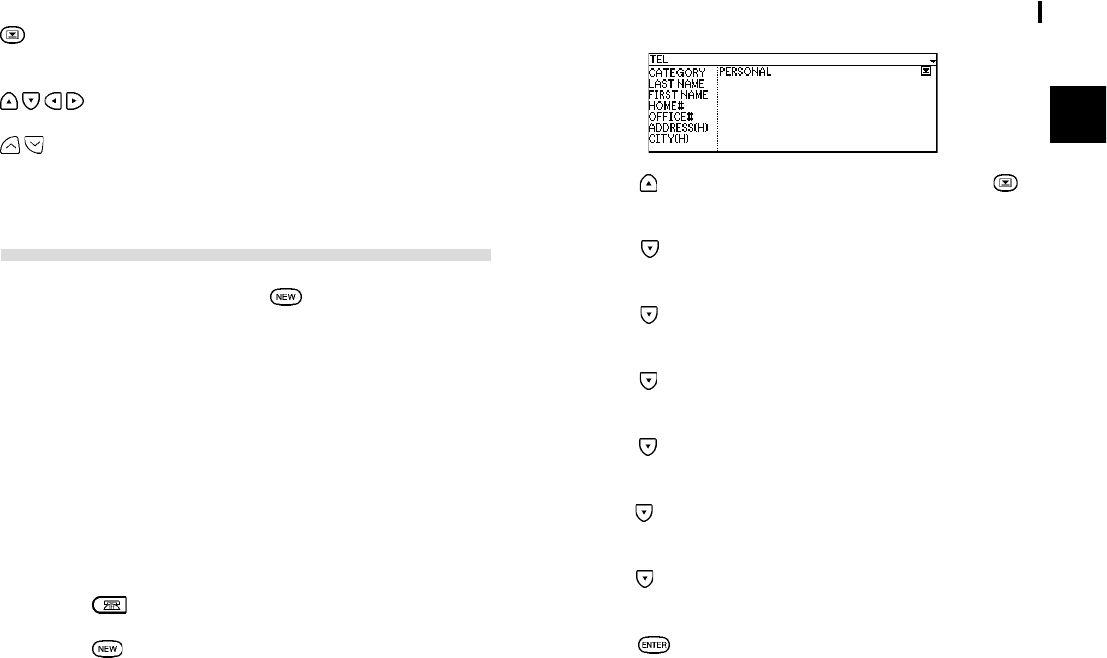
- Creating a New Entry 17
- Editing an Existing Entry 18
- Editing Techniques 18
- The cursor 19
- Typing in text 19
- Moving around the Display 19
- Deleting Text 20
- Working with Blocks of Text 20
- Scrolling the Display 20
- Using Index Mode 20
- Using Keywords 21
- Deleting Entries 22
- Checking the Memory 23
- Checking the Time and Date 23
- Basic Utilities 24
- Time Management 25
- The Schedule Application 26
- Setting a Schedule alarm 27
- Clearing a set alarm 27
- The To Do application 28
- Updating the Category list 30
- Using the Index Mode 31
- Creating Your 33
- Own Database 33
- The Tel application menu 34
- The Memo Application 35
- Finding entries 36
- Desk Accessories 37
- Calculation examples 38
- Conversion function 38
- The Clock Application 40
- Setting the time and date 41
- Checking the time in a city 42
- Daylight Saving Time (DST) 43
- Setting daily alarms 43
- Turning alarms on and off 44
- Disabling all alarms 44
- The Clock application menu 44
- Entering Expense Record 45
- Expense Report 46
- Expense application menu 48
- Features and 49
- Utilities for Added 49
- Copying or Moving Entries 50
- Special Characters 50
- Data Transfer 53
- Personalizing 55
- Your Organizer 55
- Locking the Organizer 56
- Accessing Secret entries 57
- Automatic Relocking 58
- Deleting all secret entries 58
- Setting up the weekly format 59
- Setting up the date format 59
- Setting the time system 59
- Selecting the Large Font View 60
- How to use the 61
- My Programs application menu 62
- Appendices 63
- B. Battery Replacement 64
- C. Specifications 65
- Product Support 72
- Troubleshooting 73
- Electronic Organizer 74
- Quick Reference Guide 74
- Organizador electrÛnico 82
- GuÌa de referencia r·pida 82
- CONSUMER LIMITED WARRANTY 90
© 2020, manymanuals.cz. Všechna práva vyhrazena. | 0.040 s |
 Manymanuals.com
 Manymanuals.de
 Manymanuals.fr
 Manymanuals.it
 Manymanuals.pl
 Manymanuals.cz
 Manymanuals.es
 Manymanuals-pt.com
Komentáře k této Příručce