6
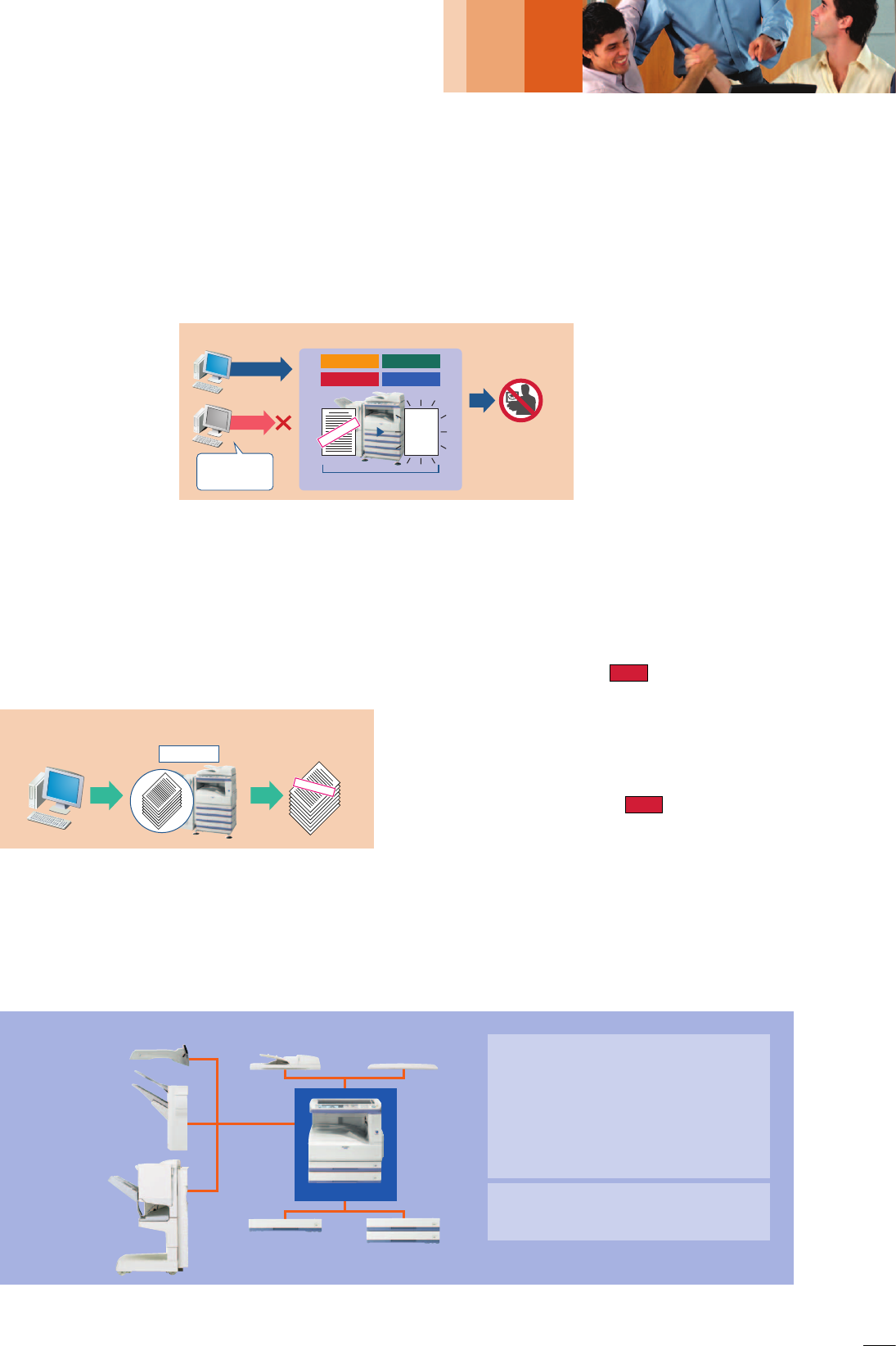
Set PIN on your PC. Confidential
printouts won’t be
read by others.
Data is sent from PC.
User enters PIN on
control panel.
*****
CONFIDENTIAL
Prevents data leak
The data generated for each
job is automatically erased
once that job is finished
Data Security SystemIP/MAC Address Filtering
Unknown IP or MAC
addresses will be
denied access
NO!
OK
Copy Data Print Data
Scan Data Fax Data
TOP SECRET
Data Erase
BASE UNIT
Industry-Leading Multi-Layered Security
With multiple levels of network and data security to cover a wide range of security needs, Sharp’s industry-leading security
solutions bring today’s businesses increased confidence and peace of mind. The AR-M318/M258 safeguards sensitive data with
powerful, enhanced security functions that eliminate the worry of unauthorised use and guarantee greater protection for your
confidential information.
SECURITY
IP/MAC Address Filtering
The AR-M318/M258’s network interface card provides highly
secure operation by restricting
access to the AR-M318/M258 on
your office network. Only PCs that
have either their IP address or MAC
(media access control) address
registered are allowed to use the
AR-M318/M258. Attempted access
from an unknown IP or MAC
address will be denied, preventing
unauthorised use.
Data Security Kit
Digital copier/printers or multifunction products can retain
hundreds of pages of
confidential information
from previous jobs on their
internal memory. To
safeguard this information
from unauthorised access,
the optional Data Security
Kit automatically erases the
data after each job is
complete.
Print Hold and Confidential Print
To keep others from seeing confidential documents as they are
being printed out, the AR-M318/M258’s Print Hold function
stores print data in its memory and withholds output until the user
executes a print command from the control panel. For added
security, the Confidential Print function requires the user to enter
in a PIN (personal identification number) at the machine before
printing can begin.
User Authentication for Network Scanning
To prevent unauthorised use of network scanning, the AR-M318/
M258 supports user authentication, which requires users to log in
to the machine before performing any network scanning
operations.
Secure Sockets Layer
A newly introduced SSL (secure sockets layer) enables the
encryption of data communications to prevent data leakage
through the network when printing via IPP or browsing secure
Web pages (HTTPS).
IPv6 and IPsec Support
The AR-M318/M258 supports IPv6, the next-generation Internet
protocol. An obligatory part of IPv6 is IPsec* (IP Security), a set of
protocols for securing Internet protocol (IP) communications. IPsec
encrypts and authenticates traffic between specified parties, giving
IPsec-compatible products an extremely high level of network
security.
* Available at a later date
Auditing Mode
An auditing mode requires users to enter a five-digit PIN code to
gain access to the control panel. This feature also restricts users
from printing to the AR-M318/M258.
System Configuration
Note: AR-F14N requires AR-D30 or AR-D31 and locally available cabinet. Some options may not be available in some areas.
AR-FX7
Fax Expansion Kit
AR-MM9
8MB Fax Memory
AR-PK1
N
PS3 Expansion Kit
AR-PF1
Barcode Font Kit
AR-PF2
Flash ROM Kit
AR-SM5/SM6
256MB/512MB Expansion
Memory Board
MX-NSX1
Network Scanner Expansion Kit
MX-USX1/X5
Sharpdesk 1/5-License Kit
MX-US10/50/A0
Sharpdesk 10/50/100-License Kit
MX-AMX1
Application Integration Module
Available at a later date
AR-FR24U/FR25U
Data Security Kit
AR-FR24/FR25
Data Security Kit
(Common Criteria validated)
AR-FN5
A
Finisher
AR-F14
N
Saddle Stitch
Finisher
AR-TR3
Job Separator
Tray
AR-PN1A/B/C/D
Punch Module
AR-D30
500-Sheet
Paper Feed Unit
AR-D31
Dual 500-Sheet
Paper Feed Unit
AR-RP7
100-Sheet Reversing
Single Pass Feeder
AR-VR6
Document Cover
NEW
NEW

 (152 stránky)

 (1 stránky)
 Manymanuals.com
 Manymanuals.de
 Manymanuals.fr
 Manymanuals.it
 Manymanuals.pl
 Manymanuals.cz
 Manymanuals.es
 Manymanuals-pt.com
Komentáře k této Příručce