Sharp PN-E521 Specifikace Strana 32
- Strana / 38
- Tabulka s obsahem
- ŘEŠENÍ PROBLÉMŮ
- KNIHY

- LCD MONITOR 1
- OPERATION GUIDE 1
- Contents 2
- Part Names 3
- Remote control unit 4
- Basic Operation 5
- Switching the screen size 6
- List of menu items 8
- Menu item details 10
- Menu Items 11
- ENLARGE (PC input) 12
- PIP/PbyP 13
- Dual screen display 13
- ZOOM2 SPECIAL SETTING 14
- SCHEDULE 15
- FUNCTION 17
- PC connection 18
- Communication conditions 18
- Communication procedure 18
- Commands for ID control 20
- RS-232C command table 22
- PICTURE menu 23
- AUDIO menu 23
- SETUP menu 24
- OPTION menu 25
- 2 x 2 4 x 4 5 x 53 x 3 26
- PIP/PbyP menu 27
- Settings to connect to a LAN 29
- Set up process 30
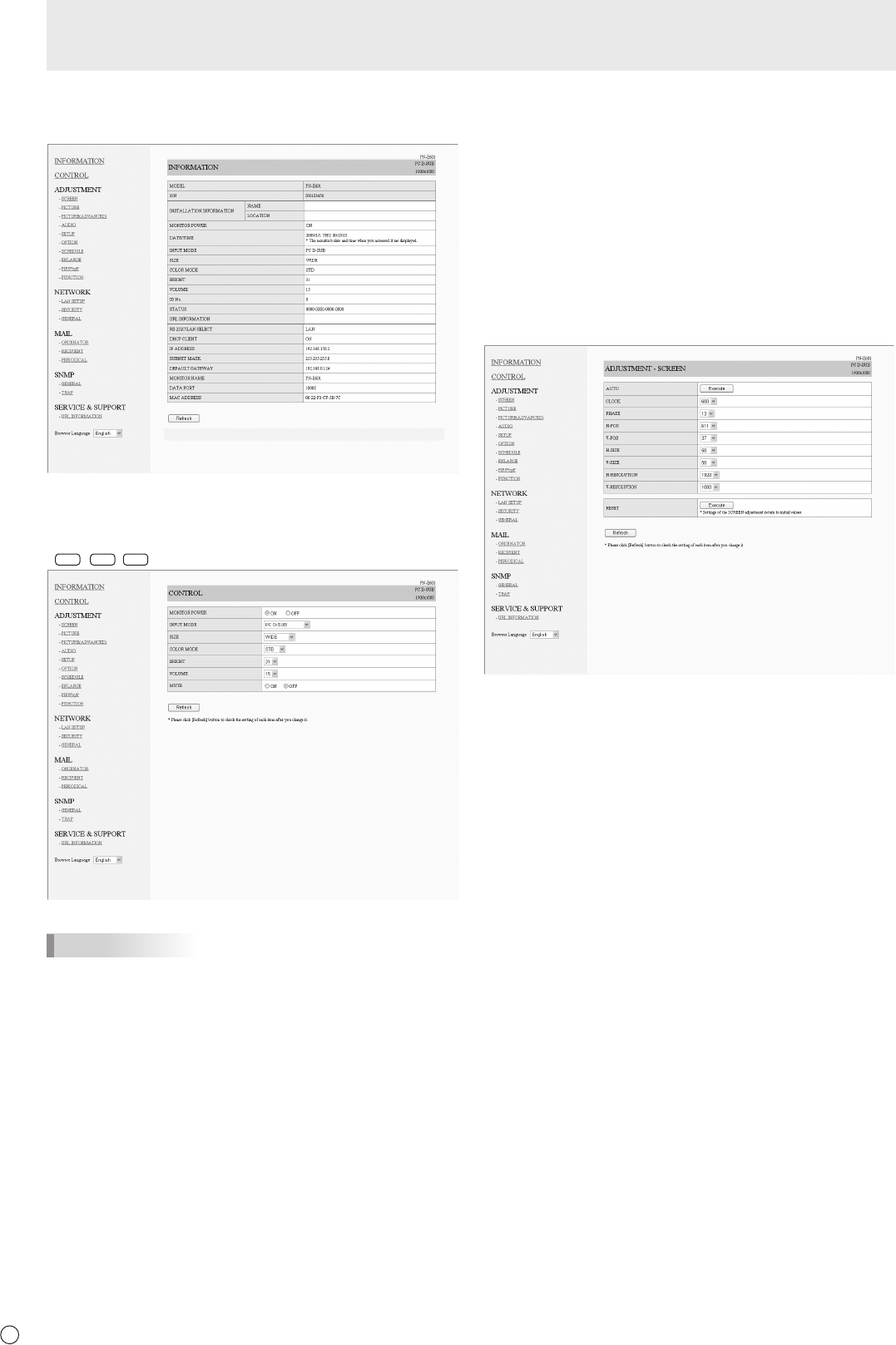
- Controlling with a PC 31
- ■INFORMATION 32
- ■CONTROL 32
- ■ADJUSTMENT 32
- ■NETWORK(LANSETUP) 33
- ■NETWORK(SECURITY) 33
- ■NETWORK(GENERAL) 34
- ■MAIL(ORIGINATOR) 34
- ■MAIL(RECIPIENT) 35
- ■MAIL(PERIODICAL) 35
- ■SERVICE&SUPPORT 36
- (URL INFORMATION) 36
- Troubleshooting 37
- PN-E601E521 G EN09L(2) 38
Související produkty a manuály pro Veřejné displeje Sharp PN-E521
 (43 stránky)
(60 stránky)
(56 stránky)
(30 stránky)
(72 stránky)
(69 stránky)
(61 stránky)
(43 stránky)
(60 stránky)
(56 stránky)
(30 stránky)
(72 stránky)
(69 stránky)
(61 stránky)

 (40 stránky) (72 stránky)
(63 stránky)
(40 stránky) (72 stránky)
(63 stránky)
© 2020, manymanuals.cz. Všechna práva vyhrazena. | 0.027 s |
 Manymanuals.com
 Manymanuals.de
 Manymanuals.fr
 Manymanuals.it
 Manymanuals.pl
 Manymanuals.cz
 Manymanuals.es
 Manymanuals-pt.com
Komentáře k této Příručce