Sharp PG-M20X Uživatelský manuál Strana 42
- Strana / 86
- Tabulka s obsahem
- ŘEŠENÍ PROBLÉMŮ
- KNIHY

- DIGITAL MULTIMEDIA 1
- PROJECTOR 1
- OPERATION MANUAL 1
- Model No.: PG-M20X 2
- Serial No.: 2
- WARNING: 6
- PRODUCT DISPOSAL 6
- Outstanding Features 7
- Contents 8
- IMPORTANT SAFEGUARDS 10
- Introduction 11
- IMPORTANT SAFEGUARDS (cont.) 12
- Part Names 14
- Projector (Side View) 15
- Part Names (cont.) 16
- Using the Remote Control 17
- Accessories 18
- Setup and Connections 19
- 1 Press the foot releases 20
- Example of Standard Setup 21
- Setup (cont.) 22
- Projection using a mirror 23
- Ceiling-mount setup 23
- 1 Plug in the supplied power 24
- Connecting to a Computer 25
- Using the DVI to 15-pin 25
- D-sub Cable 25
- Connecting to a 26
- Computer Using a DVI 26
- Cable (Sold Separately) 26
- Connecting to Video Equipment 27
- Connecting to Video 28
- Equipment Using an 28
- S-VIDEO, a Composite 28
- Video or an Audio Cable 28
- Connecting to a Monitor 29
- 2 Press while using 30
- Basic Operation 31
- Image Projection 32
- 2 Press 32
- 3 Press , or on the 33
- 4 Press or on the remote 33
- Image Projection (cont.) 34
- 6 Press , then press again 34
- 1 Press 34
- 3 Press or to select the 35
- 4 Press 35
- 1 Press 36
- Easy to Use Functions 37
- Menu Bar Items 38
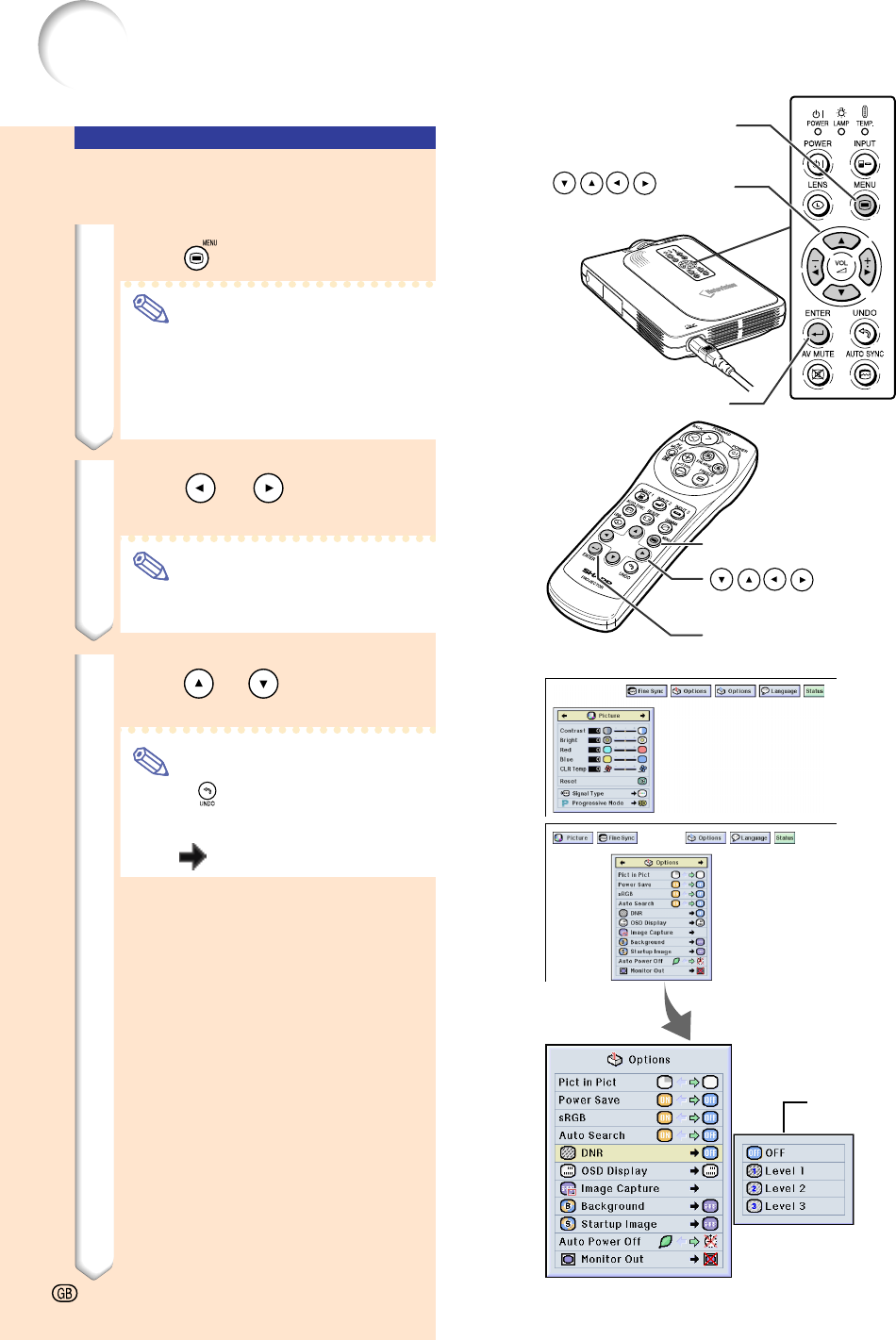
- Using the Menu Screen 40
- 5 Press or to select the 43
- 6 Press 43
- 7 Press 43
- Adjusting the Picture 44
- Progressive Mode 45
- Adjusting Computer Images 46
- Selecting Adjustment Settings 47
- Special Mode Settings 47
- Checking the Input Signal 47
- Auto Sync Adjustment 48
- Displaying a Still Image 52
- Gamma Correction Function 54
- 2 Depending on the input mode 54
- Selecting the Power Save Mode 56
- Auto Search Function 57
- Setting the On-screen Display 58
- Setting the Video Signal 59
- Saving Projected Images 60
- Setting a Background Image 61
- Selecting a Startup Image 61
- Using a RGB Monitor 62
- Loop-out Adaptor 62
- Confirming the Lamp 62
- Usage Time 62
- Displaying the Break Timer 63
- Setting the Projection 64
- Setting up the Keylock 64
- Setting up a Password 65
- Setting the Anti-Theft 66
- 3 Enter the same keycode once 66
- 1 Press the buttons on the 67
- Initializing the Settings 68
- Checking the Adjustment 69
- Settings on a List 69
- ➝ For details, see page 36 69
- Appendix 70
- Carrying the Projector 71
- 2 Remove the inner padding 71
- Maintenance 72
- Maintenance Indicators 73
- Regarding the Lamp 74
- Regarding the Lamp (cont.) 75
- 1 Press on the projector to 75
- 2 Disconnect the power cord 75
- 3 Remove the lamp unit cover 75
- 2 Reset the lamp timer 76
- 4 Remove the lamp unit 76
- 5 Insert the new lamp unit 76
- 6 Attach the lamp unit cover 76
- 1 Connect the power cord 76
- Connecting Pin Assignments 77
- Computer Compatibility Chart 78
- Troubleshooting 79
- For SHARP Assistance 81
- Specifications 82
- Dimensions 83
- Glossary 84
- SHARP CORPORATION 86
Související produkty a manuály pro Projektory Sharp PG-M20X
 (59 stránky)
(71 stránky)
(2 stránky)
(72 stránky)
(2 stránky)
(83 stránky)
(59 stránky)
(71 stránky)
(2 stránky)
(72 stránky)
(2 stránky)
(83 stránky)


 (106 stránky)
(69 stránky)
(55 stránky)
(61 stránky)
(110 stránky)
(72 stránky)
(105 stránky)
(106 stránky)
(69 stránky)
(55 stránky)
(61 stránky)
(110 stránky)
(72 stránky)
(105 stránky)
© 2020, manymanuals.cz. Všechna práva vyhrazena. | 0.040 s |
 Manymanuals.com
 Manymanuals.de
 Manymanuals.fr
 Manymanuals.it
 Manymanuals.pl
 Manymanuals.cz
 Manymanuals.es
 Manymanuals-pt.com
Komentáře k této Příručce