Sharp FO-2950M Uživatelský manuál Strana 47
- Strana / 152
- Tabulka s obsahem
- ŘEŠENÍ PROBLÉMŮ
- KNIHY

- FO-2950M 1
- Introduction 3
- Important safety information 5
- Table of Contents 7
- A Look at the Operation Panel 9
- 1. Installation 11
- 1. Installation 12
- Connections 13
- Connecting the Handset 14
- Loading Printing Paper 23
- Important: 24
- To enable the multifunction 26
- Press these keys: 30
- The display will show: 30
- OWN NUMBER SET 31
- PRESS START KEY 31
- ENTER FAX # 31
- ENTER YOUR NAME 31
- Press the START key 33
- Setting the Date and Time 34
- Setting the Reception Mode 37
- RECEIVE UNIT 38
- 1=FAX, 2=PC 38
- Volume Adjustment 40
- 2. Sending Documents 44
- Letters in the 45
- Loading the Document 46
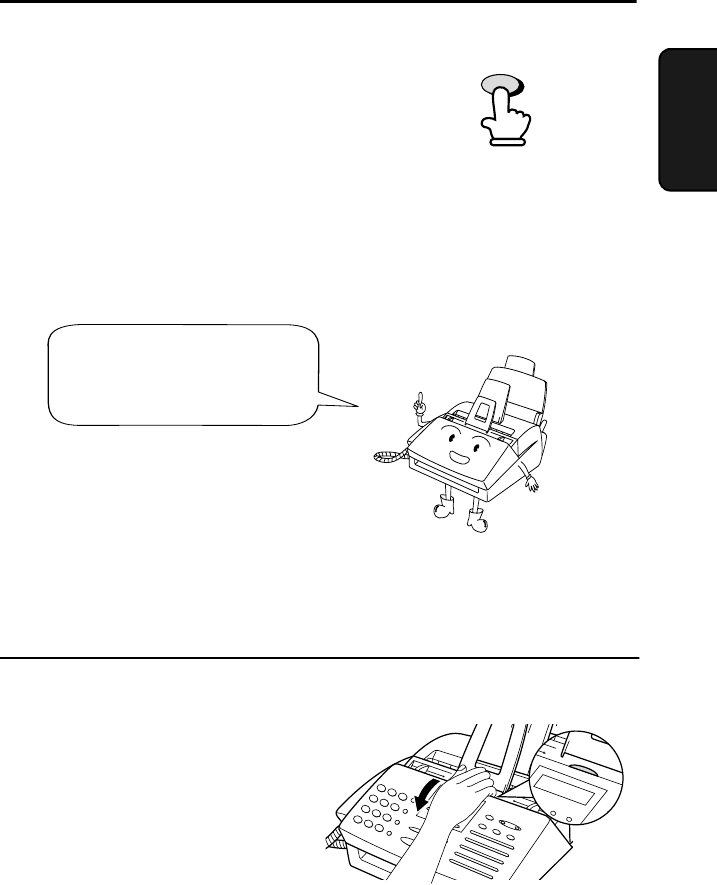
- If you need to remove a 47
- Remove the document 48
- Resolution settings 49
- Contrast settings 49
- RESOLUTION 50
- 2. Sending 53
- Documents 53
- Rapid Keys 54
- SPEED DIAL key 54
- AUTO-DIAL E-MAIL 63
- 3. Receiving Documents 69
- Using TEL Reception Mode 71
- Phone goes dead 72
- RECEIVING 72
- 3. Receiving 77
- Making Copies 79
- 5. Making Telephone Calls 81
- Making Telephone Calls 82
- 6. Answering Machine Hookup 83
- RECEPTION 84
- 6. Answering 85
- 7. Special Functions 88
- SET RESOLUTION 89
- PRESS RESO. KEY 89
- Step 3 or 92
- Distinctive Ring 95
- Comments: 100
- FUNCTION 101
- Rapid Dial Key 104
- (Example) 104
- Timer Operations 110
- Explanation of headings 113
- Printing Lists 115
- Option Setting List 116
- Junk Fax Number List 116
- 9. Maintenance 119
- Replacing the toner cartridge 120
- Maintenance 122
- Cleaning the drum cartridge 124
- 10. Troubleshooting 126
- Problems and Solutions 127
- Answering machine connection 129
- General problems 130
- Messages and Signals 132
- Audible signals 134
- Clearing Paper Jams 135
- Fusing unit 138
- FCC Regulatory Information 139
- Section 3. Ingredients 140
- Sending Faxes 143
- Receiving Faxes 143
- Transmisión de mensajes 145
- Recepción de mensajes 145
- Transaction Report 148
- SHARP CORPORATION 152
Související produkty a manuály pro Tiskárny Sharp FO-2950M
 (36 stránky)
(54 stránky)
(130 stránky)
(56 stránky)
(183 stránky)
(172 stránky)
(6 stránky)
(2 stránky)
(4 stránky)
(36 stránky)
(54 stránky)
(130 stránky)
(56 stránky)
(183 stránky)
(172 stránky)
(6 stránky)
(2 stránky)
(4 stránky)
 (12 stránky)
(2 stránky)
(2 stránky)
(2 stránky)
(2 stránky)
(6 stránky)
(12 stránky)
(6 stránky)
(2 stránky)
(6 stránky)
(12 stránky)
(12 stránky)
(2 stránky)
(2 stránky)
(2 stránky)
(2 stránky)
(6 stránky)
(12 stránky)
(6 stránky)
(2 stránky)
(6 stránky)
© 2020, manymanuals.cz. Všechna práva vyhrazena. | 0.035 s |
 Manymanuals.com
 Manymanuals.de
 Manymanuals.fr
 Manymanuals.it
 Manymanuals.pl
 Manymanuals.cz
 Manymanuals.es
 Manymanuals-pt.com
Komentáře k této Příručce