Sharp R-508FS Uživatelská příručka Strana 175
- Strana / 307
- Tabulka s obsahem
- ŘEŠENÍ PROBLÉMŮ
- KNIHY

- Table of contents 2
- 5 Copy Function 3
- Introduction 8
- 1 Introduction 9
- 1.1.2 User's Guide 10
- To use this machine safely 11
- Procedural instruction 11
- Key symbols 12
- Original and paper sizes 12
- Part names and their 13
- 2.1 Options 14
- 2.1.2 bizhub C452 17
- 2.2 Main Body 19
- 2.2.4 Control panel 26
- 2.2.5 Touch panel 28
- 2.3 Option 30
- 2.3.2 Job separator JS-602 32
- 2.3.3 Z Folding Unit ZU-606 33
- 2.3.4 Post Inserter PI-505 34
- 2.3.6 Job Separator JS-504 37
- Using this machine 39
- 3 Using this machine 40
- 3.2 Basic copy operations 42
- 3.2.2 Basic copy operations 43
- 2 Press [Original Setting] 44
- 9 Press the [Start] key 46
- Control Panel Keys 47
- 4 Control Panel Keys 48
- The [Start] key 50
- The [Stop] key 50
- The [Interrupt] key 50
- The [Reset] key 50
- % Enters Copy mode 51
- % Enters User Box mode 51
- 4.3 The [Utility/Counter] key 52
- 4.4 The [Mode Memory] key 53
- 4.5 The [Access] key 54
- % Press the [Access] key 54
- 1 Press the [Power Save] key 56
- 3 Press [OK] 56
- 5 Press [OK] 56
- 4.6 The [Power Save] key 57
- % Press the [Power Save] key 57
- 4.7 The [Accessibility] key 58
- 4.8 The [Enlarge Display] key 60
- 4.9 The [Guidance] key 61
- % Press the [Guidance] key 61
- 4.10 The [C] (Clear) key 63
- % Press the [C] key 63
- 8 Press the [Start] key 66
- Copy Function 67
- 5.1 Basic 69
- % Press [Basic] ö [Color] 70
- % Press [Basic] ö [Paper] 71
- Configuring a custom size 72
- Configuring wide paper 72
- % Press [Basic] ö [Zoom] 73
- 5.1.4 Duplex/Combine 74
- 5.1.5 Finishing 76
- 763 5421 78
- 3 Press the [Start/stop] key 79
- 5.1.8 Auto Rotate OFF 80
- 5.2 Original Setting 81
- % Press [Original Setting] 81
- 4 Press [Mixed Original] 82
- 3 Press [Z-Folded Original] 83
- 5.3 Quality/Density 84
- % Press [Quality/Density] 84
- 5.4 Application 86
- Cover Sheet 88
- Insert Sheet 89
- Insert Image 90
- Chapters 92
- 3 Press [Fix] 93
- 7 Press [Yes] 94
- 5.4.2 Edit Color 95
- Neg./Pos. Reverse 95
- Mirror Image 96
- Background Color 97
- Color Adjustment 97
- SURVEYOR’S 99
- Image Repeat 100
- Poster Mode 101
- 1 Load the original 102
- 3 Press the [Start] key 103
- Reference 104
- 5.4.5 Image Adjust 105
- 5.4.7 Erase 107
- Frame Erase 107
- Non-Image Area Erase 108
- 5.4.8 Stamp/Composition 109
- Date/Time 110
- Page Number 111
- Stamp Repeat 117
- Header/Footer 119
- Watermark 120
- Registered Overlay 122
- 5.4.9 Card Copy 125
- 5.4.10 Save in User Box 126
- 5.5 Left panel display 127
- 5.5.1 Job List 128
- 5.5.2 Check Job 130
- User Settings 131
- 6 User Settings 132
- 6.1 System Settings 133
- 6.2 Custom Display Settings 136
- 6.3 Copier Settings 138
- 6.4 Fax/Scan Settings 141
- 6.5 Printer Settings 142
- 6.7 Change E-Mail Address 144
- 2 Press [E-mail Address] 144
- 3 Change the E-mail address 144
- 4 Press [OK] 144
- 6.8 Change Icon 145
- 2 Press [Edit] 146
- 4 Press [Close] 147
- Administrator Settings 149
- 7 Administrator Settings 150
- 7.1 System Settings 151
- 7.1.2 Output Settings 152
- 7.1.3 Date/Time Settings 153
- 7.1.4 Daylight Saving Time 154
- 7.1.5 Weekly Timer Setting 155
- 7.1.6 Restrict User Access 156
- 7.1.7 Expert Adjustment 157
- Leading Edge Adjustment 161
- Centering 161
- Media Adjustment 162
- Center Staple Position 162
- Half-Fold Position 163
- Tri-Fold Position Adjustment 163
- Punch Edge Sensor Adjustment 165
- Punch Unit Size Detect Sensor 167
- Color Registration Adjust 168
- Gradation Adjustment 169
- 7.1.8 List/Counter 170
- 7.1.9 Reset Settings 171
- 7.1.10 User Box Settings 172
- 7.1.11 Standard Size Setting 172
- 7.1.12 Stamp Settings 173
- 7.4.1 General Settings 180
- 7.4.3 Account Track Settings 185
- 7.4.5 Print Counter List 186
- 7.4.10 Scan to Home Settings 189
- 7.5 Network Settings 190
- 7.6 Copier Settings 191
- 7.7 Printer Settings 193
- 7.8 Fax Settings 194
- 7.9 System Connection 195
- 7.10.1 Administrator Password 197
- 7.10.4 Security Details 199
- 7.10 Security Settings 201
- Copy Guard No 201
- Password Copy No 201
- Factory default 201
- 7.10.5 Enhanced Security Mode 202
- Required settings 202
- Settings to forcibly changed 202
- 7.10.6 HDD Settings 203
- 7.10.8 Stamp Settings 205
- 7.11 License Settings 206
- Maintenance 208
- 8 Maintenance 209
- 1 Pull out tray 1 210
- 4 Close tray 1 210
- 1 Pull out tray 3 211
- 1 Open the bypass tray 212
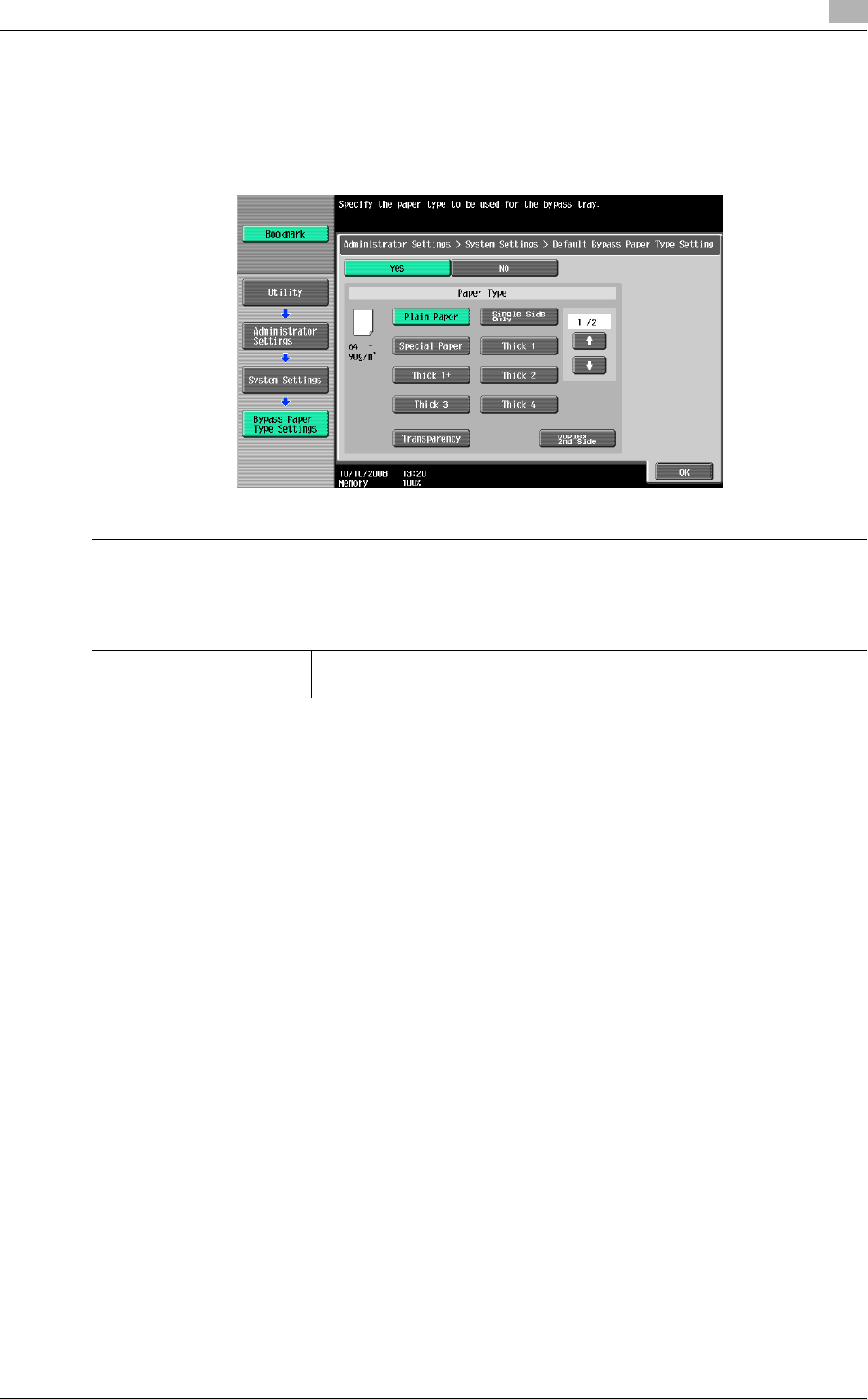
- 4 Select the paper type 213
- 1 Open the upper door 214
- 8.2 Consumables 215
- Checking consumables status 217
- Viewing counters 217
- 8.3 Cleaning procedure 219
- Housing, document pad 221
- Troubleshooting 222
- 9 Troubleshooting 223
- 4 Unplug the machine 224
- 9.2 Troubleshooting table 225
- 8 Close tray 1 235
- 10.1.2 Registering a user 240
- 7 Click the [Close] 244
- 11 Click the [Next] 245
- 13 Click the [Install] 245
- 14 Click the [Finish] 246
- 2 Turn the main power on 246
- 9 Click the [Registration] 249
- 10 Click the [OK] 250
- 12 Click the [Write] 251
- 13 Click the [OK] 251
- Authentication unit (IC card 254
- 11.1.2 Registering a user 257
- 9 Click the [OK] 266
- 11 Click the [Write] 267
- 12 Click the [OK] 267
- Specifications 270
- 12 Specifications 271
- 12.1 Paper 272
- 12.2 Machine specifications 273
- Automatic duplex unit 276
- 12.3 Options 277
- Finisher FS-526 278
- Saddle stitcher SD-508 279
- Punch kit PK-516 280
- Job Separator JS-602 281
- Z-Folding Unit ZU-606 281
- * Fed into Output tray 2 282
- Saddle stitcher SD-509 283
- Punch Kit PK-517 284
- Job Separator JS-504 284
- Job Separator JS-603 285
- Appendix 288
- 13 Appendix 289
- Brightness 290
- Saturation 290
- Red, green, and blue 291
- Contrast 292
- Copy Density 292
- Sharpness 292
- Color balance (CMYK) 293
- 13.3 Glossary 294
- Function that sorts copies 295
- 14 Index 298
- 14.2 Index by button 302
- Copyright 307
- 2009.11A1DM-9585CO-00 307
Související produkty a manuály pro Pece Sharp R-508FS
 (32 stránky)
(3 stránky)
(12 stránky)
(32 stránky)
(32 stránky)
(26 stránky)
(32 stránky)
(32 stránky)
(32 stránky)
(32 stránky)
(1 stránky)
(8 stránky)
(32 stránky)
(1 stránky)
(32 stránky)
(3 stránky)
(12 stránky)
(32 stránky)
(32 stránky)
(26 stránky)
(32 stránky)
(32 stránky)
(32 stránky)
(32 stránky)
(1 stránky)
(8 stránky)
(32 stránky)
(1 stránky)
© 2020, manymanuals.cz. Všechna práva vyhrazena. | 0.041 s |
 Manymanuals.com
 Manymanuals.de
 Manymanuals.fr
 Manymanuals.it
 Manymanuals.pl
 Manymanuals.cz
 Manymanuals.es
 Manymanuals-pt.com
Komentáře k této Příručce