Sharp MX-B402 Brožura Strana 7: FLEXIBLE DOCUMENT DISTRIBUTION
 1
 2
 3
 4
 5
 6
 7
 8
 9
 10
 11
 12
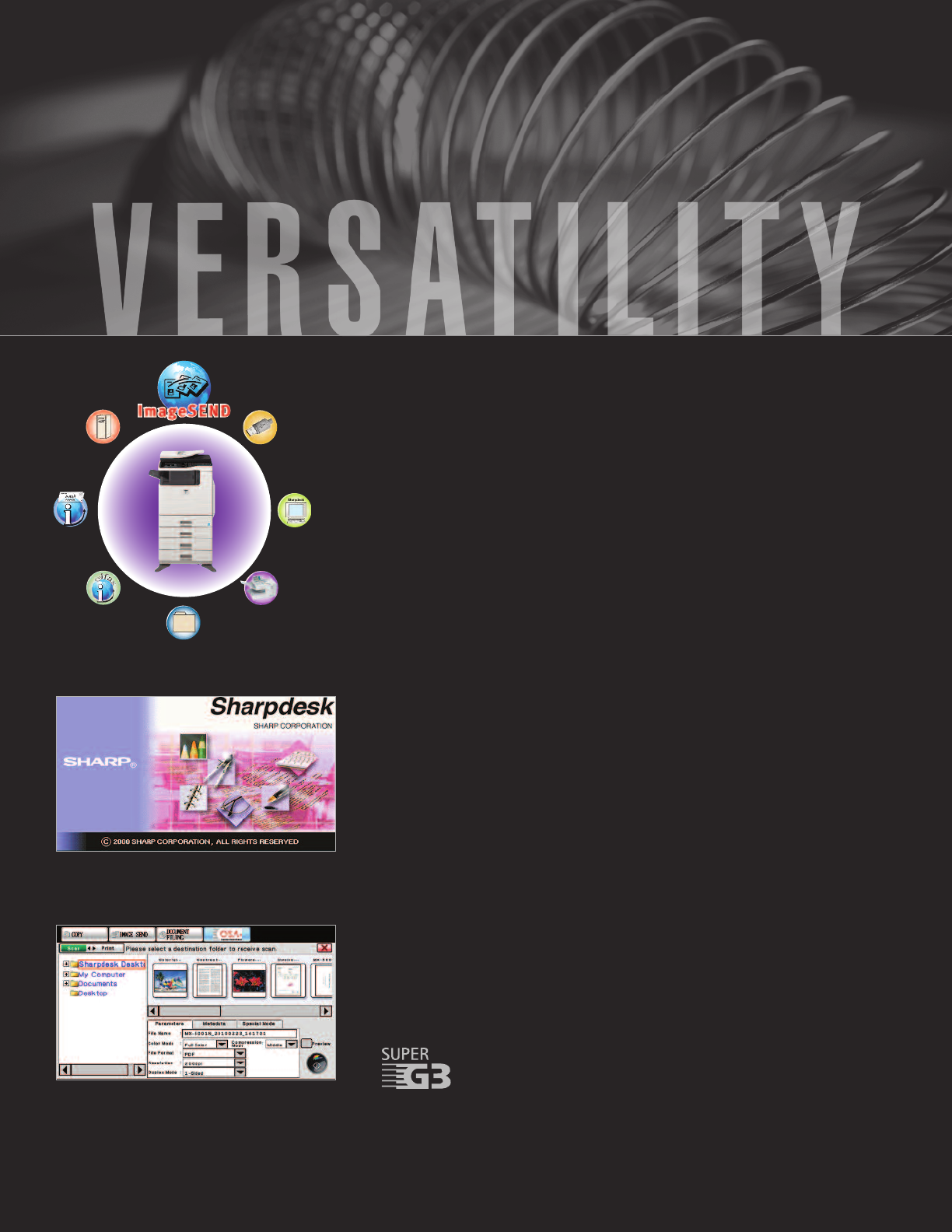
Send to
FTP
Send to
USB
Send to
Desktop
Send to
Network Folder
Send to
Fax
Send to
Internet Fax
Send to
E-mail
*Some features may require optional equipment.
Intuitive desktop display features thumbnail viewing and file
search allows searching by file name, keyword, or thumbnail.
The Sharpdesk Connector for Sharp OSA v 3.5 enabled MFPs
enhances scan worklfow options.
FLEXIBLE DOCUMENT DISTRIBUTION
In today’s fast-moving business environments,
you need every advantage you can get–Sharp’s
Frontier Series gives you the edge.
Integrated Network Scanning
With Sharp’s powerful
ImageSEND
technology, you get one-touch distribution features that help
centralize document workflow, reduce mail costs and save time. With up to
seven destinations
–
E-mail, Desktop, FTP, Network Folders (SMB), USB, Fax and Internet Fax–getting your document
where it needs to go is as easy as pushing a button. High-volume workgroups will appreciate
the
Send to Group
mode that allows you to mix group broadcast to E-mail, Fax, and Internet
Fax for increased efficiency.*
Convenient E-mail Distribution
With Lightweight Directory Access Protocol (LDAP), there’s no need to manually enter a
recipient’s complete e-mail address. Simply enter the first few characters and the MX-B402
automatically searches and displays a list of matching names.
Unique File Naming
allows users
to enter specific file names with custom subject fields, so it’s easier than ever to recall files
when you need them. And with
Sharpdesk
®
personal document management software, users
can easily organize their scanned documents and integrate them into everyday workflow.*
Sharpdesk Software for Total Document Management
Powerful, flexible and intuitive, Sharpdesk personal document management software enables
you to easily manage all of your scanned documents. Easy-to-use tools help you organize,
edit, even combine scanned files, for maximum productivity. The innovative
Search and Index
feature provides sophisticated tools that enable you to retrieve archived documents with
incredible simplicity.
Integrated Super G3 Fax and Internet Fax
Add powerful facsimile capability to your MX-B402 with the optional Super G3 fax module, which
offers advanced features such as automatic stapled/copied receptions and Inbound Fax Routing
to e-mail. Sharp’s innovative
PC fax driver
enables users to send fax documents right from
their desktop. For Internet Fax operation, add the optional B&W Internet Fax expansion kit.
Soubor PDF · ·
Otázky k Sharp MX-B402
K tomuto návodu zatím nejsou žádné otázky. Položte první.
Související produkty a manuály pro Multifunkční zařízení Sharp MX-B402
- Multifunkční zařízení Sharp MX-2300N Rychlý návod
 (88 stránek)
- Multifunkční zařízení Sharp MX-B402 Technický list
(2 stránky)
- Multifunkční zařízení Sharp DX-C311 Rychlý návod
(148 stránek)
- Multifunkční zařízení Sharp MX-M623 Uživatelský manuál
 (4 stránky)
- Multifunkční zařízení Sharp MX-4140N Brožura
(8 stránek)
- Multifunkční zařízení Sharp AR-C200P Uživatelský manuál
(193 stránek)
- Multifunkční zařízení Sharp MX-2300N Rychlý návod
(207 stránek)
- Multifunkční zařízení Sharp AR-M550N Technický list
(2 stránky)
- Multifunkční zařízení Sharp AR-M230 Uživatelský manuál
(34 stránek)
- Multifunkční zařízení Sharp AR-M450U Uživatelský manuál
(6 stránek)
- Multifunkční zařízení Sharp MX-M623 Informační leták
(16 stránek)
- Multifunkční zařízení Sharp MX-M260 Uživatelský manuál
(20 stránek)
- Multifunkční zařízení Sharp MX-4140N Informační leták
(16 stránek)
- Multifunkční zařízení Sharp MX-M260 Informační leták
(16 stránek)
- Multifunkční zařízení Sharp MX-C250 Informační leták
(14 stránek)
- Multifunkční zařízení Sharp MX-B402 Rychlý návod
(56 stránek)
- Multifunkční zařízení Sharp MX-M623 Technický list
(2 stránky)
- Multifunkční zařízení Sharp AR-650 Uživatelský manuál
(4 stránky)
- Multifunkční zařízení Sharp MX-2300N Uživatelský manuál
(4 stránky)
- Multifunkční zařízení Sharp MX-2300N Uživatelský manuál
(4 stránky)