Sharp R-301F Uživatelská příručka Strana 22
- Strana / 98
- Tabulka s obsahem
- ŘEŠENÍ PROBLÉMŮ
- KNIHY

- 301F User Guide 1
- 301F User Guide Contents 3
- Global Services 4
- Settings 4
- Appendix 4
- Safety Precautions 4
- Introduction 5
- Package Contents 8
- Parts & Functions 8
- Handset Keys 9
- Desktop Holder 9
- USIM Card Installation 10
- Getting Started 11
- Memory and SD Card 11
- Inserting SD Card 11
- Formatting SD Card 11
- Unmounting SD Card 12
- Removing SD Card 13
- Important SD Card Usage Notes 13
- Charging Battery 14
- Power On/Off 15
- Touchscreen Operations 16
- Basic Operations 17
- Handset Phone Number 19
- Mobile Manners 20
- Text Entry 21
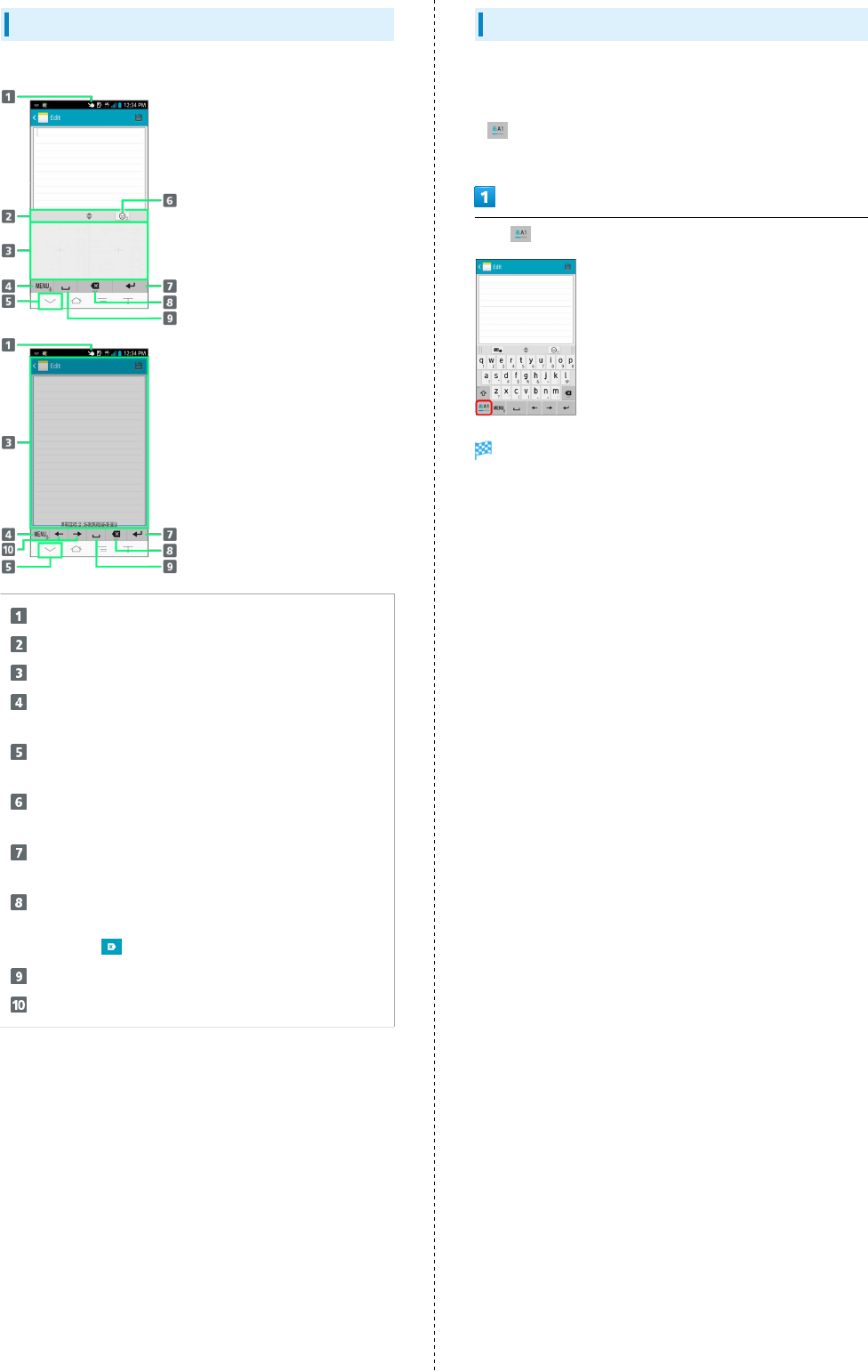
- Handwritten Input Layout 22
- Toggling Text Entry Modes 22
- Google Account 23
- Google Account Cautions 24
- Google Play™ 25
- Security Codes 26
- USIM PIN 27
- Screen Lock 28
- Software Updates 29
- Manual Software Updates 30
- Before Software Update 30
- Setting Automatic Update 30
- Software Update Cautions 30
- Handset Interface 31
- Home Screen Basics 32
- Status Bar 32
- Notification Indicators 33
- Status Indicators 33
- Notifications Window 34
- Placing Calls 36
- Answering Calls 36
- Emergency Location Report 36
- Call Operation 37
- Troubleshooting 37
- Optional Services 38
- Voicemail 39
- Call Waiting 40
- Group Calling 41
- Caller ID 41
- Call Barring 42
- Address Book 43
- Messaging & Browser 45
- Messaging 46
- Sending S! Mail/SMS 46
- Sending SMS 47
- Creating/Sending Gmail 48
- Internet Mail Settings 49
- Web Browsing 50
- Opening New Tabs 51
- Using SSL/TLS 51
- SSL/TLS Caution 51
- Capturing Photos 54
- Recording Videos 54
- Imaging Notes 55
- Capturing/Recording Operation 55
- Camera Cautions 55
- Warning on Flash 55
- Music & Images 57
- Music Files 58
- Image Files 59
- Full Seg and One Seg 62
- Watching Television 63
- Important Notes on TV 63
- Connectivity 65
- Connecting to Wi-Fi Networks 66
- Fi Connection 66
- Wi-Fi Operations 66
- Using Tethering Option 67
- Bluetooth 68
- Calling Outside Japan 70
- About Settings 72
- Wi-Fi Settings 73
- Sound and Vibration Settings 75
- Applications Settings 76
- Accounts Settings 76
- Specifications 78
- Customer Service 78
- Desktop Holder, AC Charger 84
- Equipment 84
- Important Product Information 85
- Touchscreen 86
- Internal Battery 86
- AC Charger (FMCAE1) 86
- TV Antenna Cable 86
- SoftBank 301F 87
- Fingerprint Sensor 88
- Function 88
- Waterproofing 89
- Precautions 90
- General Notes 91
- FCC RF Exposure Information 92
- 301F User Guide Index 95
- SoftBank 301F User Guide 98
Související produkty a manuály pro Mikrovlnné trouby Sharp R-301F
 (12 stránky)
(59 stránky)
(32 stránky)
(40 stránky)
(107 stránky)
(24 stránky)
(12 stránky)
(12 stránky)
(44 stránky)
(24 stránky)
(16 stránky)
(16 stránky)
(24 stránky)
(36 stránky)
(27 stránky)
(36 stránky)
(12 stránky)
(12 stránky)
(59 stránky)
(32 stránky)
(40 stránky)
(107 stránky)
(24 stránky)
(12 stránky)
(12 stránky)
(44 stránky)
(24 stránky)
(16 stránky)
(16 stránky)
(24 stránky)
(36 stránky)
(27 stránky)
(36 stránky)
(12 stránky)
 (54 stránky)
(36 stránky)
(40 stránky)
(54 stránky)
(36 stránky)
(40 stránky)
© 2020, manymanuals.cz. Všechna práva vyhrazena. | 0.031 s |
 Manymanuals.com
 Manymanuals.de
 Manymanuals.fr
 Manymanuals.it
 Manymanuals.pl
 Manymanuals.cz
 Manymanuals.es
 Manymanuals-pt.com
Komentáře k této Příručce