Sharp MX-B400P Uživatelský manuál Strana 62
- Strana / 68
- Tabulka s obsahem
- ŘEŠENÍ PROBLÉMŮ
- KNIHY

- LASER PRINTER 1
- SOFTWARE LICENSE 2
- TABLE OF CONTENTS 3
- CD-ROMS AND SOFTWARE 4
- BEFORE INSTALLING THE 4
- SOFTWARE 4
- ☞ MAC OS X (page 43) 5
- VERIFYING SYSTEM REQUIREMENTS 6
- SOFTWARE REQUIREMENTS 7
- CONNECTING THE MACHINE 8
- SCREEN (FOR ALL SOFTWARE) 9
- INSTALLING THE PRINTER 11
- X Standard installation 12
- INSTALLING THE PRINTER DRIVER 13
- [Address] and [Port number] 21
- WHEN THE MACHINE WILL BE 23
- CONNECTED WITH A USB CABLE 23
- ☞ CHANGING THE PORT (page 40) 30
- (Windows 98/Me) 35
- (2) Click the [OK] button 37
- STATUS MONITOR 40
- CHANGING THE PORT 42
- TCP/IP Port" 44
- MAC OS X 45
- SETUP IN A MACINTOSH 45
- ENVIRONMENT 45
- Click [Add] 48
- Configure the printer driver 49
- (4) Click the [Add] button 49
- (1) Select [AppleTalk] 50
- MAC OS 9.0 - 9.2.2 54
- WHEN INSTALLATION WAS NOT 58
- SUCCESSFUL 58
- TROUBLESHOOTING 58
- ☞ CONNECTING TO A NETWORK 59
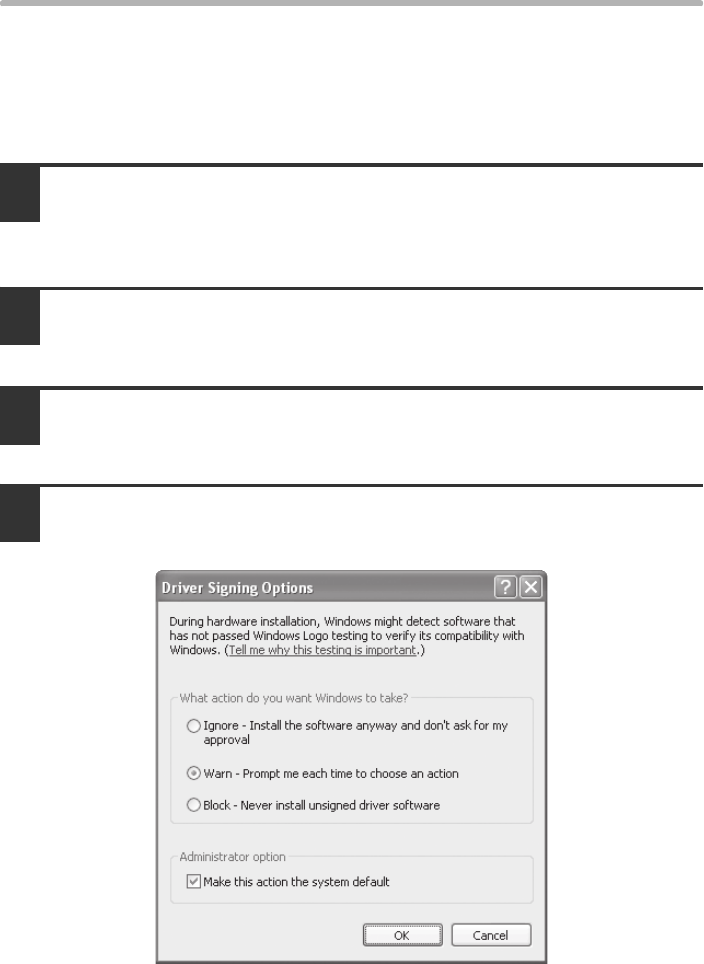
- (Windows 2000/XP/Server 2003) 62
- REMOVING THE SOFTWARE 63
- X Mac OS X 64
- X Mac OS 9.0 - 9.2.2 64
- SofSoftware Setup GuideSof 68
Související produkty a manuály pro Laserové / LED tiskárny Sharp MX-B400P
 (52 stránky)
(296 stránky)
(76 stránky)
(76 stránky)
(80 stránky)
(108 stránky)
(40 stránky)
(52 stránky)
(52 stránky)
(296 stránky)
(76 stránky)
(76 stránky)
(80 stránky)
(108 stránky)
(40 stránky)
© 2020, manymanuals.cz. Všechna práva vyhrazena. | 0.051 s |
 Manymanuals.com
 Manymanuals.de
 Manymanuals.fr
 Manymanuals.it
 Manymanuals.pl
 Manymanuals.cz
 Manymanuals.es
 Manymanuals-pt.com
Komentáře k této Příručce