Sharp AR-150E Specifikace Strana 14
- Strana / 40
- Tabulka s obsahem
- ŘEŠENÍ PROBLÉMŮ
- KNIHY

- DIGITAL LASER COPIER 1
- OPERATION MANUAL 1
- LASER PRODUCT 2
- LASER KLASSE 1 2
- CONTENTS 3
- GETTING STARTED 5
- CAUTIONS 6
- MAIN FEATURES 6
- High-quality digital image 7
- Substantial copying functions 7
- Printer feature 7
- PART NAMES 8
- OPERATION PANEL 9
- INSTALLATION 10
- CAUTIONS ON HANDLING 11
- Installation 12
- LOADING COPY PAPER 12
- MAKING COPIES 13
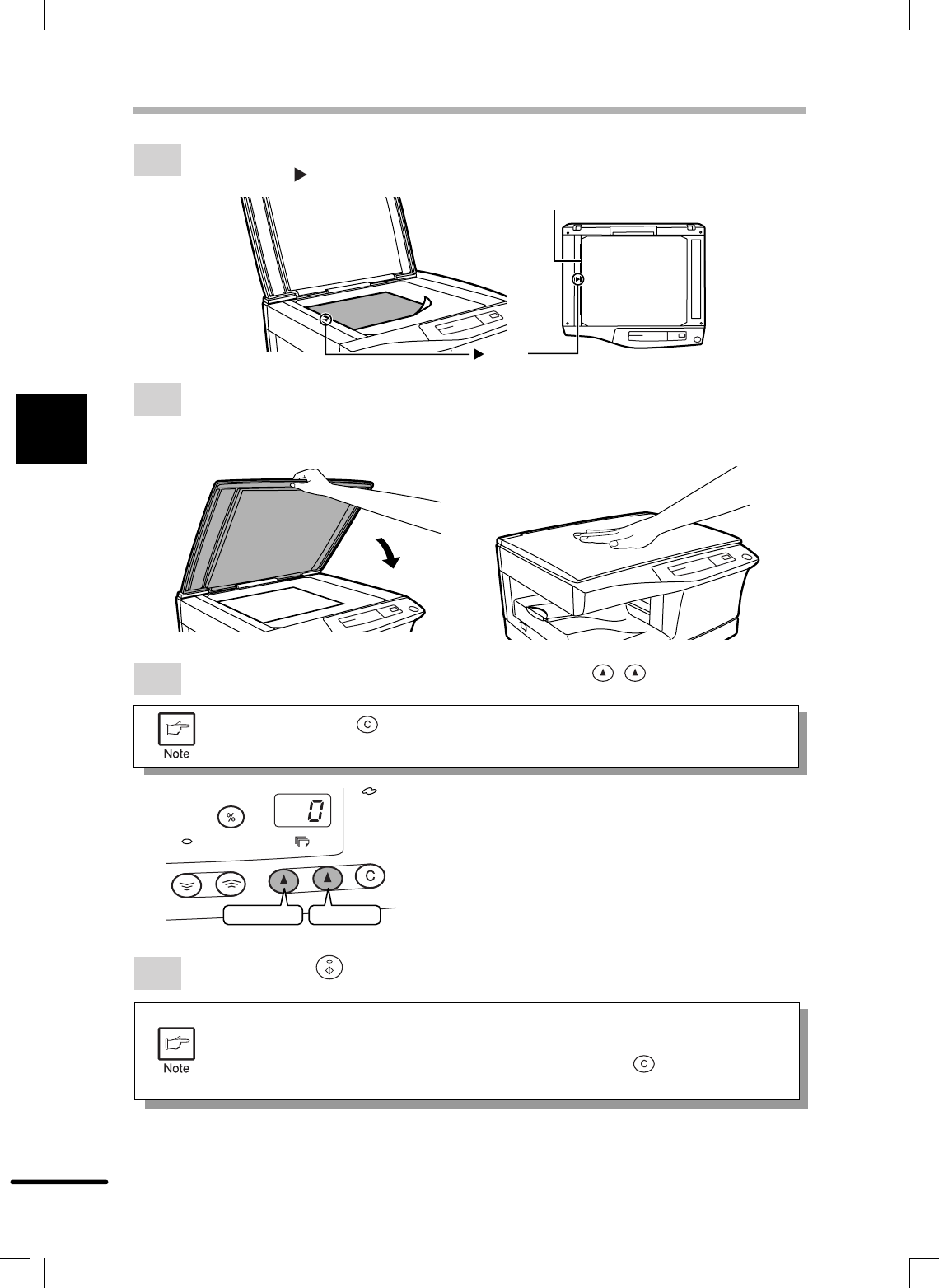
- NORMAL COPYING 14
- Tens digit Unit digit 14
- Making copies 14
- Original scale 14
- NORMAL COPYING 15
- REDUCTION/ENLARGEMENT/ZOOM 16
- TWO-SIDED COPYING 17
- TWO-SIDED COPYING 18
- SPECIAL FUNCTIONS 19
- USER PROGRAMS 20
- Special functions 21
- SUPPLIES AND USER MAINTENANCE 22
- Supplies and user maintenance 23
- TD CARTRIDGE REPLACEMENT 23
- 4 or 5 times 23
- USER MAINTENANCE 24
- COPIER TROUBLE? 26
- Fusing unit release lever 27
- Copier trouble? 28
- MISFEED REMOVAL 28
- Feeding roller 28
- MAINTENANCE REQUIRED 29
- TROUBLESHOOTING 30
- STATUS INDICATORS 31
- AUTOMATIC EXPOSURE ADJUSTMENT 32
- APPENDIX 33
- SUPPLIES 34
- SHARP CORPORATION 40
Související produkty a manuály pro Laserové / LED tiskárny Sharp AR-150E
 (4 stránky)
© 2020, manymanuals.cz. Všechna práva vyhrazena. | 0.055 s |
 Manymanuals.com
 Manymanuals.de
 Manymanuals.fr
 Manymanuals.it
 Manymanuals.pl
 Manymanuals.cz
 Manymanuals.es
 Manymanuals-pt.com
Komentáře k této Příručce