Sharp FO-10 Specifikace Strana 17
- Strana / 198
- Tabulka s obsahem
- ŘEŠENÍ PROBLÉMŮ
- KNIHY

- Introduction 2
- Important safety information 4
- Table of Contents 6
- 1. Installation 8
- A Look at the Operation Panel 10
- Connections 11
- Connecting the Handset 12
- Note: Do not peel off or 13
- Connecting the power cord 14
- Caution: 14
- DIAL MODE 15
- TONE PULSE 15
- Loading the Thermal Paper 17
- Press these keys: 21
- The display will show: 21
- (Example) 22
- OWN NUMBER SET 22
- ENTER FAX # 22
- ENTER YOUR NAME 22
- DATE & TIME SET 24
- Setting the Date and Time 25
- Example: 9:25 26
- Example: January 26
- Example: the 5th 26
- Example: 1999 26
- Setting the Reception Mode 28
- RECEPTION MODE key 29
- Volume Adjustment 30
- RINGER OFF:OK? 31
- RINGER: MIDDLE 31
- RINGER: HIGH 31
- RINGER OFF: OK? 31
- RINGER: LOW 31
- Transmittable Documents 32
- Loading the Document 34
- Resolution settings 37
- Contrast settings 37
- 2. Sending 38
- Documents 38
- RECEPTION MODE 39
- Example: To dial Speed 46
- Dial number 01, press 46
- Rapid Key A 46
- READY TO SEND 46
- Explanation of headings 52
- 3. Receiving Documents 53
- Using FAX Mode 54
- Using TEL Reception Mode 56
- Phone goes dead 57
- RECEIVING 57
- TEL/FAX REMOTE # 58
- FAX SIGNAL RX 59
- 4. Making Copies 60
- 5. Making Telephone Calls 61
- Making Telephone Calls 62
- 6..Answering 64
- Optional A.M. Mode Settings 66
- QUIET DETECT TM 67
- QUIET START TIME 69
- 7. Special Functions 70
- Caller ID 71
- REVIEWING CALLS 73
- PRIORITY CALL # 74
- SET CLEAR 75
- DUPLEX RINGING 76
- OPTION SETTING 76
- Duplex Ringing 77
- STORE JUNK # 78
- 1=SET,2=CLEAR 78
- ENTRY MODE 78
- Step 3 or 79
- 8. Printing Lists 82
- Telephone Number List 83
- Anti Junk Number List 83
- 9. Maintenance 84
- Maintenance 85
- 10. Troubleshooting 86
- Problems and Solutions 87
- Answering machine connection 89
- General problems 90
- Messages and Signals 91
- Audible signals 92
- Clearing Paper Jams 93
- Quick Reference Guide 96
- Sending Faxes 97
- Receiving Faxes 97
- 歡迎惠顧﹐感謝您選購夏普 100
- 傳真機﹗您購買的夏普傳真 100
- 機具有以下特性和規格。 100
- 重要的安全注意事項 102
- COPY/HELP 107
- 接通電源並等待約兩小時。 109
- ♦ 聽筒接線的兩端插頭相同﹐任意插入哪一個插座都可以。 110
- 請按圖示連接聽筒﹐並將其放在聽筒座上。 110
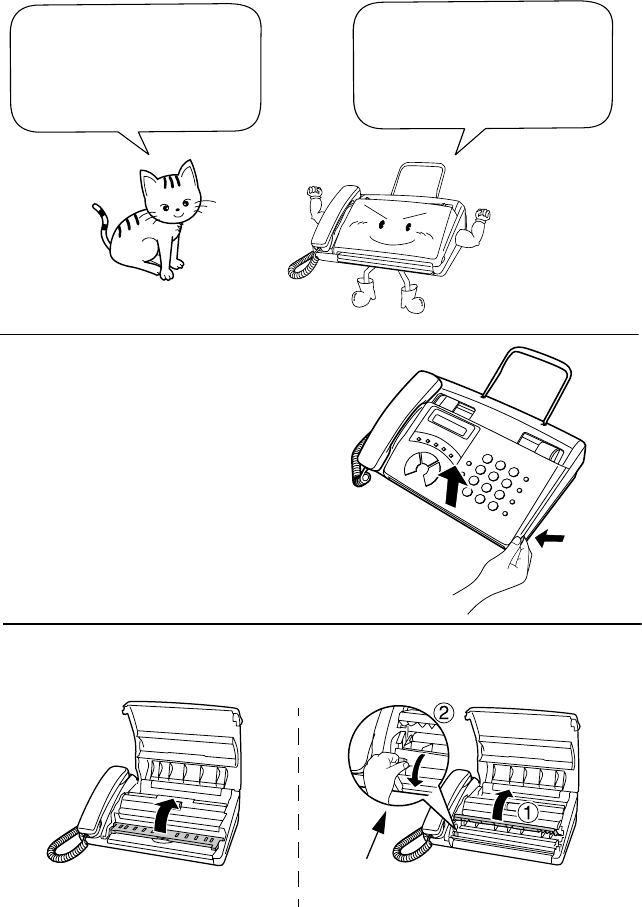
- 抓住指孔並打開操作面板。 111
- 抬起前側導紙板。 111
- 按下前側導紙板並關閉操作面板。 111
- 注意︰請勿取下或彎曲膠片帶。 111
- 電源插座應安裝在傳真機附近﹐并應便于連接。 112
- 保護器。電涌保護器在大部分的電話專賣店有售。 112
- FUNCTION 113
- 如下圖所示安裝原稿支架。 114
- 取下貼在TEL. SET插座上的封條。 114
- 將分機電話線連接至TEL. SET插座。 114
- 如圖所示抓住指孔拉起並打開操作面板。 115
- 如圖所示﹐將紙的前緣插入槽中﹐然后 117
- 將其繼續推過槽﹐直至傳真紙從傳真機 117
- 前部的開口中伸出。 117
- 請確保傳真紙能夠筆直送出﹐然后放下 117
- 輸入您的姓名和傳真號碼 119
- START鍵將傳真號碼存入存儲器。 120
- 7 按START鍵將您的姓名存入存儲器。 122
- 8 按STOP鍵返回到日期和時間顯示。 122
- (日期和時間設定) 123
- 按START鍵使時鐘開始運行。 125
- 按STOP鍵返回到日期和時間顯示。 125
- 注﹕本傳真機適用于2000年。 125
- 確認送稿器空着。 127
- 按RESOLUTION/RECEPTION MODE鍵直 127
- 至顯示屏上的箭頭對準所需的模式。 127
- RESOLUTION/RECEPTION 127
- SPEAKER: MIDDLE 128
- SPEAKER: HIGH 128
- SPEAKER: LOW 128
- (關閉振鈴器﹕確認﹖) 129
- (振鈴器﹕確認﹖) 129
- (關閉振鈴器﹕低) 129
- 216 mm 130
- 從送稿器上取出文件 133
- 調節解晰度和對比度 135
- 以普通撥號發送傳真 137
- 使用REDIAL鍵 138
- 以自動撥號發送傳真 139
- 存儲用于自動撥號的傳真和電話號碼 140
- 用于區號和訪問碼的順序撥號 142
- 刪除自動撥號號碼 142
- 搜尋自動撥號號碼 147
- 使用TEL/FAX模式 151
- 明與對方通話﹐並或接收文件。 152
- 用傳真機的聽筒應答 154
- 改變遙控啟動傳真的號碼 156
- RESOLUTION/ 158
- RECEPTION MOD 158
- 啟動應答機連接裝置 162
- 應答機模式的工作原理 163
- 可選應答機連接裝置的設定 164
- 應答機異常時的傳真接收 166
- 靜默檢測啟動時間 167
- 來電顯示(需要簽約) 168
- 按“1”鍵啟動來電顯示﹐或按“2” 169
- 如何操作來電顯示 170
- 查閱來電顯示一覽表 171
- 若要從來電顯示一覽表中刪除電話 172
- 兩種鈴聲功能(需要簽約) 174
- 拒收不想要的傳真 176
- 拉稿(要求傳送傳真) 178
- SPEED DIAL 179
- 此表列出已存儲的用于自動撥號的傳真和電話號碼。 181
- 此表列出被拒收的傳真號碼。 181
- 掃描玻璃和滾軸的清潔 182
- 10. 故障檢修 184
- 按此按鈕以確認金屬導板 193
- 存儲和刪除自動撥號號碼 194
- 05 NOV 10:30 195
- SHARP CORPORATION 198
- PRINTED IN THAILAND 198
- (TINSQ4027XHZC) 198
Související produkty a manuály pro Faxy Sharp FO-10
 (102 stránky)
(107 stránky)
(12 stránky)
(102 stránky)
(107 stránky)
(12 stránky)
 (116 stránky)
(91 stránky)
(4 stránky)
(114 stránky)
(96 stránky)
(192 stránky)
(139 stránky)
(9 stránky)
(78 stránky)
(61 stránky)
(6 stránky)
(98 stránky)
(127 stránky)
(108 stránky)
(183 stránky)
(178 stránky)
(96 stránky)
(116 stránky)
(91 stránky)
(4 stránky)
(114 stránky)
(96 stránky)
(192 stránky)
(139 stránky)
(9 stránky)
(78 stránky)
(61 stránky)
(6 stránky)
(98 stránky)
(127 stránky)
(108 stránky)
(183 stránky)
(178 stránky)
(96 stránky)
© 2020, manymanuals.cz. Všechna práva vyhrazena. | 0.035 s |
 Manymanuals.com
 Manymanuals.de
 Manymanuals.fr
 Manymanuals.it
 Manymanuals.pl
 Manymanuals.cz
 Manymanuals.es
 Manymanuals-pt.com
Komentáře k této Příručce