Sharp FO-455 Specifikace
Procházejte online nebo si stáhněte Specifikace pro Faxy Sharp FO-455. Sharp FO-455 Specifications [en] Uživatelská příručka
- Strana / 98
- Tabulka s obsahem
- ŘEŠENÍ PROBLÉMŮ
- KNIHY

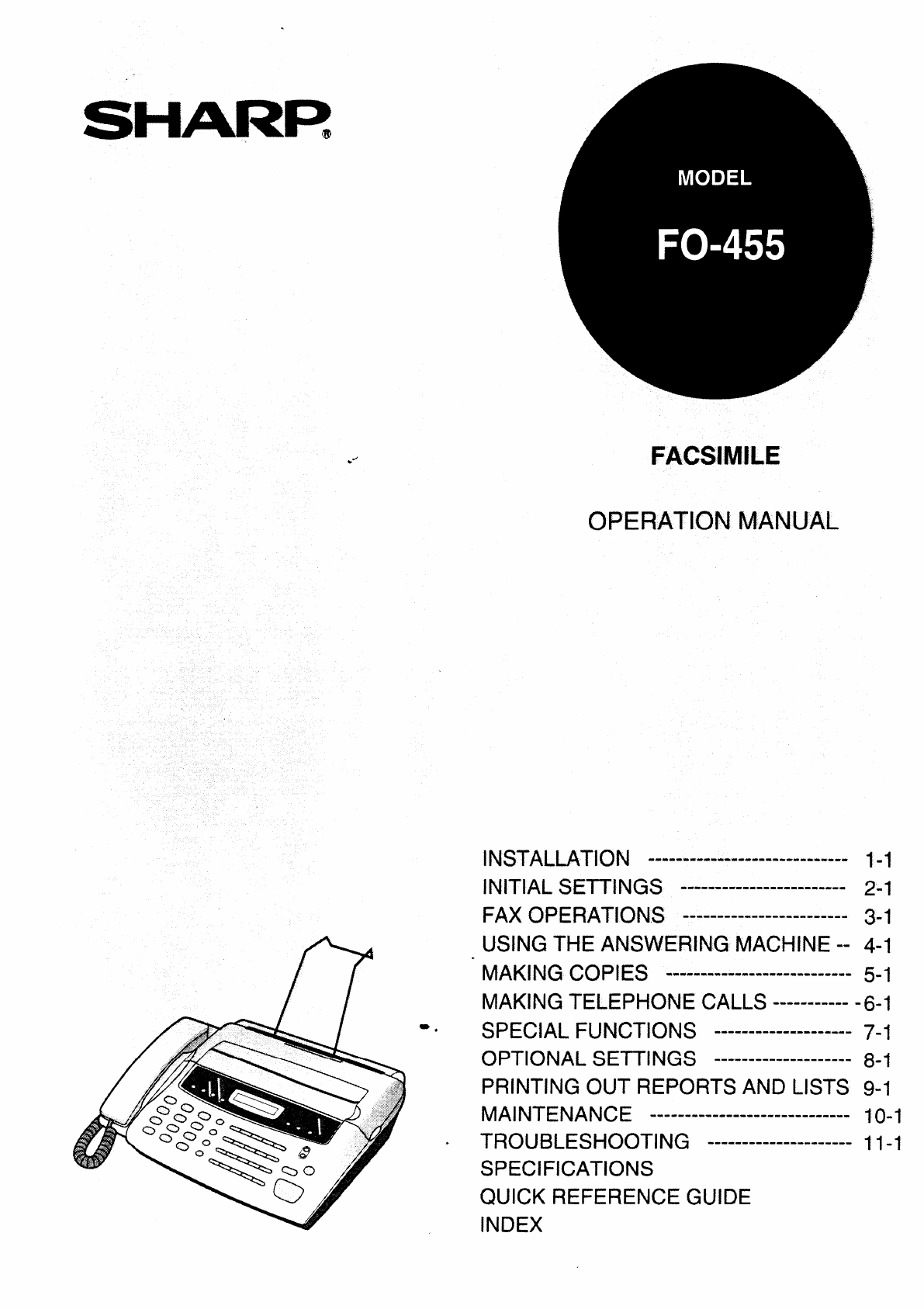
- FACSIMILE 1
- Y f m a t t s 4
- P k m w s 7
- 6* thepower,ead 8
- M y f a r 9
- I The roll must be placed so 11
- A L A T O P 14
- E Y N A F N 16
- 10 , ABC CO 18
- S T D A T 19
- N A mode cannot be selected 20
- “ Box 1 outgoing message 22
- S key and 24
- “l1 seconds 25
- DIRINGING 27
- 4 Press [he STOP key 27
- S N F A D 28
- @ b b ... @ 29
- ~ A l b k a d n m 30
- S r f r s 31
- VOLUME ADJUSTMENT 32
- 2-20 INITIAL SETTINGS 32
- W u t d c 34
- CDCCn 111Af 39
- 3 FAX OPERATIONS 40
- S key. The document 41
- S kc}’ to begin reception 42
- S key If 43
- R~cElvlNG D 44
- C)PEMWG mE A M 45
- --...,,: 48
- “ and “#’ on the tele 52
- C t f r m 54
- “ and “#” 54
- R a n o m 54
- 5-2 MAKING COPIES 62
- 5 ‘-’““‘“ 65
- Pollingallows 66
- T P S a o 67
- ~ ~ @ @ @ @ ~ 68
- 5 Press the START/MEMORY key 69
- >-ART ,,4EbAo4f 71
- “ (YES) to set it to FINE. or 73
- ● Factory setting: “2” 74
- ● Factory setting: “5” 74
- “1to “2”as follows: 75
- “1(15 SEC.): 75
- O SE~lNGS 75
- S JUNK N C 76
- S POLLING 76
- P O R A L 79
- STOP key was 81
- ~ No response from 82
- ● h y m j r a l n 83
- TEL. LINE ana :he I 85
- 11TROUBLESHOOTING 88
- S key. If the 90
- L___——--J 93
- Entry Mode 95
- Optional Settings 95
- 1 H D H B W 2 98
- C M D & H A M B A 98
Shrnutí obsahu
.SFACSIMILEO MINSTALLATION.a..-..e-.--.-*-.--.-..e-..-*INITIALSETTINGS---.--.--..-----..---e-.FAX OPERATIONS----.----*-------.m-----USINGTHE ANSWERING
AFlip up the original documentsupport. Rotateup.the extender so that it points straightAttach the received document support.,-1 [The bend In the/-c’-,
L T F PYour fax prints by a process called thermal printing. The print head applies heat tospecial paper which ISchemically treated to change colour w
L T F P4NClose the cover, and at the same timepull the paper out through the outlet sothat there is no slack in the compartment,● A short length of th
(S GBefore you can begin using your fax, there are some settings which must be madewith the keys on the operation panel. Some of the settings are requ
(A L A T O PBefore you make the settings, take a momentto familiarise yourself with the opera-tion panel.R kP t kautomatically redlalthe last numberdl
A LOOK AT THE OPERATION PANELDisplayThis displays variousmessages during operationand programming.RECEPTION MODE keyPress this key to select themode o
E Y N A F N)To have your name and faxltelephone number (called the “Senders name” and“Sendefs number”) printed at the top of every page you transmit.
E L F NNames are programmed by pressing the numeric keys. You WIIInotice that lettersare indicated above each of the number keys “2” through “9”. To e
ENTERING LETTERS FOR NAMESS lTo enter a symbol from the list below, press the “#” key or the “*” key repeatedly untilthe desired symbol appears.. / !
S T D A TbThe date and time appear In the display and reports, and are printed at the top ofevety page you transmit. Set the date and time by pressing
W — A R s t u cmot e a pN C w A 3 ( r EElIT l a d p r p ai i T e g u ac r r f e a n i a ua w t i m c i Ht g t i w n o a pint e d c i rt r w c d t t em
S T R MYour fax has three modesfor receiving incoming calls and faxes:ANS mode: Select this mode when you are out and want the built-in answenngma-chi
A M SThe FO-455’Sbuilt-in answenng machine allows you to receive both voicemessages and fax transmissions while you are out. Up to 11 minutesof voicem
ANSWERING MACHINE SET-UPThe following ISan exampleof a general outgoing message:“Hello, this ISthe Jones family. We are not at home right now, If you
/4NSWERlNG MACHINE SET-UPPress the REC/MEMO key, and thenspeak facing the “MIC”mark on thelower left co-rnerof the machine at a dis-tance of about 30
ANSWERING MACHINE SET-UPA 3-digit passcodecan be programmed for each of the boxes. If this is done, thepasscode must be entered before messages in the
ANSWERING MACHINE SET-UPIncoming messages (ICMS)are the messages which callers leave for you on thebuilt-in answering machine. The answering machine i
ANSWERING MACHINE SET-UPIf the memory for recording Incomingmessages becomes full while you are out, theanswering machine will no longer be able to re
DIRINGING)If you subscribe to a distinctive rlnglng servicesfrom yourtelephone com~any, youWIIIneed to reset OptIon Setting 12 to turn on Dlstlnctlve
S N F A DAutomatic dialling ISa quick and convenient way of dialling which ISperformed byeither pressing a Rapid Key (Rapid Key Dialling). or pressing
STORING NUMBERS FOR AUTOMATIC DIALING3(Example)Enter a 2-digit number (from “01” to“50”) by pressing the number keys. Thiswill be the Speed Dial numbe
The FO-455facsimile transceiver is G3 compatible, which means It ISable tocommunicate with almost every facsimile machine in use today. In addition to
STORING NUMBERS FOR AUTOMATIC DIALING1FUNCTIONPress the keys shown at left “~AX’TEL.Q ma# MODE’ WIIIappear Inthe d[sp[ay.2mPress “2” to select CLEAR,3
V AYou can adjust the volume of the speaker and ringer tislng the UP and DOWNkeys on the operation panel.SThe speaker has 5 volumesettings: To ddjust
VOLUME ADJUSTMENTNotes2-20 INITIAL SETTINGS
(S D)Your fax can transmit most standard office documents. Specific guidelinesare asfollows:S a wThe size and weight of documents which you can load i
S DW u t d c‘Thedocument carrlel-gives you a means ofcannot otherwise be loaded Into the feeder.documentssending ceflain documents v~hlchUse it for th
S DUp to 20 pages can be placed in the feeder at one time. The pages WIIIbeautomatically fed into the fax starting from the page on the bottom.+ If yo
S DIf you want, you can adjust the resolution and contrast before sending a document.RYour fax has 4 resolution settings. If you do not make a setting
S DOnce you have loaded the document and made any desired contras~resolutionsettings, you are ready to dial the number of the receiving fax machine an
SENDING DOCUMENTS4When you hear the reception tone, pressthe START key. Replacethe handset ifyou used it.. When transmission IScompleted, thefax will
S DR K DIf the number you want to dial has been stored as a Rapid Key number (see“storing Numbers for Automatic Diailing” In Chapter 2), you can dial
INI s iNever install telephone wiring during a Ilghtningstorm.Never install telephonejacks in wet locations unlessthe jack is specifically designedfor
SENDING DOCUMENTSU t H kIf you don’t rememberthe Rapid Key or Speed Dial number Instored a particular fax number, you can search for the numbersteps b
S D4 Press the S key. The document,.,7i owill be automatically transmitted oncekGthe connection ts made.A rIf you use automatic dialling (including Di
R D)When the reception mode is set to FAX (press the F?ECEPTION MODE key until“FAX” appears in the display). your fax automatically answers all calls
R DR f e pIf the other party first talks to and then wants to send a document, press “5”“x” and “x” if you are on a tone dial phone. If you are on a p
R~cElvlNG DThis ISa special function In FAX recept[on mode which allows you to use one Ilnefor both fax and voice communications without having to per
C)PEMWG mE A MActivate the answenng machine before you go out as follows:Press the RECEPTION MODE key oneor two times to set the reception mode toRA .
O T A M2mIf you want tOlisten to the messages in apersonal box. enter the number of thatbox by pressingthe appropriate number(Example)key.3If the box
OPERATING THE ANSWERING MACHINEN Playback wlil s r a call, lift the handset,press the STOP kev.or open the paper compartment cover,It is important to
OPERATING THE ANSWERING MACHINE●Recording phone conversations Torecord a phone conversation hoicdown the REC/MEMO key during tneconversation you want
R OYou can call the FO-455 from any tone dial telephone and play back yourmessages usingthe remote commands. You can also use these commands tochange
1 INUnpacking Check List . . . . . . . . . . . . . . . . . . . . 1-1Connections . . . . . . . . . . . . . . . . . . . . . . . . . . , 1-2Attachments .
R OWhen you call the FO-455 to listen to your messages, it will answer after two ringsif it has received at least one message in any of the boxes, or
R OFollow the steps below to listen to your messages from a remote Iocatlon. Note thatyou can only access one box per call: If you want to access more
R O. If no messages have been received Inthe box, you wil! hear a snort beepYou can either hang up, or performany of the operations described in thefo
REMOTE OPERATIONS5When you have finished listening to yourmessages, you can do any of the follow-ing:~. Erase all messages:To erase all ofthe messages
REMOTE OPERATIONSAfter Iistenlng to your messages.you can do any of the operations described belowby press!ngthe appropriate keys on the telephone.N T
REMOTE OPERATIONST t T f(The Transfer function ISdescr[bed In@@@mm(Exampie~C t tothe following section, “Other functions”.)To turn Transfer on: Press
REMOTE OPERATIONSR a “You can leave a “memo” for yoursell or other users of the machine. It will berecorded in the General Box, ana played back wnen m
(O FThe Transfer function is used to make the FO-455 automatlcal[v call you at aspecified number every time it receives an Incoming message in a selec
O FNIf needed.you can change the transfer number from a remote location. See“Other remote operations” In the previous section “Remote operations”R t t
OTHER FUNCTIONSNif n can turn the Transfer tuncf[on on or off from a remote /Oca-.[ion, See ‘Other remote operations” ~nthe ,orevloussection. ‘Remote
TABLE C9P O R A L10MTRProblems and Solutions . . . . . . . . . . . . . . . . 11-1Messages and Signals . . . , . . . . . . 11-4Clearing Paper Jams . .
OTHER FUNCTIONSU t fThe proceaurefor overrldtng the answering machine ISas follows:1Your caller calls the ~0-455 from a tonedial telephone. When the o
Your fax can also be used to make coDles. In pafllcular. ~hlsrunctlon Canbe useato make sample copies of documents to Detransmitted to see :f the reso
M CNotes5-2 MAKING COPIES
‘{our fax can be used Ilke a regular Ielepnone to ma~e and receive voice cails,+ To make or receive a phone call. the power must be on.10Pick up the h
M T CRThe last number called can Deredialled by pressing tne REDIAL key (tl ISnotnecessa~ to pick up the handset or press the SPEAKER Keyi Whenthe oth
(A J FThe Anti Junk Fax function lets you avoid wasting fax paper ~y preventing receptionof faxes from specified parties.To use this function, first t
POLLINGPollingallowsyou ICI request another fax machine to send a document to your faXmachine. In other words the recelvlng fax machine. not the trans
PAfter polling a fax machine. you can send a document to it on the same connection.Simply place the document to be sent in the feeder and follow the s
P,Press the START/MEMORY key andthen the STOP key.S a c f n f p pYou can store up to 10fax numbers Inyour fax”s I[stof permitted numbers.1FPress the k
T OThe Timer function allows you to set a transmission and/or polling operation to beperformed automatically at a time you specify. One transmissionop
C LAfter unpacking your fax, make sure you have all the items shown below. If any aremissing, contact your dealer or retailer.Warranty cardReceived do
T O6Enter the Speed Dial number of the re-~~ceiving fax machine.(Example)7: ,: \oPress the S key.o8RESOLUTIONIf this is a transmission operation, youo
. .M -Your fax has a memory which can be used to temporarily store both incoming andoutgoing documents.● Approximately 20 pages of average content can
M4t m b fIf the memory becomes full whileFULL will appear in the display.Press the START/MEMORY key if youentered a Speed Dial number or a fullnumber.
A variety of optional settings are available which you can use to fine-tune your faxto better suit your needs. The settings are made by pressing the p
O SSetting 3: 4 RINGS MANUAL ANSWERPress “1” (YES) to havethe machine answer a call after 4 rings when it ISinMANUAL reception mode. Press “2” (NO) to
O SSetting 8: AUTO FAX/PHONE CHANGEOVERPress “1” (YES) to have your fax detect whether incoming calls are voice calls orfax transmissions In automatic
O SS JUNK N CPress “1” to prevent receptionfrom fax numbers entered In the Anti Junk Fax List.Press “2” to allow recepllon from all numbers.● Factory
You canfax. Youthey areprint out a variety of lists showing settings and Informationentered In thecan also have the fax automatically print out a repo
P O R A LT N LThis list shows the fax and voice numbers which have been stored for automaticdialling.P LThis list shows settings made for polllng secu
P O R A LO S LThis list shows the current status of the optional settings.The bottom part of the listshows the status of the settings made for answeri
C)/,Connect the handset lead to the handset~> [ “and the fax as shown.*J/>. The ends of the handset lead are iden-‘;/&bttcal. so they will g
P O R A LA P LThis list shows the settings and codes programmed for the answenng machine.M LThis Ilst shows information about the messagescurrently re
PRINTING OUT REPORTS AND LThis report is printed out automatically after an operation IScompleted to allow youto check the result. Your fax is set at
P O R A LT e1E-O I Abletorecognisehandshakesignal.butIthaserrors, E-1 ~CannotrecognisethehandshakesignalfromthereceiversideIE-2 ‘L d d transmission!L
Clean the printing head frequently to ensure optimum printing performance.Toclean the head, first disconnect the telephone line then unplug the power
MAINTENANCEClean the reading glass and rollers frequently to ensure the quality of transmittedImagesand copies Open the operation panel by pulling the
(PROBLEMS AND SOLUTIONS1ProblemC r~othlng aopears Inthe dls-● Make sure the power cord is properly ~luggeaplayInto a power outlet.II. Connect another
PROBLEMS AND SOLUTIONSThepowerlson. butno ;● Make sure that the recelvlng machine has faxtransmission takes place. paper.. Make sure that the telephon
P A SIReceived Imagesare dis- I. Noise on the telephone line may causetorted.distortion. Have the other party try sendingthedocument again.10The print
(I AND SID J~ o d j f~ s “ P JF M~FUNCTION b p1I T r spressSTOPL Ec m t ae p cISb u~ I f h atransmissionat thisLI t t w I ctheextenslo~I~p V m c r p b
M A SI! IC tI3 s1 t I rI~ cIInt5 sI I Ibs t r1 s o ; csR intI I t n( son.0.3s oi hTR1
CIf desired. you can connect an extension phone to your fax.+ You can connect an extension phone to the fax to makeand receivecalls likeany other exte
C P JIf a document doesn’t feed properly during transmission or copying, or DOCUMENTJAMMED appears in the display, first try pressing theS key. If the
Applicable telephone line:Compatibility:Configuration:Compression scheme:Scanning method:Resolution:Recording system:Display:Automatic cutter:Receptio
SOPower requirements:Operating temperature:Power consumption:Dimensions:Weight:Message recording time:Document capacity in mem-ory:230-240 V AC, 50Hz5
. -— -- --.NSteps which are optional are enclosed in a dotted frame.TrdNormal Dialling~~Oa~ ~-~~~,j~-~~ Lifthan~,set,document+ ;ODial ipress+ numenc k
Q R GFk mThe following chart shows the layout of the functions and settings accessed bypressing the FUNCTION key. First press the FUNCTION key, the ap
Q R GEntry ModeOptional SettingsF NA D(NN (P SS (P Nb P(7-D T(S JN (F R P P S (o (T S (N RA M ( )D R(4 M a J c((R RN (P (R RS (T RP S (D M (A Pc (P RD
AA.M. Program List. 9-4AMS reception mode, 2-8. 4-1Anti Junk Fax (Anti Junk Number). 7-I,8-4Anti Junk Number List, g-3Audible signals. 11-5Automatic d
oOGM key, 2-10OptIon Setting List, 9-3Outgoing message. 2-9-2-11Override ringing, 4-15-4-16PP f -P j c 1P LP b 2 4 4P a d n2P k 2PP k s 7P cP h c 1RRa
SHARP CORPORATION OF AUSTRALIA PTY.LTD.A 01 H D H B W 2SHARP CORPORATION OF NEW ZEALAND LIMITED.C M D & H A M B AN ZS CP TS
Související produkty a manuály pro Faxy Sharp FO-455
 (127 stránky)
(108 stránky)
(183 stránky)
(178 stránky)
(96 stránky)
(83 stránky)
(8 stránky)
(151 stránky)
(4 stránky)
(198 stránky)
(107 stránky)
(147 stránky)
(111 stránky)
(14 stránky)
(127 stránky)
(108 stránky)
(183 stránky)
(178 stránky)
(96 stránky)
(83 stránky)
(8 stránky)
(151 stránky)
(4 stránky)
(198 stránky)
(107 stránky)
(147 stránky)
(111 stránky)
(14 stránky)
 (84 stránky)
(93 stránky)
(87 stránky)
(103 stránky)
(131 stránky)
(84 stránky)
(93 stránky)
(87 stránky)
(103 stránky)
(131 stránky)
© 2020, manymanuals.cz. Všechna práva vyhrazena. | 0.054 s |
 Manymanuals.com
 Manymanuals.de
 Manymanuals.fr
 Manymanuals.it
 Manymanuals.pl
 Manymanuals.cz
 Manymanuals.es
 Manymanuals-pt.com
Komentáře k této Příručce