Sharp XV-Z15000 Specifikace Strana 36
- Strana / 66
- Tabulka s obsahem
- KNIHY

- XV-Z15000 1
- Introduction 3
- PRODUCT DISPOSAL 4
- INFORMATION 4
- Declaration of conformity 4
- WARNING: 4
- Contents 5
- For Future Reference 6
- IMPORTANT SAFEGUARDS 7
- Accessories 10
- Part Names and Functions 11
- Projector (Rear View) 12
- Remote Control 13
- Inserting the Batteries 14
- Usable Range 14
- Quick Start 15
- 7. Turn the power off 16
- 5. Select the input mode 16
- Setting Up the Projector 17
- Projection (PRJ) Mode 18
- Ceiling-mount Setup 18
- RCA adaptor plug 20
- (commercially available) 20
- Connecting to Video Equipment 21
- Connecting to a Computer 22
- Connections 23
- Turning the Projector On/Off 24
- Image Projection 25
- Image Projection (Continued) 26
- Auto V-Keystone Correction 27
- Basic Operation 29
- Press FREEZE 29
- Resize Mode 31
- About Copyrights 32
- Menu Bar Items 33
- Menu Bar Items (Continued) 34
- Useful Features 35
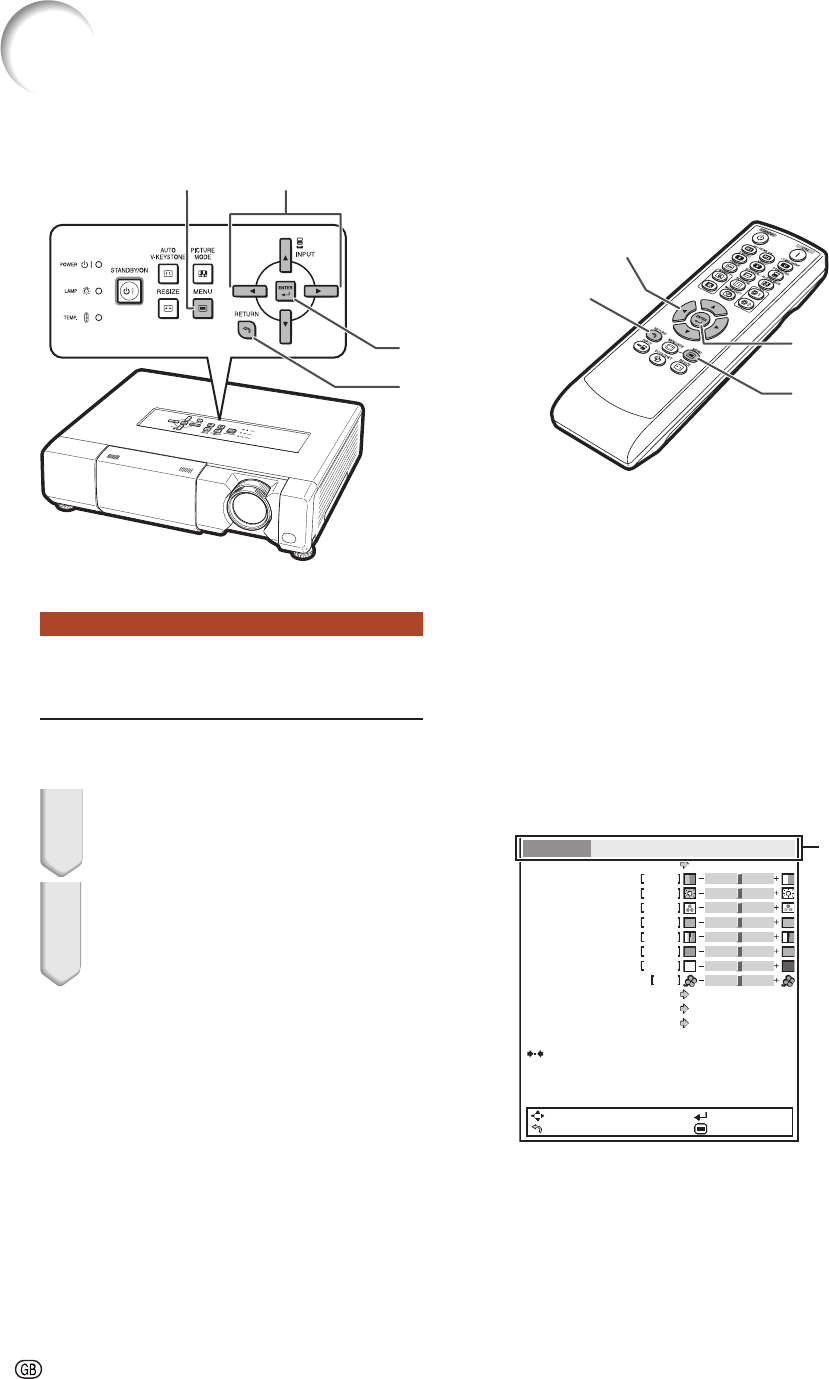
- Using the Menu Screen 36
- 1 Press MENU 36
- 5 Press MENU 37
- 1 Selecting the Picture Mode 38
- 2 Adjusting the Image 38
- ■ IRIS1 (Manual) 39
- ■ IRIS2 (Auto) 39
- (Continued) 40
- 2 Setting the Resolution 42
- 4 Signal Type Setting 42
- 5 Setting the Video System 43
- 6 Setting the Video Setup 43
- 7 Adjusting the Dynamic Range 43
- 8 Signal Info 43
- 1 Setting the Resize Mode 44
- 3 Adjusting the Overscan 44
- 4 Auto V-Keystone Correction 45
- 5 Keystone Mode Correction 45
- ■ Rotation 46
- Standby and Input Name 47
- 1 Setting Auto Power Off Mode 47
- (Economy Mode) 47
- Mild detergent diluted 49
- Maintenance Indicators 50
- Appendix 51
- Caution Concerning the Lamp 52
- Replacing the Lamp 52
- Resetting the Lamp Timer 54
- Connecting Pin Assignments 55
- Computer control 56
- Communication conditions 56
- Basic format 56
- Commands 56
- Computer Compatibility Chart 59
- Problem Check Page 60
- 5 minutes 61
- For SHARP Assistance 62
- Specifi cations 63
- Dimensions 64
Související produkty a manuály pro Datové projektory Sharp XV-Z15000
 (70 stránky)
(83 stránky)
(45 stránky)
(74 stránky)
(67 stránky)
(69 stránky)
(65 stránky)
(70 stránky)
(83 stránky)
(45 stránky)
(74 stránky)
(67 stránky)
(69 stránky)
(65 stránky)


 (103 stránky) (64 stránky)
(40 stránky)
(103 stránky) (64 stránky)
(40 stránky)
© 2020, manymanuals.cz. Všechna práva vyhrazena. | 0.026 s |
 Manymanuals.com
 Manymanuals.de
 Manymanuals.fr
 Manymanuals.it
 Manymanuals.pl
 Manymanuals.cz
 Manymanuals.es
 Manymanuals-pt.com
Komentáře k této Příručce