1
Selected COFFEE
COFFEE
ORIGINAL BLEND
COFFEE
ORIGINAL BLEND
COFFEE
ORIGINAL BLEND
COFFEE
ORIGINAL BLEND
Copy
Copy
Print
Print
Copy
Copy
Print
Print
Copy
Copy
Copy
Copy
Print
Print
Copy
Copy
Print
Print
Copy
Copy
Copy
Copy
Print
Print
Copy
Copy
Scan
Scan
Copy
Copy
Print
Print
Fa x
Fa x
Designer Trends
International Society of
Interior Design News
Glamour and Lighting Style
Twenty years ago, the glamour
of lighting finally became an
accepted, major design
specialty among architects
and interior designers. Like
architecture, it finally outgrew
its traditional realm, meaning
it would no longer be
regarded on the same level as
the "building system." The
lighting design profession
emerged from the growing
2004 Interior Design Awards
A Newstate University student beat out hundreds of
other entries to win an international interior design
competition for rug design - again. Swalita Junos,
senior interior design major and native of the
Automobile
DIVISION A
DIVISION B
DIVISION C
DIVISION D
0
5
10
15
20
S
ALES
Fresh
Vegetables
Dessert Fair
For any occasion...
The Village Florist
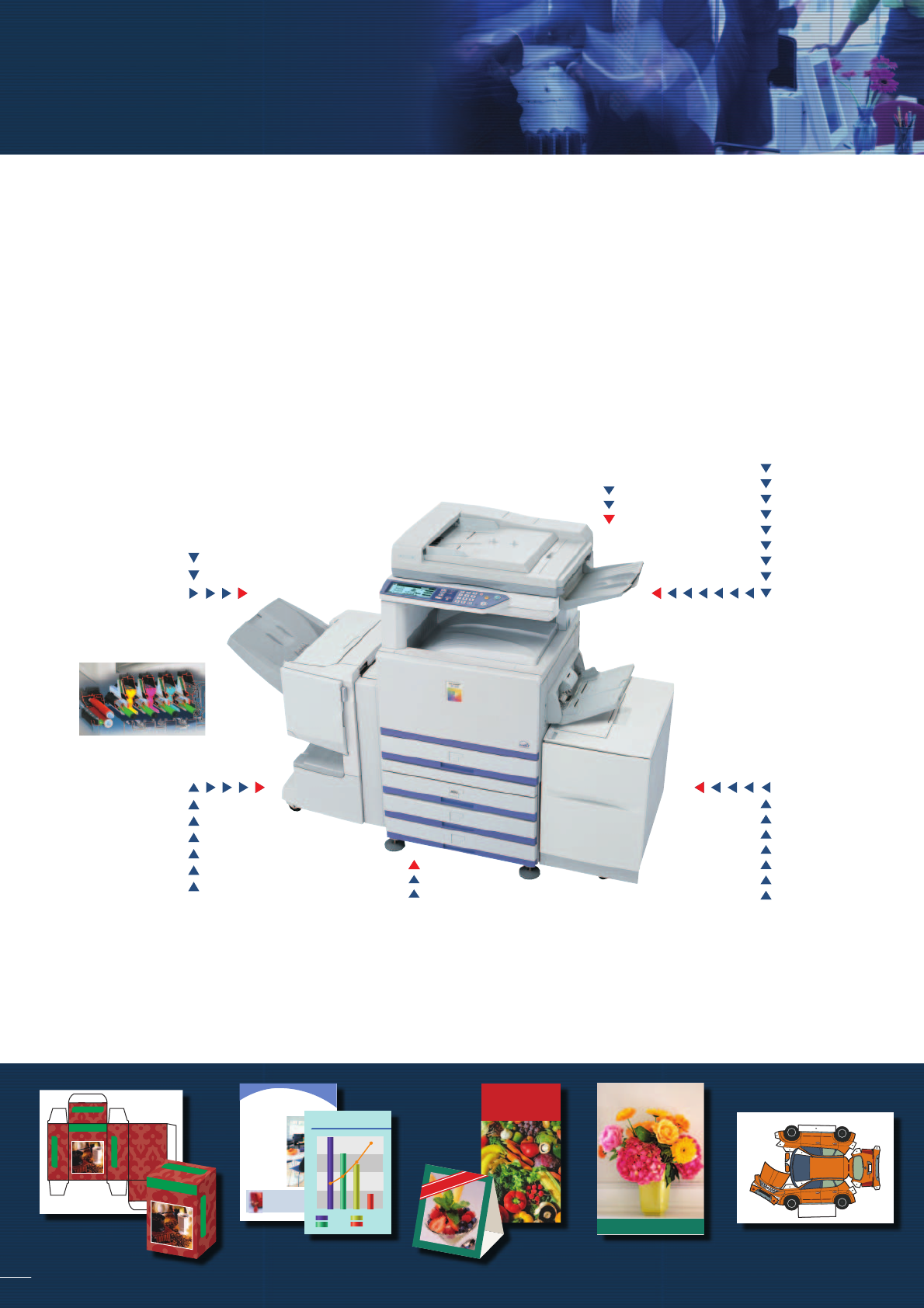
At Sharp, we know it takes more than simple colour copying/printing to keep up with the graphic demands of today’s
office communications. Integrating powerful upgrades and versatile options, the AR-C262M brings you the high-
speed, full-colour multifunction performance you need — and a whole lot more. In addition to a superb range of
functions that make copying, printing, and scanning faster and easier, the AR-C262M adopts a user-friendly universal
design and boosts efficiency with a standard RADF and print controller. With options available for faxing, network
scanning, and even data security, the AR-C262M is the ideal solution for growing businesses that are ready to take
the next step in full-colour multifunction performance.
High-Performance Copying and Printing
• Tandem printing engine provides speedy output of max.
26 ppm in full colour and 32 ppm in black & white
• Standard 100-sheet Reversing Automatic Document
Feeder (A4 or smaller)
• Productive collated copying/printing from memory for
both colour and B/W
• Standard PCL5c and optional PS3 emulation
• Powerful network printing with network utilities
• Max. 5,750-sheet paper capacity for large-volume jobs
• HDD Job Queuing and Job Status Window on the LCD
Professional Finishing Options
• Productivity-enhancing options including
stackless duplex module
• Professional-looking job finishing including
booklet making and punching
• Handles heavy paper stock up to 300 g/m
2
• Accepts paper sizes up to A3 wide (12" x 18")
Superb Image Quality
• 600-dpi printing with 4-bit colour imaging
(equivalent to 256 gradations for each colour)
• Advanced image processing technology for
consistent high quality
• Oil-less toner for non-glossy output
• Simple Auto Colour mode provides quality images
Layered Security
• IP/MAC address filtering prevents unauthorised
access
• Optional Data Security Kit erases job data retained
in memory and encrypts the data on the HDD to
protect confidential information
• Secure Confidential Print uses PIN code verification
• User authentication for network scanning
Colour Network Scanning*
• Scan to e-mail/desktop/FTP server
• Sharpdesk™ provides integrated document
management in over 200 file types
• LDAP compatibility for easy search and
registration of e-mail addresses
• Compatible with TWAIN-compliant software
Versatile Faxing*
• Super G3 faxing and JBIG compression
• Efficient quick on-line transmission
• Duplex fax transmission and reception
• Max. 500 one-touch dial and group keys
Package design PapercraftsPOP displaysNewsletters Presentation
materials
Posters
* Option(s) required for scanning and faxing.
Everything you need and more…
Tandem printing engine
C
O
FFEE
ORIGINAL BLEND
Selected COFFEE
COFFEE
ORIGINAL BLEND
COFFEE
O
RIG
IN
AL BLEN
D

 (6 stránky)
 (92 stránky)
 Manymanuals.com
 Manymanuals.de
 Manymanuals.fr
 Manymanuals.it
 Manymanuals.pl
 Manymanuals.cz
 Manymanuals.es
 Manymanuals-pt.com
Komentáře k této Příručce