Sharp MD-E9000H Specifikace Strana 1
Procházejte online nebo si stáhněte Specifikace pro CD přehrávače Sharp MD-E9000H. Sharp MD-E9000H Specifications Uživatelská příručka
- Strana / 52
- Tabulka s obsahem
- ŘEŠENÍ PROBLÉMŮ
- KNIHY

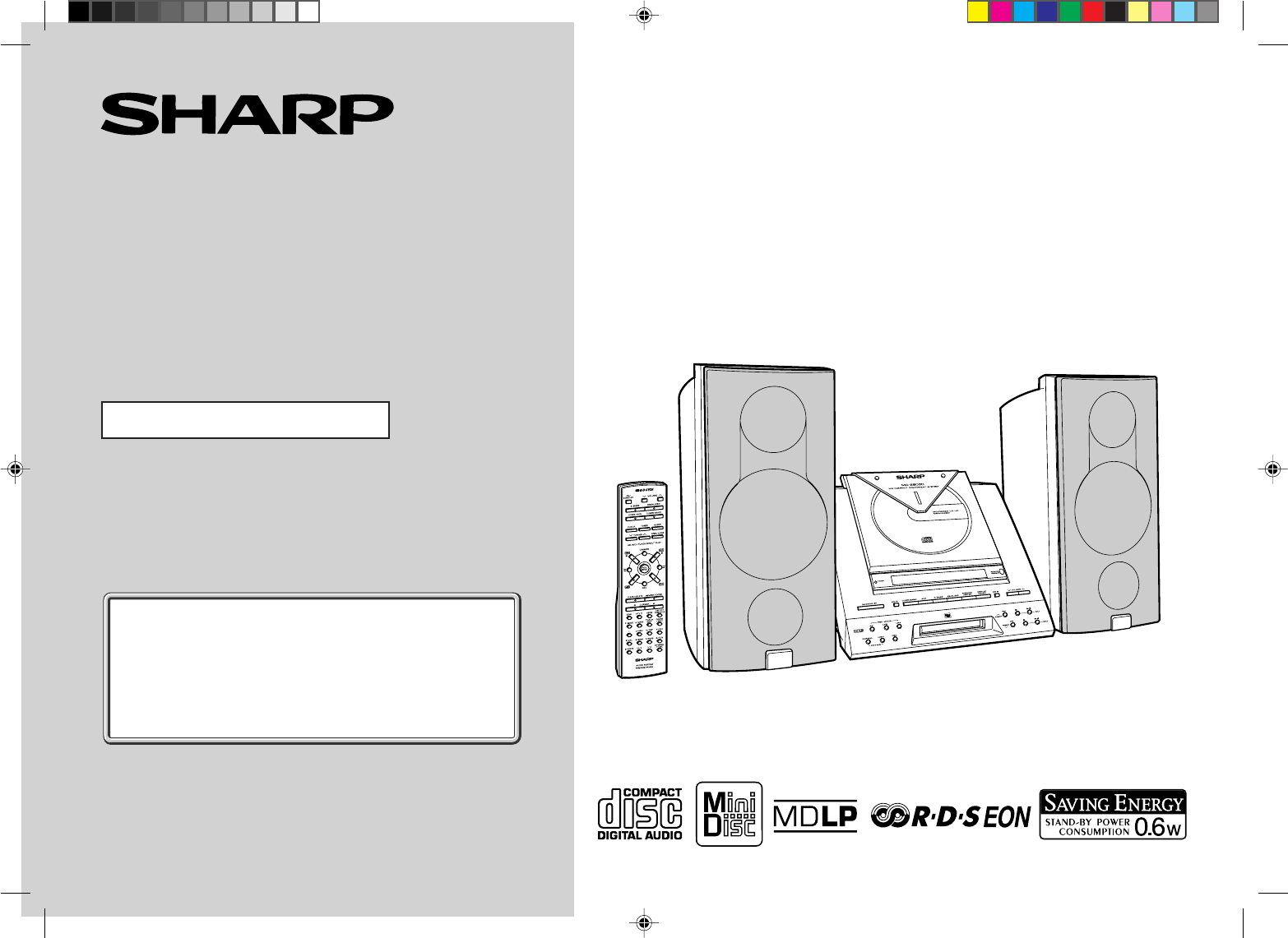
- MD-E9000H 1
- Special Notes 2
- Contents 3
- Precautions 4
- Accessories 5
- Controls and Indicators 6
- General Information 7
- System Connections 10
- Remote Control 11
- General Control 12
- Sound Control 13
- Setting the Clock 14
- Listening to a CD 15
- CD Playback 16
- Listening to a MiniDisc 17
- MD Playback 18
- Programmed Play 19
- Direct Play 20
- Repeat or Random Play 20
- Switching the Display 21
- Listening to the Radio 22
- To recall a memorised station 23
- Memorising a station 23
- RDS Radio 24
- MD Recording 31
- Titling a MiniDisc 36
- MD Editing 37
- Editing a Recorded MiniDisc 38
- Timer and Sleep Operation 41
- Advanced Features 42
- Enhancing Your Stereo System 44
- References 45
- Error Messages 46
- Troubleshooting Chart 47
- Maintenance 48
- Specifications 49
- TERMS OF GUARANTEE 52
Shrnutí obsahu
Thank you for purchasing this SHARP product.To obtain the best performance from this product, please read thismanual carefully. It will guide you in o
10Web-site: www.sharp.co.uk/support Help Line: 08705 274277 (office hours)Preparation for Use- System Connections -System ConnectionsFM aerialRight
11Web-site: www.sharp.co.uk/support Help Line: 08705 274277 (office hours)Preparation for Use- Remote Control -MD-E9000H Battery installation1. Re
12Web-site: www.sharp.co.uk/support Help Line: 08705 274277 (office hours)Basic Operation- General Control - Demonstration modeThe first time the
13Web-site: www.sharp.co.uk/support Help Line: 08705 274277 (office hours)Basic Operation- Sound Control -MD-E9000HSound Control Adjusting the vol
14Web-site: www.sharp.co.uk/support Help Line: 08705 274277 (office hours)Basic Operation- Setting the Clock -This may be operated only with the re
15Web-site: www.sharp.co.uk/support Help Line: 08705 274277 (office hours)CD Playback- Listening to a CD -MD-E9000HListening to a CD1 Press the ON/
16Web-site: www.sharp.co.uk/support Help Line: 08705 274277 (office hours)CD Playback- Listening to a CD - To locate the beginning of a trackTo mo
17Web-site: www.sharp.co.uk/support Help Line: 08705 274277 (office hours)MD Playback- Listening to a MiniDisc -MD-E9000HListening to a MiniDisc1 P
18Web-site: www.sharp.co.uk/support Help Line: 08705 274277 (office hours)MD Playback- Listening to a MiniDisc - To locate the beginning of a trac
19Web-site: www.sharp.co.uk/support Help Line: 08705 274277 (office hours)Advanced CD/MD Playback- Programmed Play -MD-E9000HProgrammed PlayYou ca
2Web-site: www.sharp.co.uk/support Help Line: 08705 274277 (office hours)Important Instruction- Special Notes -Special NotesNOTES FOR USERS IN THE
20Web-site: www.sharp.co.uk/support Help Line: 08705 274277 (office hours)Advanced CD/MD Playback- Direct Play / Repeat or Random Play -Direct Pla
21Web-site: www.sharp.co.uk/support Help Line: 08705 274277 (office hours)Advanced CD/MD Playback- Switching the Display -MD-E9000HSwitching the D
22Web-site: www.sharp.co.uk/support Help Line: 08705 274277 (office hours)Radio- Listening to the Radio -Listening to the Radio1 Press the ON/STAND
23Web-site: www.sharp.co.uk/support Help Line: 08705 274277 (office hours)Radio- Listening to a Memorised Station -MD-E9000H To recall a memorised
24Web-site: www.sharp.co.uk/support Help Line: 08705 274277 (office hours)RDS Radio- Using the Radio Data System (RDS) -Using the Radio Data System
25Web-site: www.sharp.co.uk/support Help Line: 08705 274277 (office hours)RDS Radio- Using the Radio Data System (RDS) -MD-E9000HSOCIAL Programmes
26Web-site: www.sharp.co.uk/support Help Line: 08705 274277 (office hours)RDS Radio- Using the Radio Data System (RDS) -Using the Radio Data System
27Web-site: www.sharp.co.uk/support Help Line: 08705 274277 (office hours)RDS Radio- Using the Radio Data System (RDS) -MD-E9000H To recall statio
28Web-site: www.sharp.co.uk/support Help Line: 08705 274277 (office hours)RDS Radio- Using the Radio Data System (RDS) - To automatically play the
29Web-site: www.sharp.co.uk/support Help Line: 08705 274277 (office hours)RDS Radio- Using the Radio Data System (RDS) -MD-E9000H To automatically
3Web-site: www.sharp.co.uk/support Help Line: 08705 274277 (office hours)Important Instruction- Contents -MD-E9000H Radio PageListening to the Rad
30Web-site: www.sharp.co.uk/support Help Line: 08705 274277 (office hours)RDS Radio- Using the Radio Data System (RDS) -Using the Radio Data System
31Web-site: www.sharp.co.uk/support Help Line: 08705 274277 (office hours)MD Recording- Before Recording to a MiniDisc -MD-E9000H Differences from
32Web-site: www.sharp.co.uk/support Help Line: 08705 274277 (office hours)MD Recording- Recording to a MiniDisc from a CD -Recording to a MiniDisc
33Web-site: www.sharp.co.uk/support Help Line: 08705 274277 (office hours)MD Recording- Recording to a MiniDisc from a CD -MD-E9000HNotes:● When th
34Web-site: www.sharp.co.uk/support Help Line: 08705 274277 (office hours)MD Recording- Recording to a MiniDisc from a CD -Recording to a MiniDisc
35Web-site: www.sharp.co.uk/support Help Line: 08705 274277 (office hours)MD Recording- Recording to a MiniDisc from the Radio -MD-E9000HRecording
36Web-site: www.sharp.co.uk/support Help Line: 08705 274277 (office hours)MD Editing- Titling a MiniDisc -1 Press the MD button and load a MiniDi
37Web-site: www.sharp.co.uk/support Help Line: 08705 274277 (office hours)MD Editing- Titling a MiniDisc -MD-E9000HTitling a MiniDisc (continued)To
38Web-site: www.sharp.co.uk/support Help Line: 08705 274277 (office hours)MD Editing- Editing a Recorded MiniDisc - To combine tracks1 Press the MD
39Web-site: www.sharp.co.uk/support Help Line: 08705 274277 (office hours)MD Editing- Editing a Recorded MiniDisc -MD-E9000H To move programmed tra
4Web-site: www.sharp.co.uk/support Help Line: 08705 274277 (office hours)General Information- Precautions -Precautions General● Please ensure that
40Web-site: www.sharp.co.uk/support Help Line: 08705 274277 (office hours)MD Editing- Editing a Recorded MiniDisc - To erase all of the tracks at o
41Web-site: www.sharp.co.uk/support Help Line: 08705 274277 (office hours)Advanced Features- Timer and Sleep Operation -MD-E9000HTimer and Sleep Op
42Web-site: www.sharp.co.uk/support Help Line: 08705 274277 (office hours)Advanced Features- Timer and Sleep Operation -Timer and Sleep Operation (
43Web-site: www.sharp.co.uk/support Help Line: 08705 274277 (office hours)Advanced Features- Timer and Sleep Operation -MD-E9000H Simultaneous sle
44Web-site: www.sharp.co.uk/support Help Line: 08705 274277 (office hours)Advanced Features- Enhancing Your Stereo System -Enhancing Your Stereo Sy
45Web-site: www.sharp.co.uk/support Help Line: 08705 274277 (office hours)References- What is a MiniDisc? / MiniDisc System Limitations -MD-E9000HT
46Web-site: www.sharp.co.uk/support Help Line: 08705 274277 (office hours)References- Error Messages -Error MessagesError messagesBLANK MDCan’t COP
47Web-site: www.sharp.co.uk/support Help Line: 08705 274277 (office hours)References- Troubleshooting Chart -MD-E9000HTroubleshooting ChartMany po
48Web-site: www.sharp.co.uk/support Help Line: 08705 274277 (office hours)References- Troubleshooting Chart / Maintenance -Troubleshooting Chart (
49Web-site: www.sharp.co.uk/support Help Line: 08705 274277 (office hours)References- Specifications -MD-E9000H MiniDiscType MiniDisc recorderSign
5Web-site: www.sharp.co.uk/support Help Line: 08705 274277 (office hours)General Information- Precautions / Accessories -MD-E9000HPrecautions (cont
MEMO *MD9000H-MEMO 2001.4.20, 2:17 AM50
MEMO *MD9000H-MEMO 2001.4.20, 2:17 AM51
Web-site: www.sharp.co.uk/support Help Line: 08705 274277 (office hours)TINSE0377AWZZA0104. YTTERMS OF GUARANTEESharp Electronics (UK) Ltd. (“Sharp
6Web-site: www.sharp.co.uk/support Help Line: 08705 274277 (office hours)General Information- Controls and Indicators -Controls and Indicators Fro
7Web-site: www.sharp.co.uk/support Help Line: 08705 274277 (office hours)General Information- Controls and Indicators -MD-E9000H Display01. Record
8Web-site: www.sharp.co.uk/support Help Line: 08705 274277 (office hours)General Information- Controls and Indicators - Remote Control Reference p
9Web-site: www.sharp.co.uk/support Help Line: 08705 274277 (office hours)General Information- Controls and Indicators -MD-E9000H Speaker System01.
Související produkty a manuály pro CD přehrávače Sharp MD-E9000H
 (38 stránky)
 (26 stránky)
(20 stránky)
(26 stránky)
(20 stránky)


 (50 stránky)
(22 stránky)
(50 stránky)
(22 stránky)
 (53 stránky)
(42 stránky)
(32 stránky)
(53 stránky)
(42 stránky)
(32 stránky)
 (42 stránky)
 (22 stránky)
(40 stránky)
(22 stránky)
(36 stránky)
(32 stránky)
(47 stránky)
(22 stránky)
(22 stránky)
(40 stránky)
(22 stránky)
(36 stránky)
(32 stránky)
(47 stránky)
© 2020, manymanuals.cz. Všechna práva vyhrazena. | 0.031 s |
 Manymanuals.com
 Manymanuals.de
 Manymanuals.fr
 Manymanuals.it
 Manymanuals.pl
 Manymanuals.cz
 Manymanuals.es
 Manymanuals-pt.com
Komentáře k této Příručce