Sharp CD-SW200 Specifikace Strana 1
Procházejte online nebo si stáhněte Specifikace pro CD přehrávače Sharp CD-SW200. Sharp CD-SW200 Specifications Uživatelská příručka
- Strana / 44
- Tabulka s obsahem
- KNIHY

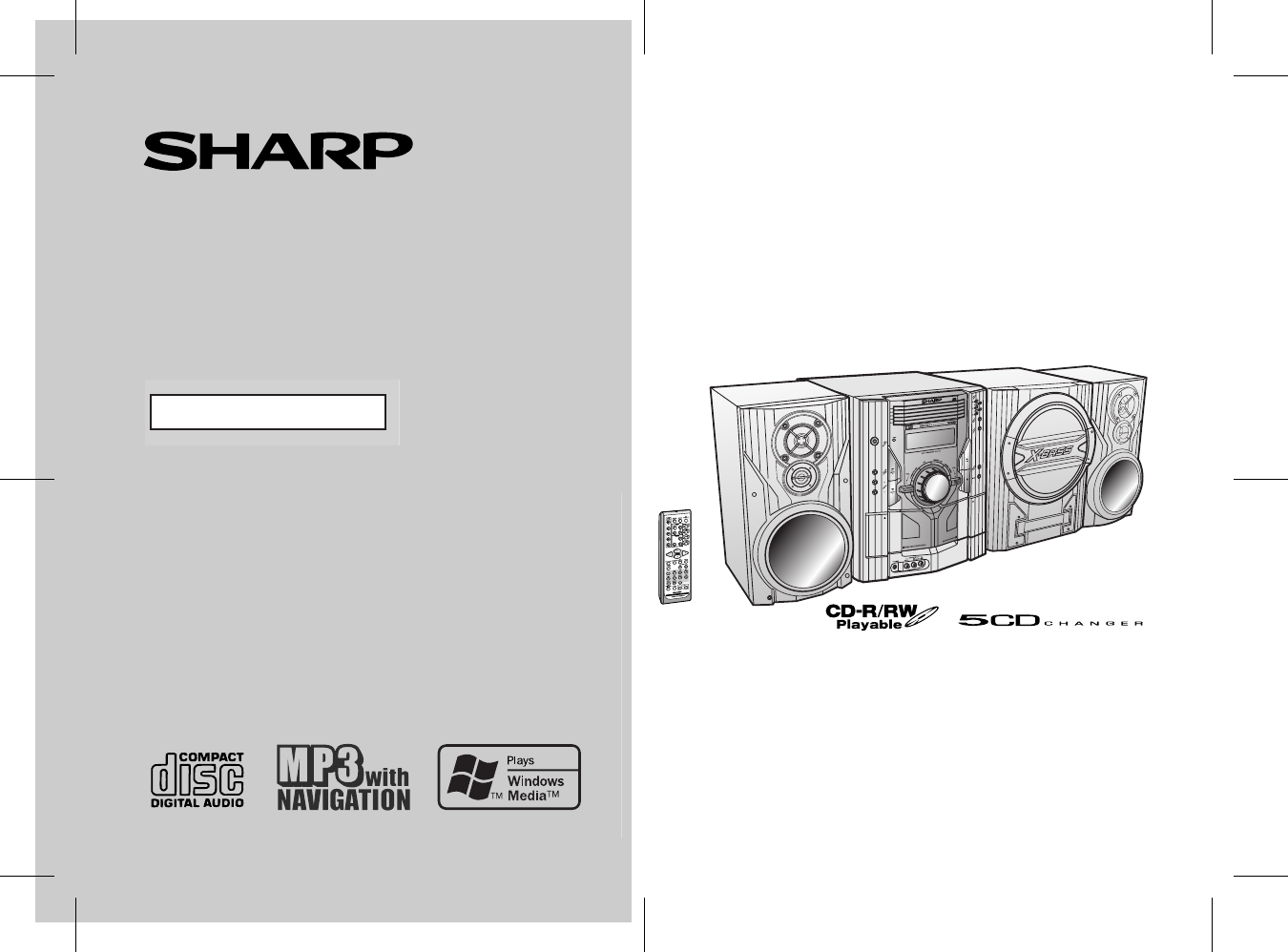
- CD-SW200E 1
- Special notes 2
- Accessories 3
- Contents 3
- Precautions 4
- Controls and indicators 5
- General Information 6
- System connections 9
- Preparation for Use 10
- Remote control 12
- General control 13
- Setting the clock 14
- CD or MP3/WMA disc Playback 15
- Listening to the radio 25
- CD-SW200 26
- TAPE 1 TAPE 2 27
- Recording on a cassette tape 28
- Tape Recording 29
- Advanced Features 32
- Enhancing your system 35
- References 37
- Maintenance 39
- Specifications 39
- Specifications (continued) 40
- 03/11/4 CD-SW200E MEMO.fm 41
- TINSKA001AWZZ 41
- 1300 135 022 43
- WARRANTY 44
Shrnutí obsahu
04/3/9 CD-SW200EA FRONT.fmThank you for purchasing this SHARP product. To obtain the best performance from this product, please read thismanual carefu
17/03/05 CD-SW200EA 02-12.fm 10 CD-SW200E Preparation for Use System connections (continued) Aerial connection Supplied FM aerial: Connect the FM a
03/12/17 CD-SW200EA 02-12.fm 11 CD-SW200E Preparation for Use Placing the speaker systemThere is no distinction between the right and the left speak
17/03/05 CD-SW200EA 02-12.fm12CD-SW200EPreparation for UseRemote control Battery installation Precautions for battery use: Replace all old batteries
17/03/05 CD-SW200EA 13-22.fm13CD-SW200EBasic OperationGeneral control To turn the power onPress the ON/STAND-BY button to turn the power on. Illumi
05/3/08 CD-SW200EA 13-22.fm 14 CD-SW200E Basic Operation Setting the clock In this example, the clock is set for the 24-hour (0:00) display. To confir
17/03/05 CD-SW200EA 13-22.fm 15 CD-SW200E CD or MP3/WMA disc Playback Listening to a CD or MP3/WMA disc This system can play back a standard CD, CD
05/3/08 CD-SW200EA 13-22.fm 16 CD-SW200E CD or MP3/WMA disc Playback Listening to a CD or MP3/ WMA disc (continued) Playback will begin from track
17/03/05 CD-SW200EA 13-22.fm 17 CD-SW200E CD or MP3/WMA disc Playback Various disc functions Notes for CD: Notes for MP3/WMA discs: Track up/tr
05/3/08 CD-SW200EA 13-22.fm 18 CD-SW200E CD or MP3/WMA disc Playback Advanced CD or MP3/WMA disc playback To specify a disc to play You can play
17/03/05 CD-SW200EA 13-22.fm19CD-SW200ECD or MP3/WMA disc Playback Repeat playRepeat play can play all 5 discs, all tracks on a chosen disc, or a pro
17/03/05 CD-SW200EA 02-12.fm2CD-SW200EImportant InstructionSpecial notesWARNINGS When the ON/STAND-BY button is set at STAND-BY position,mains voltag
05/3/08 CD-SW200EA 13-22.fm20CD-SW200ECD or MP3/WMA disc PlaybackAdvanced CD or MP3/WMA disc playback (continued) Programmed playYou can choose up t
17/03/05 CD-SW200EA 13-22.fm21CD-SW200ECD or MP3/WMA disc PlaybackMP3/WMA navigation (only for MP3/WMA files) MP3/WMA navigation:You can search and p
05/3/08 CD-SW200EA 13-22.fm22CD-SW200ECD or MP3/WMA disc PlaybackMP3/WMA navigation (only for MP3/WMA files) (continued) File search (by folder or t
17/03/05 CD-SW200EA 23- 30.fm23CD-SW200ECD or MP3/WMA disc Playback Character search (for folder or title 1/2/3)By entering a name, you can search
05/3/8 CD-SW200EA 23- 30.fm 24 CD-SW200E CD or MP3/WMA disc Playback MP3/WMA navigation (only for MP3/WMA files) (continued) Programmed play (for
17/03/05 CD-SW200EA 23- 30.fm25CD-SW200ERadioListening to the radio Auto power on function:When you press any of the following buttons, the unit turns
05/3/8 CD-SW200EA 23- 30.fm 26 CD-SW200E Radio Listening to the radio (continued) Memorising a station You can store 40 AM and FM stations in memo
17/03/05 CD-SW200EA 23- 30.fm 27 CD-SW200E Tape Playback Listening to a cassette tape (TAPE 1 or TAPE 2) Tape playback Auto power on function: Wh
05/3/8 CD-SW200EA 23- 30.fm28CD-SW200ETape PlaybackListening to a cassette tape (TAPE 1 or TAPE 2) (continued) Various tape functions Caution: To r
17/03/05 CD-SW200EA 23- 30.fm29CD-SW200ETape Recording Recording from a CD or MP3/WMA disc You can record the desired disc using the DIRECT PLAY bu
03/12/17 CD-SW200EA 02-12.fm3CD-SW200EImportant InstructionSpecial notesSupply of this product does not convey a license nor imply any rightto distrib
05/3/8 CD-SW200EA 23- 30.fm30CD-SW200ETape RecordingRecording on a cassette tape (continued) Recording from several CDs continuously:To perform progra
17/03/05 CD-SW200EA 31-40 .fm31CD-SW200EAdvanced FeaturesTimer and sleep operationTimer playback:The unit turns on and plays the desired source (CD, t
05/3/8 CD-SW200EA 31-40 .fm 32 CD-SW200E Advanced Features Timer and sleep operation (continued) 4 Within 10 seconds, press the or button t
17/03/05 CD-SW200EA 31-40 .fm 33 CD-SW200E Advanced Features Note:Checking the timer setting in the timer stand-by mode:Cancelling the timer setting
05/3/8 CD-SW200EA 31-40 .fm 34 CD-SW200E Advanced Features Timer and sleep operation (continued) Sleep operation The radio, CD, MP3/WMA disc and ca
17/03/05 CD-SW200EA 31-40 .fm 35 CD-SW200E Advanced Features Enhancing your system The connection lead is not included. Purchase a commercially avail
05/3/8 CD-SW200EA 31-40 .fm36CD-SW200EAdvanced FeaturesEnhancing your system (continued) Headphones Before plugging in or unplugging the headphones,
17/03/05 CD-SW200EA 31-40 .fm 37 CD-SW200E References Cassette deck Remote control Tuner CondensationSudden temperature changes, storage or
05/3/8 CD-SW200EA 31-40 .fm38CD-SW200EReferencesTroubleshooting chart (continued) If trouble occursWhen this product is subjected to strong external
17/03/05 CD-SW200EA 31-40 .fm39CD-SW200EReferencesMaintenance Cleaning the tape-handling parts Dirty heads, capstans or pinch rollers can cause poor
17/03/05 CD-SW200EA 02-12.fm 4 CD-SW200E General Information Precautions General Please ensure that the equipment is positioned in a well ventila
05/3/8 CD-SW200EA 31-40 .fm40CD-SW200EReferencesSpecifications (continued) CD player Tuner Cassette deck Front Speaker SubwooferType 5-disc m
03/11/4 CD-SW200E MEMO.fmTINSKA001AWZZMEMO
03/11/4 CD-SW200E MEMO.fmTINSKA001AWZZMEMO
FOR LOCATION ENQUIRIES WITHINAUSTRALIAREGARDING YOUR LOCALSHARP APPROVED SERVICE CENTREVISIT OUR WEBSITE ATwww.sharp.net.auOR CALL SHARP CUSTOMER CARE
This Sharp product is warranted against faults in materials and manufacture for a period of twelve(12) months from the date of original purchase.The o
03/12/17 CD-SW200EA 02-12.fm5CD-SW200EGeneral InformationControls and indicators Front panelReference page1. Disc Trays . . . . . . . . . . . . . . .
17/03/05 CD-SW200EA 02-12.fm 6 CD-SW200E General Information Controls and indicators (continued) Display Reference page1. Disc Number Indicators .
03/12/17 CD-SW200EA 02-12.fm 7 CD-SW200E General Information Front Speaker 1. Tweeter2. Super Tweeter3. Woofer 4. Bass Reflex Duct5. Speaker Wire
17/03/05 CD-SW200EA 02-12.fm8CD-SW200EGeneral InformationControls and indicators (continued) Remote controlReference page1. Remote Control Transmitte
03/12/17 CD-SW200EA 02-12.fm 9 CD-SW200E Preparation for Use System connections Left speaker SubwooferRight speaker Speaker connection (see page 10
Další dokumenty pro CD přehrávače Sharp CD-SW200

Související produkty a manuály pro CD přehrávače Sharp CD-SW200


 (61 stránky)
(56 stránky)
(60 stránky)
(61 stránky)
(56 stránky)
(60 stránky)
 (59 stránky)
 (39 stránky)
(32 stránky)
(44 stránky)
(64 stránky)
(84 stránky)
(48 stránky)
(30 stránky)
(112 stránky)
(72 stránky)
(88 stránky)
(64 stránky)
(60 stránky)
(48 stránky)
(90 stránky)
(39 stránky)
(32 stránky)
(44 stránky)
(64 stránky)
(84 stránky)
(48 stránky)
(30 stránky)
(112 stránky)
(72 stránky)
(88 stránky)
(64 stránky)
(60 stránky)
(48 stránky)
(90 stránky)
© 2020, manymanuals.cz. Všechna práva vyhrazena. | 0.039 s |
 Manymanuals.com
 Manymanuals.de
 Manymanuals.fr
 Manymanuals.it
 Manymanuals.pl
 Manymanuals.cz
 Manymanuals.es
 Manymanuals-pt.com
Komentáře k této Příručce